
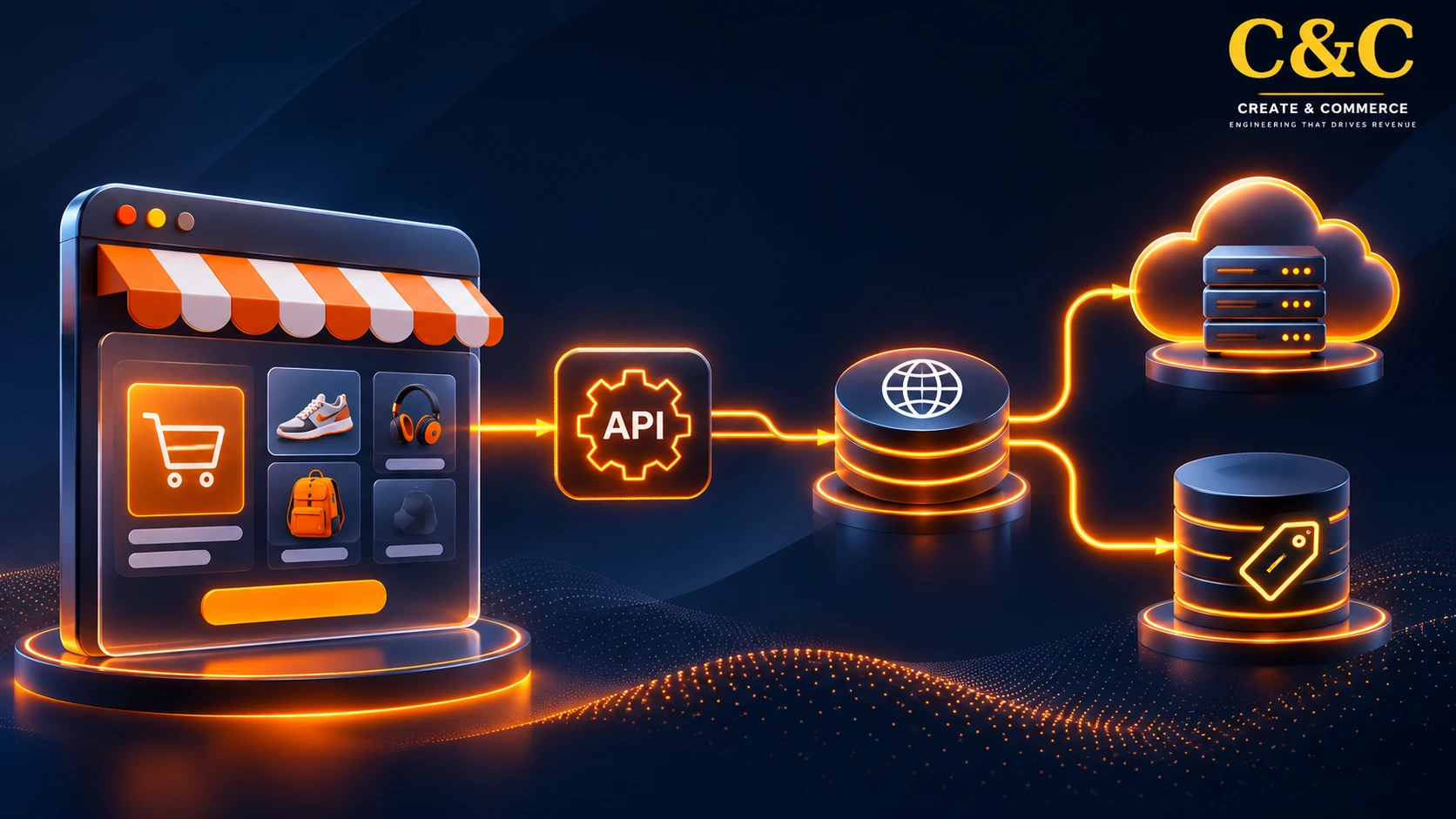
A headless ecommerce storefront separates the shopper-facing frontend from the commerce engine. The split brings both speed and risk when Black Friday campaign traffic arrives. Pages can load in a fraction of a second when the architecture is tuned, yet a single overloaded API call can stall an entire checkout. Preparation decides whether a sale becomes a record-revenue day or an expensive outage. The guidance below covers architecture checkpoints, platform steps, caching, testing, search visibility, AI assistant visibility and catalog data quality for stores built on Magento, Adobe Commerce, Shopify, WooCommerce and BigCommerce.
Quick Answer: A headless ecommerce storefront is ready for Black Friday when pages are cached at the edge, backend APIs are load tested at two to three times expected peak traffic, checkout is isolated from browsing traffic, and every alert is tied to a written response plan.
Why a Headless Ecommerce Storefront Faces Unique Black Friday Pressure
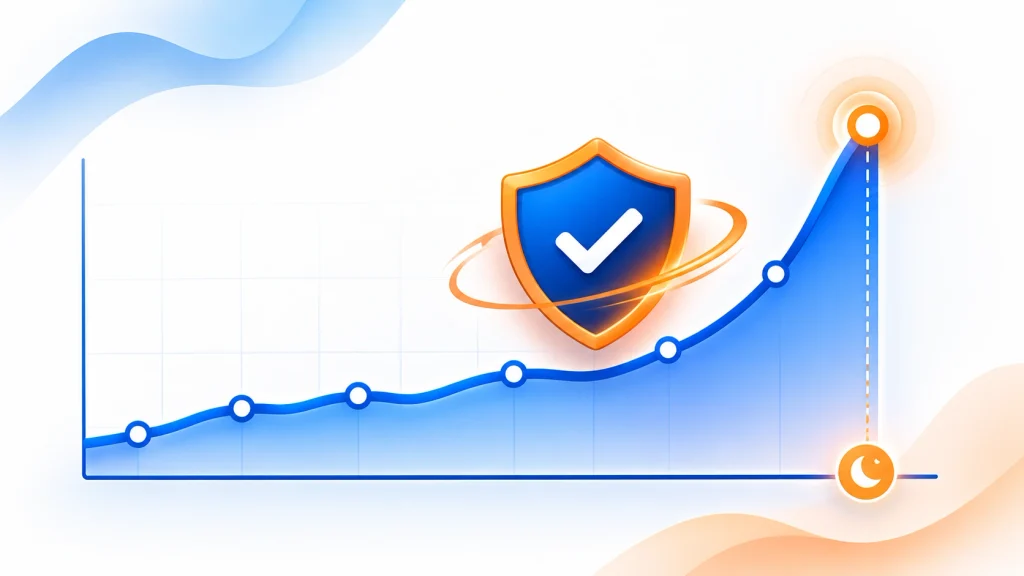
Traditional platforms render pages on one server stack, so bottlenecks are easy to locate. A decoupled build spreads work across a frontend host, a CDN, an API gateway, a commerce backend, a search service, a payment provider and often a content system. Each layer has its own limits, and Black Friday tests every one at the same moment.
Campaign traffic also behaves differently from normal demand. Email and paid social sends create sudden vertical spikes instead of gentle curves. Shoppers land on a handful of promotional pages, reload the same listings and leave slow sessions quickly. Findings in the Baymard Institute cart abandonment research show how much revenue disappears when friction appears at checkout. Stability during peak hours is therefore a revenue question, not only a technical one.
Google’s engineering teams have documented how overload spreads between connected services in their guidance on addressing cascading failures. A decoupled storefront shows the same pattern: one slow dependency can drag down every service waiting on it.
Quick Answer: Black Friday stresses headless builds harder than monolithic ones because many independent services must scale together, and the weakest service sets the ceiling for the entire sale.
Headless eCommerce Architecture Checkpoints Before Campaign Launch
Sound Headless eCommerce Architecture starts with a written map of every request a shopper triggers, from the first landing page view to the order confirmation email. Documenting the full chain shows which services need extra capacity and which can fall back gracefully when pressure rises. Composable design principles published by the MACH Alliance offer a useful vocabulary for the mapping exercise.
Frontend Rendering Strategy for a Headless Ecommerce Storefront
Rendering mode matters more than almost any other frontend decision during a sale. Static generation and incremental regeneration serve campaign landing pages and category pages from cache with almost no backend work. The Next.js incremental static regeneration documentation explains how pages refresh in the background without a full rebuild. Server-side rendering suits personalized pages but multiplies backend calls, so personalization should be limited to small client-side components during peak hours.
Teams practicing headless ecommerce development often pre-render the top few hundred campaign URLs and keep long-tail pages on demand.
API and Ecommerce Backend Capacity
The ecommerce backend carries the heaviest burden: inventory checks, pricing rules, cart totals, promotions and order creation. GraphQL queries should be audited for depth and complexity, since one oversized query can consume the resources of hundreds of lightweight ones. The GraphQL best practices guide covers pagination, caching and schema design patterns that reduce that risk. Rate limits, query cost caps and timeouts protect the backend from runaway requests.
Well-planned ecommerce api integration services also add circuit breakers. A failing recommendation engine or review widget then never blocks the add-to-cart button.
Quick Answer: Capacity planning for a headless backend focuses on API query cost, database connections, queue throughput and third-party service limits, not just server CPU.
Platform-Specific Preparation: Magento, Adobe Commerce, Shopify, WooCommerce and BigCommerce
Every platform exposes different levers, so Black Friday planning should match the platform instead of relying on generic advice.
Magento 2 Performance Optimization and Adobe Commerce Cloud
Stores running Magento or Adobe Commerce gain the most from disciplined magento 2 performance optimization. The core toolkit includes Redis for sessions and cache, Varnish or Fastly for full-page caching, tuned indexers, optimized MySQL queries and OpenSearch sized for catalog scale. Adobe also publishes performance best practices for Adobe Commerce covering configuration, caching and database settings. Cron jobs and heavy indexing tasks should run well away from the sale window, and catalog or price changes should be frozen several days beforehand.
The comparison of Magento 2 vs Adobe Commerce Cloud matters most during peak planning. Open-source Magento leaves infrastructure scaling with the internal team. A magento 2 commerce cloud environment brings managed auto-scaling, a built-in Fastly CDN, New Relic observability and a defined deployment pipeline. Reviewing the Adobe Commerce documentation before the sale helps confirm scaling limits, support escalation paths and deployment freeze practices. Storefronts built on the GraphQL layer should also review the Adobe Commerce GraphQL reference for cacheable queries.
Organizations with large catalogs, B2B pricing and multi-store setups usually rely on adobe commerce development services and magento enterprise development specialists to rehearse failover scenarios. Teams delivering magento ecommerce development handle extension audits that remove slow third-party modules.
Quick Answer: Magento 2 vs Adobe Commerce Cloud comes down to infrastructure responsibility. Open-source Magento requires self-managed scaling, while Adobe Commerce Cloud provides managed hosting, CDN and monitoring for high-traffic events.
Shopify, BigCommerce and WooCommerce Headless Setups
Shopify handles most infrastructure scaling, so preparation centers on Storefront API query efficiency, frontend caching and app audits. The Shopify headless storefront guides and the Storefront API reference describe query and caching patterns worth following.
BigCommerce offers high API rate allowances and multi-storefront support. Its developer documentation explains webhook and GraphQL best practices.
WooCommerce used as a headless backend depends heavily on hosting quality, object caching and database tuning. The WooCommerce REST API documentation and a staging load test deserve extra attention.
A headless ecommerce storefront on any of these engines benefits from the same discipline: cache aggressively, limit backend calls and test early.
Caching, CDN and Edge Strategy for a Headless Ecommerce Storefront
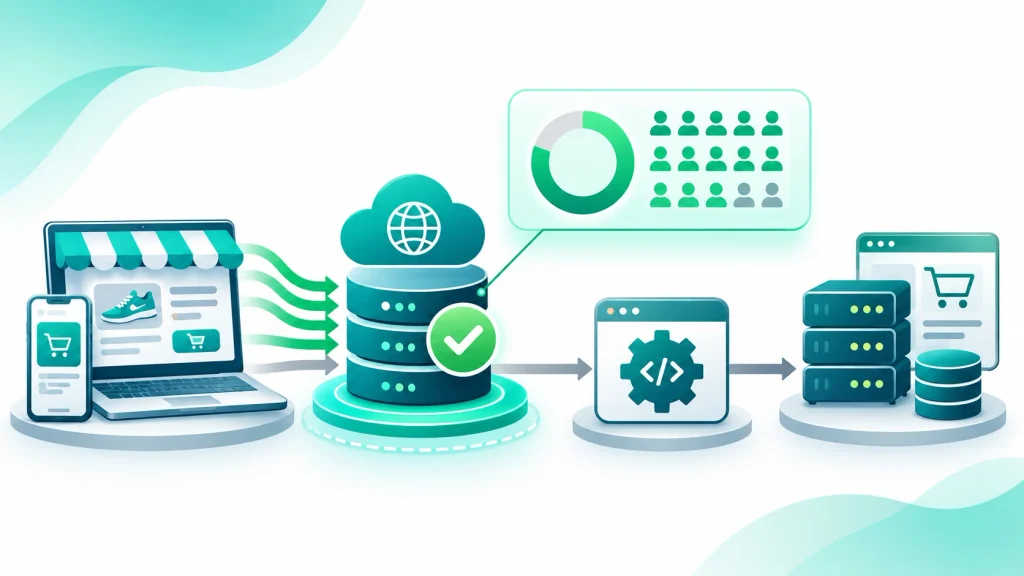
Caching is the most powerful tool for ecommerce performance optimization. The goal is simple: let the edge answer as many requests as possible, so the backend handles only unique, high-value actions such as cart updates and payments. Cloudflare’s overview of how a content delivery network works gives a clear primer on edge delivery.
Effective edge strategy usually includes these steps:
- Cache HTML for campaign pages with short time-to-live values and stale-while-revalidate behavior, as described in the MDN Cache-Control reference, so shoppers always receive a fast response while content refreshes.
- Cache GraphQL and REST responses for catalog data using persisted queries and consistent cache keys.
- Serve images through an image CDN with automatic WebP or AVIF conversion and responsive sizing.
- Use cache tags or surrogate keys, so a single price change purges only affected pages instead of the entire site. The Fastly documentation explains surrogate key purging in detail.
- Place a queue or waiting room in front of checkout if demand exceeds proven capacity.
Performance targets should follow Core Web Vitals thresholds. The Largest Contentful Paint guide shows how to fix the slowest element on campaign pages, and the Interaction to Next Paint guide covers responsiveness on busy product listings. Slow loading reduces both conversions and organic visibility. Fast campaign pages also earn better quality scores in paid advertising, which lowers acquisition costs during the most expensive week of the year.
Quick Answer: Edge caching protects a headless storefront by serving repeat requests from a CDN, which cuts backend load dramatically and keeps page speed steady during traffic spikes.
Load Testing and Observability Before the Sale Begins
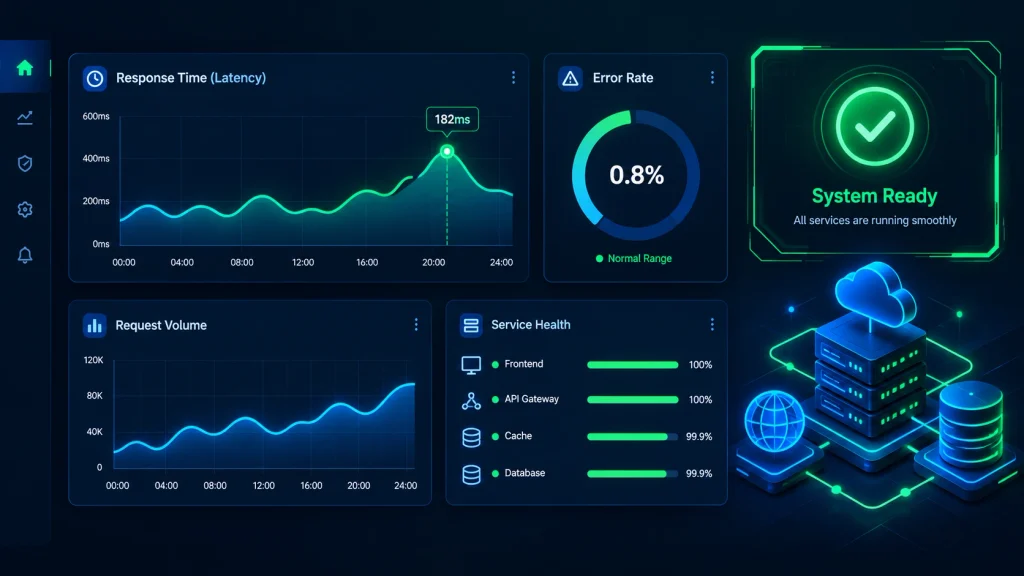
Assumptions fail under real traffic, so rehearsal is essential. Load tests should replicate real shopper journeys: landing page, search, product view, add to cart, coupon entry, shipping selection and payment. Tools such as k6 (see the k6 load testing documentation), Locust or Apache JMeter can simulate thousands of concurrent sessions against a staging environment that mirrors production.
A strong test plan covers four scenarios:
- Baseline load at expected daily peak.
- Stress load at two to three times forecast demand.
- Spike load simulating a sudden email send.
- Soak load sustained across several hours to expose memory leaks and connection exhaustion.
Observability converts test findings into live protection. Dashboards should track error rate, p95 and p99 latency, cache hit ratio, checkout conversion, queue depth and payment success rate. Alerts should connect to named owners and written runbooks, so a degraded search service triggers a prepared fallback instead of a scramble.
Quick Answer: Load testing a headless storefront means simulating complete shopper journeys at two to three times expected peak traffic, then monitoring latency, errors and cache hit ratio during the live event.
Campaign Landing Pages, Search Visibility and Structured Data
Black Friday pages often fail in search because the launch comes late, URLs change every year or crawlable content is missing. A headless frontend must expose fully rendered HTML to crawlers, keep stable campaign URLs that can be reused annually and publish clear internal links from category pages to the offer hub.
Product and offer markup supports richer results. Following Google’s product structured data guidance and the Schema.org Product vocabulary, each product page should declare price, availability, review ratings and shipping details in JSON-LD. Price and stock values in markup must match the visible page, since mismatches can remove rich result eligibility.
Guidance in Google’s helpful content documentation reinforces the value of first-hand expertise, original information and clear sourcing on commercial pages.
Quick Answer: Campaign pages rank and earn rich results when rendered HTML is crawlable, URLs stay stable year to year, and structured data matches the visible price and stock.
Answer Engine and AI Assistant Visibility for Campaign Pages
Shoppers increasingly ask AI assistants and search summaries for gift ideas, price comparisons and delivery deadlines before visiting any store. Pages that state facts plainly are quoted more often and more accurately. Google explains how generative summaries select sources in its documentation on AI features and website eligibility, and the same fundamentals apply to other language-model assistants.
Practical steps for a headless ecommerce storefront include:
- Open each section with a one- or two-sentence direct answer, followed by supporting detail.
- Use descriptive headings written as the questions shoppers actually ask.
- Keep product names, brand names and attribute labels identical across pages, feeds and markup.
- Publish delivery cutoffs, return windows and price-match rules in plain text, not inside images or scripts.
- Add FAQ sections with short, self-contained answers.
- Keep sitemaps current and confirm that crawlers are not blocked from rendered content.
Quick Answer: AI visibility improves when pages give direct answers, use consistent product naming, include accurate structured data and render fully for crawlers.
How Language Models Choose and Quote Store Pages
Language-model assistants draw on a mix of training data, live search results and retrieved web pages. Pages chosen for citation tend to share several traits: a clear answer near the top, specific facts such as prices, dates and specifications, a visible publication or update date, and a trustworthy source reputation. Vague marketing copy rarely gets quoted, while precise statements such as “orders placed before 2 p.m. ship the same day” are easy to lift into an answer.
Crawl access matters as much as content. Robots rules, login walls and scripts that hide text from crawlers can remove a campaign page from consideration entirely. Server-rendered or pre-rendered HTML solves most of the problem for a headless build. The Google Search Central documentation on JavaScript SEO basics explains how rendered content gets processed.
Quick Answer: Language models quote pages that state specific facts clearly, show a recent update date, and remain fully readable without script execution.
Entity Consistency Across the Web
Assistants build a picture of a brand from many sources, so a mismatch between the website, marketplace listings, social profiles and directory entries weakens confidence. Brand name, address, contact details, product naming and category labels should read identically everywhere. Organization markup following the Schema.org Organization vocabulary helps machines connect the storefront to the same entity across the web, and a verified Google Business Profile reinforces the signal for stores with physical locations.
Third-party mentions also build authority. Reviews on independent platforms, coverage in trade publications and citations from respected industry sites all increase the odds that a store appears in generated answers.
Quick Answer: Entity consistency means using the same brand, product and contact details on the website, in structured data and on every external profile.
Measuring AI Visibility During and After the Sale
Measurement starts with analytics. Referral sources from AI assistants can be grouped in a dedicated channel report, and landing pages receiving that traffic show which content gets cited. Manual prompt testing adds another layer: asking assistants the questions shoppers ask, then recording whether the store is mentioned, how it is described and which page is linked. Repeating the same prompt set weekly produces a trend line.
Google traffic from AI features is counted inside overall Search performance data, so Google Search Console remains the main tool for tracking impressions, clicks and indexing status. Watching query patterns there reveals which conversational questions already lead shoppers to campaign pages.
Quick Answer: AI visibility is measured through AI referral traffic in analytics, repeated manual prompt tests and query trends in Google Search Console.
AI Product Data Enrichment for Campaign Catalogs
Thin or inconsistent product data weakens both conversion and discoverability. AI Product Data Enrichment uses machine learning to generate missing attributes, normalize sizes and colors, write unique descriptions, classify products into the right categories and add compatibility details. Richer data improves faceted navigation, on-site search relevance, feed quality for shopping channels and the accuracy of answers produced by AI shopping assistants.
Enrichment should finish weeks before the sale, with human review on high-revenue products and a locked catalog snapshot during the final week. Pushing thousands of attribute changes during peak hours risks reindexing delays and cache purge storms, so timing matters as much as quality.
Quick Answer: AI product data enrichment fills attribute gaps, standardizes catalog data and improves search and feed quality. The work should finish well before Black Friday to avoid indexing problems.
Right eCommerce Platform 2026: Headless vs Traditional Commerce
Choosing the Right eCommerce Platform 2026 depends on team capability, catalog complexity and growth plans, not on trends. Headless vs Traditional Commerce is a trade-off between flexibility and operational overhead.
Headless setups offer faster frontends, freedom to build unique experiences and easier expansion into apps, kiosks and marketplaces. The cost is higher engineering effort, more services to monitor and a stronger need for disciplined release management. Traditional or hybrid builds deliver quicker launches and simpler maintenance, but limit frontend freedom and can slow under heavy customization.
Businesses with strong developers, multiple sales channels and demanding performance goals tend to benefit from headless. Smaller catalogs with limited technical resources often perform well on a well-tuned traditional stack. Many organizations choose a gradual path, moving high-traffic pages to a headless frontend first while the backend stays unchanged.
Quick Answer: Headless vs Traditional Commerce: headless suits teams needing custom experiences and multichannel reach, while traditional platforms suit teams prioritizing simplicity and faster launches.
Black Friday Readiness Checklist for a Headless Ecommerce Storefront
- Freeze code, catalog structure and pricing logic at least seven days before the sale.
- Confirm autoscaling limits, database connection pools and third-party API quotas with each provider.
- Pre-warm CDN caches for campaign pages, top categories and best-selling products.
- Run a full dress rehearsal covering checkout, payment and email flows.
- Prepare fallback modes such as static category pages, disabled recommendations and simplified search.
- Assign an on-call rotation with clear escalation paths and a shared incident channel.
- Verify structured data, canonical tags, sitemaps and robots rules on every campaign URL.
- Confirm customer support scripts, shipping cutoffs and returns messaging are live.
- Record a baseline set of AI assistant prompts to compare before and after the sale.
Frequently Asked Questions
What is a headless ecommerce storefront?
A headless ecommerce storefront is a frontend interface that connects to a commerce backend through APIs. Each layer can be built, scaled and updated independently.
How early should Black Friday preparation start for a headless storefront?
Preparation should begin at least eight to twelve weeks ahead. Load testing should finish at least two weeks before the sale, with a full code and catalog freeze about one week before.
Is a headless ecommerce storefront faster than a traditional storefront?
A headless ecommerce storefront is usually faster when pages are pre-rendered and cached at the edge. Poor API design can erase the advantage.
Which platform handles Black Friday traffic best: Magento, Adobe Commerce, Shopify or BigCommerce?
Shopify and BigCommerce manage infrastructure scaling automatically. Adobe Commerce Cloud offers managed scaling for complex catalogs, and open-source Magento can match both with expert tuning and well-sized hosting.
What is the biggest risk for headless storefronts during peak sales?
The biggest risk is an overloaded API or third-party service that blocks checkout. Circuit breakers, caching and fallback modes help prevent that outcome.
How much traffic should load tests simulate?
Load tests should simulate at least two to three times forecast peak traffic, including sudden spikes from email and paid campaigns.
How does AI product data enrichment help during Black Friday?
AI product data enrichment improves attribute completeness, search relevance and product feed quality. That raises conversion rates and makes catalog information easier for search engines and AI assistants to interpret.
Does a headless ecommerce storefront help with search and AI visibility?
A headless ecommerce storefront supports search and AI visibility when pages render fully for crawlers, include accurate structured data and present concise, well-organized answers.
How do AI assistants decide which store pages to cite?
Assistants favor pages with direct answers, specific facts, recent update dates and a consistent brand identity across the web. Pages hidden behind scripts or blocked from crawlers are rarely cited.
Conclusion
A headless ecommerce storefront can deliver outstanding speed and flexibility during Black Friday, but only when architecture, caching, backend capacity, testing and catalog quality are prepared in advance. Platform choice shapes the details, whether the store runs on Magento, Adobe Commerce, Shopify, BigCommerce or WooCommerce. The principles stay constant: reduce backend load, isolate checkout, rehearse failure and monitor everything. Clear, consistent, machine-readable content then carries the benefit beyond the sale, since search engines and AI assistants reward pages that answer questions directly. Organizations that invest early in these foundations enter peak season with confidence, and the same groundwork keeps performance and visibility strong long after the sale ends.