Adobe Commerce (Magento) Redis Optimization: Fix Bottlenecks, Stabilize Performance, and Scale Safely
Magento Redis Optimization is a production-grade approach to improving Adobe Commerce performance by eliminating infrastructure bottlenecks, enhancing cache efficiency, and reducing page load times without requiring code changes. This approach helps high-traffic Magento stores achieve better stability, scalability, and faster user experiences.
WHAT THIS GUIDE COVERS
This guide is based on real production optimization where we achieved:
Page load: 2.4s → 540ms
Infrastructure cost: ↓ 30%
Code changes: 0
Most Magento performance issues are misdiagnosed.
Teams optimize:
Frontend assets
Lighthouse scores
JavaScript execution
But the real bottleneck often sits deeper:
Redis misconfiguration
A poorly configured Redis layer will:
Saturate memory
Evict critical cache unpredictably
Block sessions under load
Break checkout during peak traffic
WHY REDIS FAILS IN ADOBE COMMERCE
Magento Redis Optimization Framework
Not a Fix — A System Architecture Upgrade
Isolate Redis by Workload (CRITICAL)
Never use the same Redis instance
Using db0 / db1 is NOT isolation.
Cache Redis:
  host: localhost
  port: 6379

FPC Redis:
  host: localhost
  port: 6380

Session Redis:
  host: localhost
  port: 6381Reduced plugin conflicts through custom development
Why this matters
- Redis is single-threaded
- Heavy cache operations block sessions
Optimize Eviction Strategy
maxmemory-policy: allkeys-lfuRetains frequently used data
Reduces cache churn
Enable Compression
compress_data: 4
compress_tags: 4
compression_lib: gzip
compress_threshold: 20480
Reduces memory usage
Improves efficiency
Memory Tuning
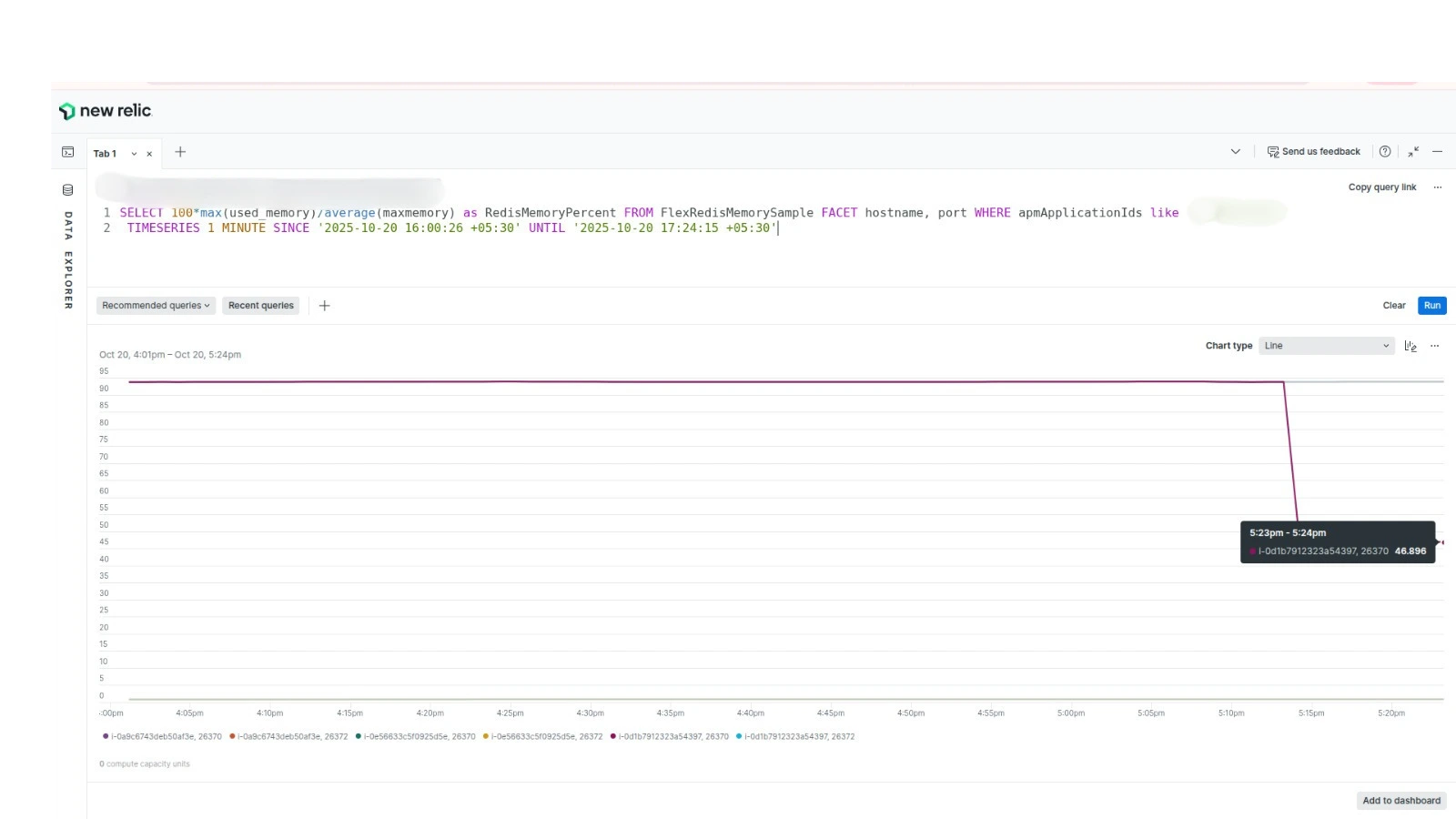
Keep Redis under 75% utilization
- Increase capacity
- Maintain headroom
Key Monitoring
redis-cli info memory
redis-cli --bigkeys
redis-cli keyspace
Identify heavy keys Remove stale sessions
Preload Keys
preload_keys:
  - EAV_ENTITY_TYPES
  - GLOBAL_PLUGIN_LIST
  - SYSTEM_DEFAULT
Faster bootstrap
Lower latency
Session Optimization
disable_locking: 1
max_lifetime: 2592000
Faster sessions Reduced locking
L2 Cache
REDIS_BACKEND: \Magento\Framework\Cache\Backend\RemoteSynchronizedCacheReduces Redis calls Improves response time
Stale Cache
use_stale_cache: truePrevents cache stampede
Reduces lock contention
Slave Reads
REDIS_USE_SLAVE_CONNECTION: trueDistributes load Improves read performance
THE REAL RESULT
⚡ Page load: 2.4s → 540ms 💰 Infra cost: ↓ 30% 🚀 Stability: Eliminated bottlenecks 🧠 Code changes: 0
ENGINEERING INSIGHT
Redis is not just a cache layer.
👉 It is a core system dependency
If misconfigured:
- It limits scalability
- It creates hidden bottlenecks
- It breaks under load
WHAT MOST TEAMS GET WRONG
- Treat Redis as plug-and-play
- Use single instance
- Ignore eviction policy
- Never monitor keys
👉 Result:
- Memory leaks
- Cache churn
- Checkout instability
WHEN YOU NEED THIS
- Slow Magento store
- High memory usage
- Traffic spikes break performance
- Cache instability
Magento Redis Optimization FAQs
Redis is used for caching and session storage to improve performance and reduce database load.
A misconfigured Redis instance becomes a severe bottleneck, causing memory saturation, cache eviction issues, and checkout delays.
allkeys-lfu
Yes. Proper configuration alone can drastically improve performance.
Your Magento Store Isn’t Slow. It’s Misconfigured.
We identify and fix system-level bottlenecks.