

Strong eCommerce security best practices decide whether an online store earns long-term trust or loses revenue, rankings, and reputation after a single breach. Payment details, addresses, login credentials, and purchase history all sit inside a typical storefront, and automated attacks probe that data around the clock. Protection must be layered across hosting, code, payments, third-party tools, and daily operations.
Quick Answer: The most effective eCommerce security best practices are enforcing HTTPS, following PCI DSS, enabling multi-factor authentication, using a web application firewall, patching platforms and extensions quickly, securing APIs, limiting admin access, and keeping tested backups.
Why eCommerce Security Matters More Than Ever
Online stores are attractive targets because transactions and personal data live in one place. A breach brings direct costs such as fraud losses, forensic work, and legal fees. Indirect costs follow: abandoned carts, chargebacks, and search engine warnings that push traffic away. The IBM Cost of a Data Breach Report tracks the financial impact of incidents each year, and the Verizon Data Breach Investigations Report shows how often stolen credentials and web application attacks drive breaches.
Short Answer: Security matters because a single incident can expose customer data, trigger fines, and destroy buyer confidence faster than any marketing campaign can rebuild it.
Common Threats Facing Online Stores
- Payment skimming (Magecart-style attacks): Malicious JavaScript captures card data at checkout.
- Credential stuffing: Automated logins reuse passwords leaked from other websites. Public breach databases such as Have I Been Pwned show how widely stolen passwords circulate, and the CISA Secure Our World program offers plain-language password guidance for staff.
- SQL injection and cross-site scripting: Poorly written code or outdated extensions open doors to attackers. The OWASP Top Ten lists the most critical web application risks.
- Bot traffic and fake accounts: Scrapers and fraud bots drain resources and inflate chargebacks.
- Ransomware and downtime: Attackers lock servers and demand payment, as described in the CISA Stop Ransomware resources.
Core eCommerce Security Best Practices Every Store Needs
Enforce HTTPS and Modern TLS Everywhere
Every page, not only checkout, should load over HTTPS with TLS 1.2 or higher. Free certificates from Let’s Encrypt or paid certificates from a commercial authority both work, provided renewal is automated. Adding the HSTS header forces browsers to refuse insecure connections. The MDN guide to the HSTS header explains the exact syntax, and the SSL Labs Server Test grades certificate and protocol configuration after deployment.
Quick Answer: HTTPS encrypts data moving between browser and server, which blocks eavesdropping and is a baseline requirement for payments and search visibility.
Follow PCI DSS Compliance Requirements
The PCI Security Standards Council defines the rules for any business that stores, processes, or transmits card data. The simplest path to reduced scope is using hosted payment fields or redirect-based gateways, so raw card numbers never touch store servers. Self-assessment questionnaires and requirement summaries are published in the PCI SSC document library, which helps identify the correct validation level for the store.
Short Answer: PCI DSS is the global security standard for card payments, and tokenization through a trusted gateway greatly reduces the compliance burden.
Turn On Multi-Factor Authentication and Strong Access Control
Admin panels, hosting dashboards, code repositories, and payment portals all deserve multi-factor authentication. Role-based permissions keep staff limited to the minimum access needed. Former employees and agencies must lose access the same day a project ends. The NIST Digital Identity Guidelines (SP 800-63B) recommend long passphrases combined with a second factor, and authenticator apps or hardware keys are preferred over SMS codes.
Deploy a Web Application Firewall and Bot Protection
A web application firewall filters malicious requests before they reach the store. A Cloudflare overview of WAF technology explains how rules block injection attempts, abusive crawlers, and DDoS floods. Volumetric attacks are covered in the Cloudflare DDoS learning center, which also shows why edge filtering matters before traffic reaches the origin server. Rate limiting on login and checkout endpoints stops credential stuffing.
Patch Platforms, Themes, and Extensions Quickly
Most successful store compromises exploit known vulnerabilities in outdated software. Security bulletins from Adobe cover Adobe Commerce and Magento Open Source, while WordPress and WooCommerce sites depend on timely plugin updates. Newly published flaws can be checked against the National Vulnerability Database and the CVE program, which makes it simple to confirm whether an installed extension carries a known vulnerability. Secure coding patterns for custom modules are documented in the OWASP Cheat Sheet Series, and the OWASP Application Security Verification Standard gives a testable checklist for code reviews. A staging environment allows updates to be tested before reaching production.
Quick Answer: Apply security patches within days, not months, and remove any plugin or extension that is abandoned or unused.

Platform-Specific Security Guidance
Security responsibilities differ depending on whether an eCommerce platform is hosted or self-managed. Choosing the Right eCommerce Platform 2026 requires evaluating how much security work the vendor handles and what responsibilities remain with the merchant. Following eCommerce security best practices helps businesses maintain stronger protection, reduce vulnerabilities, and secure customer data across different platforms.
Magento and Adobe Commerce Security
Self-hosted Magento stores place server hardening, patching, and extension vetting in merchant hands. Professional magento ecommerce development teams typically harden file permissions, rename the admin path, restrict admin access by IP, and enforce two-factor authentication. For large catalogs, magento enterprise development adds role-based permissions, audit logging, and strict deployment pipelines.
The Magento 2 vs Adobe Commerce Cloud decision also carries a security dimension. Managed cloud hosting bundles a built-in WAF, CDN, and infrastructure monitoring, which magento 2 commerce cloud environments rely on to reduce operational burden. Teams offering adobe commerce development services usually configure these controls alongside custom module reviews. Strong magento 2 performance optimization also supports safety, since caching layers and Varnish configuration reduce server load during bot or DDoS surges.
Official hardening and deployment references are available in the Adobe Commerce developer documentation. A merchant comparing magento enterprise development with a lighter build should also review how each option handles audit logs, admin permissions, and release pipelines, because those controls influence both compliance and long-term maintenance cost.
Short Answer: Magento open-source stores need hands-on hardening and patching, while Adobe Commerce Cloud includes managed infrastructure protections that shrink the operational security workload.
Quick Answer: Adobe Commerce Cloud suits merchants that want managed infrastructure, while self-hosted Magento suits teams with in-house server expertise.
Shopify and BigCommerce Security
Hosted platforms such as Shopify and BigCommerce manage servers, PCI-compliant checkout, and core patching. Remaining risks sit in staff accounts, third-party apps, and theme code. App permissions should be reviewed regularly, unused apps removed, and staff accounts protected with two-step verification. App permission models and checkout extensibility rules are covered in the Shopify developer documentation, while API scopes and webhook signing are explained in the BigCommerce developer center.
WooCommerce and WordPress Security
WooCommerce inherits the WordPress plugin ecosystem, which brings flexibility and exposure. Limiting plugins to reputable, actively maintained sources, disabling file editing in the dashboard, enforcing strong hosting isolation, and installing a security plugin with malware scanning form the foundation. Hooks, REST API authentication, and hardening notes are listed in the WooCommerce developer resources.
Headless Commerce Security
Headless eCommerce Architecture separates the storefront from the commerce engine, with communication handled through APIs. In the Headless vs Traditional Commerce debate, the headless model shrinks the attack surface of the public storefront because the ecommerce backend is not directly exposed. Security then shifts to API gateways, authentication tokens, and CORS rules. Careful headless ecommerce development includes short-lived tokens, schema validation, and rate limiting on every endpoint.
Query-level access control matters because headless storefronts commonly consume GraphQL, as documented in the Adobe Commerce GraphQL reference. Teams planning headless ecommerce development should disable introspection in production, cap query depth, and cache public queries at the edge. The choice between headless and traditional therefore depends less on theoretical safety and more on how well API governance is maintained.
Quick Answer: Headless commerce can improve security by hiding the backend, but only when APIs are authenticated, rate limited, and monitored.
Short Answer: A headless storefront is only as secure as the API layer, so authentication, query limits, and monitoring decide the real risk level.
Securing the eCommerce Backend, APIs, and Integrations
Modern stores connect to ERPs, CRMs, shipping carriers, marketplaces, and payment processors. Each connection is a potential entry point. Reliable ecommerce api integration services apply least-privilege API keys, signed webhooks, IP allow-listing, and encrypted secrets storage rather than hard-coded credentials.
A dependable ecommerce backend keeps customer, order, and inventory services behind private networks, with only the required endpoints exposed through an API gateway. Providers of ecommerce api integration services and adobe commerce development services should document every connected system, key owner, and permission scope in a living inventory.
API Security Checklist
- Use OAuth 2.0 or scoped tokens with expiration
- Validate and sanitize every input on the server side
- Log and alert on unusual request volumes
- Rotate keys on a schedule and after staff changes
- Version APIs and retire insecure legacy endpoints
Protect Customer Data at Rest
Sensitive fields such as addresses, phone numbers, and order history should be encrypted in the database where feasible. Collecting only necessary data limits exposure. Privacy regulations such as GDPR require clear consent, data minimization, and deletion workflows.
Content Security Policy and Third-Party Script Control
Marketing tags and chat widgets are common carriers of skimming code. A strict Content Security Policy, explained in the MDN documentation, limits which domains can execute scripts. Subresource Integrity attributes confirm that external files have not been altered, and the W3C Subresource Integrity specification defines how hash attributes verify external scripts and stylesheets before the browser executes them.

Performance and Security Work Together
Fast stores resist attacks better. Real-user speed metrics are explained in the web.dev guide to Core Web Vitals. Continuous ecommerce performance optimization and magento 2 performance optimization both depend on full-page caching, optimized images, and lean database queries, and the same layers absorb abusive traffic. Slow, overloaded servers also tend to be neglected servers, where patches and monitoring slip. Search engines additionally penalize hacked or malware-infected pages, as outlined in Google Search Central guidance on hacked sites.
Short Answer: Speed and security reinforce each other, because optimized infrastructure absorbs traffic spikes and keeps patch cycles manageable.
Fraud Prevention and AI-Driven Protection
Chargebacks and account takeovers drain margins. Effective fraud prevention combines address verification, 3D Secure authentication, velocity checks, and machine-learning risk scoring. The EMVCo 3-D Secure overview describes how issuer authentication shifts liability for many fraudulent transactions away from the merchant.
Accurate listings reduce disputes that look like fraud. AI Product Data Enrichment fills missing attributes, standardizes titles, and generates consistent descriptions, which supports structured data described in the Google Search Central product markup guide and the Schema.org Product vocabulary. Precise data also improves how AI assistants and search engines interpret catalog pages. Anomaly detection tools can flag sudden spikes in failed logins, gift card abuse, or unusual refund patterns.
Quick Answer: Layering 3D Secure, risk scoring, and rate limits catches most payment fraud without blocking legitimate buyers.
Short Answer: AI-assisted catalog enrichment improves listing accuracy, which cuts returns, support tickets, and “not as described” chargebacks.
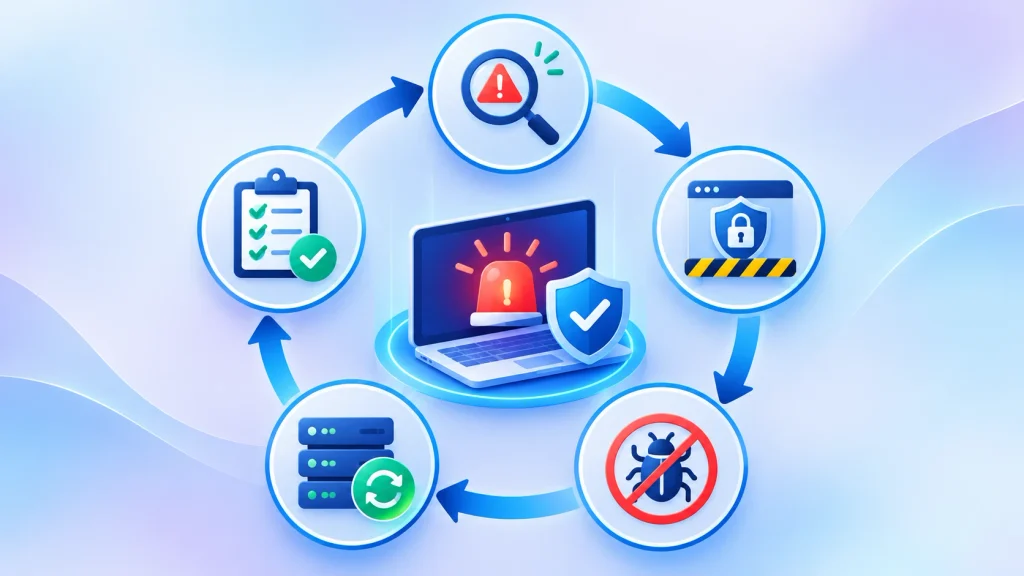
eCommerce Security Best Practices: Monitoring, Backups, and Incident Response
Prevention is never perfect, so detection and recovery plans are essential.
Continuous Monitoring
File integrity monitoring, uptime alerts, and centralized logging reveal compromises early. Weekly vulnerability scans and annual penetration tests expose weaknesses before attackers do.
Backups That Actually Restore
Automated daily backups stored off-site and isolated from production defend against ransomware. A backup is only valuable after a restore test confirms that recovery works.
A Written Incident Response Plan
A documented plan names responsible roles, communication templates, forensic contacts, and legal notification duties. The NIST Cybersecurity Framework offers a practical structure covering identify, protect, detect, respond, and recover functions. The FTC cybersecurity guidance for small businesses provides additional plain-language steps, and breach notification steps, forensic priorities, and customer communication advice are summarized in the FTC Data Breach Response Guide for Business.
Quick eCommerce Security Checklist
- HTTPS and HSTS enabled sitewide
- PCI DSS scope minimized through tokenized payments
- Multi-factor authentication on every admin and hosting account
- WAF and bot protection active
- Platform, theme, and extension updates applied promptly
- API keys scoped, rotated, and stored securely
- Content Security Policy configured
- Off-site backups tested quarterly
- Incident response plan written and rehearsed
- Staff trained to recognize phishing
Frequently Asked Questions About eCommerce Security Best Practices
What are the most important eCommerce security best practices?
HTTPS, PCI DSS compliance, multi-factor authentication, a web application firewall, fast patching, secured APIs, and tested backups form the essential foundation.
How can an online store protect customer information?
Collect only necessary data, encrypt sensitive fields, use tokenized payment gateways, restrict staff access, and comply with privacy laws such as GDPR.
Is Shopify more secure than Magento or WooCommerce?
Shopify manages hosting and PCI-compliant checkout, so fewer tasks fall on the merchant. Magento and WooCommerce can be equally secure when properly hardened and maintained, but both require more hands-on effort.
Is headless commerce more secure than traditional commerce?
Headless architecture hides the backend from public traffic, which reduces exposure. Security then depends on API authentication, rate limiting, and monitoring.
How often should an eCommerce site be security tested?
Automated vulnerability scans should run weekly or monthly, with a professional penetration test at least once per year and after major releases.
What should be done first after a data breach?
Isolate affected systems, preserve logs, rotate credentials, engage forensic specialists, and notify regulators and customers according to legal deadlines.
Does security affect search rankings?
Yes. HTTPS is a ranking signal, and hacked or malware-flagged pages can be demoted or labeled unsafe in search results.
Conclusion
eCommerce security is an ongoing responsibility, not a one-time task. From data encryption and payment protection to access control, secure integrations, and regular monitoring, every security measure plays an important role in protecting online businesses and their customers.
Whether you use Magento, Adobe Commerce, Shopify, BigCommerce, WooCommerce, or a headless commerce platform, implementing eCommerce security best practices helps reduce vulnerabilities, protect sensitive information, and maintain customer trust.
By investing in proactive security measures and regularly reviewing your infrastructure, you can build a more secure, reliable, and resilient eCommerce business.