

Headless commerce readiness decides whether a storefront turns Black Friday traffic into revenue or into support tickets. A decoupled architecture offers freedom in design and speed, but every extra API call, cache miss, and third-party script becomes a possible failure point when thousands of shoppers arrive at once. Black Friday 2026 falls on November 27, so the remaining weeks are best spent on testing, tuning, and freezing a stable build.
Quick answer: A headless store is ready for Black Friday when APIs respond fast under load, pages are cached at the edge, the ecommerce backend scales automatically, and monitoring plus rollback plans are tested in advance.
What Headless Commerce Readiness Actually Means
Readiness is a measurable state, not a feeling. A store qualifies when four conditions are met:
- APIs return consistent responses within agreed time limits.
- The frontend meets Core Web Vitals under real traffic.
- Infrastructure absorbs sudden spikes without manual intervention.
- Teams can detect, isolate, and fix problems in minutes.
In a traditional monolith, one platform renders pages and processes orders. In a headless setup, a separate frontend talks to commerce, search, payment, and inventory services through APIs. Flexibility increases, and so does the number of moving parts that must be rehearsed.
Why Black Friday Tests Headless Commerce Readiness
Traffic Arrives in Waves, Not Averages
Peak traffic rarely rises smoothly. Email campaigns, doorbuster launches, and social posts create sharp bursts within seconds. Capacity planned around daily averages fails in exactly those moments.
One Page Can Trigger Many API Calls
A single product page may request pricing, stock, reviews, recommendations, and personalization from different services. If one slow service blocks rendering, the whole page stalls. Mapping the full call chain for key pages is the first step in finding hidden bottlenecks.
API Readiness: The Backbone of Headless Commerce

Audit Every Endpoint That Touches Revenue
Product listing, search, cart, checkout, and order status deserve the most attention. Each should have a documented response-time target, an error budget, and an owner. Rarely used endpoints can wait; those on the buying path cannot.
Set Timeouts, Retries, and Rate Limits Carefully
Unlimited retries turn a small slowdown into a self-inflicted outage. Short timeouts, capped retries with backoff, and circuit breakers keep one failing service from dragging down others. Google’s site reliability engineering guidance on handling overload explains these patterns in depth.
Choose Between REST and GraphQL Deliberately
GraphQL reduces over-fetching by returning only requested fields, which helps mobile shoppers on slow networks. REST is simpler to cache at the edge. Many builds combine both: GraphQL for flexible catalog queries and cached REST endpoints for stable data.
Plan Professional Ecommerce API Integration Services
Payment gateways, ERPs, warehouse systems, and tax engines all connect through the ecommerce backend. Specialists offering ecommerce api integration services can verify that each connection handles sudden volume, partial failures, and duplicate requests safely. Idempotency keys on order and payment calls prevent double charges when a request is retried. A well-planned ecommerce backend also exposes health checks, so failing integrations are spotted before shoppers notice.
Protect APIs From Abuse
Sale events attract bots that scrape prices, hoard inventory, and attack login endpoints. The OWASP API Security Project lists the most common weaknesses, including broken authorization and unrestricted resource consumption. Bot rules, token validation, and per-client limits should be active before traffic peaks.
Performance Targets for Headless Commerce Readiness
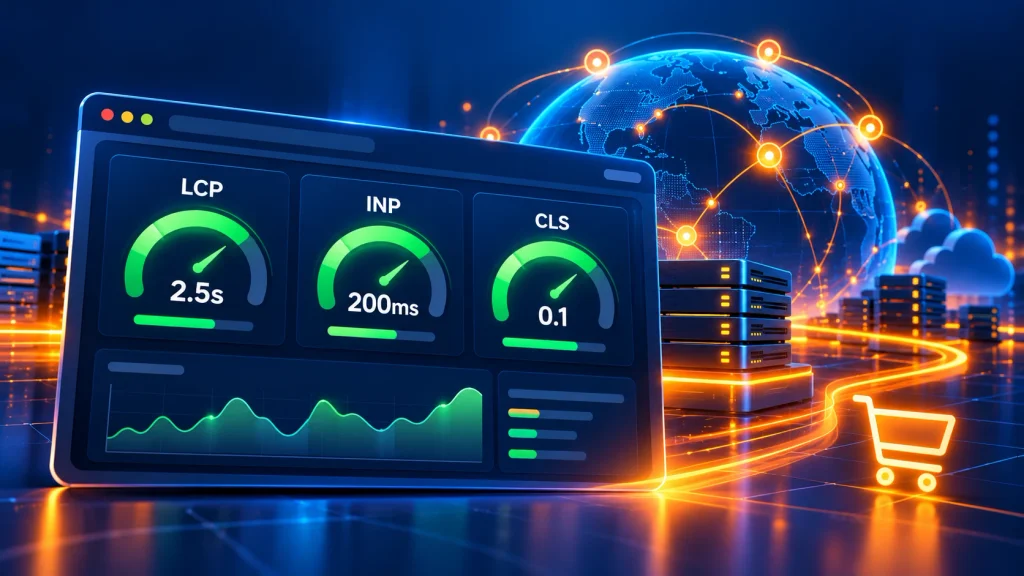
Speed influences conversion and search visibility alike. Google’s Core Web Vitals define the good thresholds:
- LCP (Largest Contentful Paint): 2.5 seconds or less
- INP (Interaction to Next Paint): 200 milliseconds or less
- CLS (Cumulative Layout Shift): 0.1 or less
Interactivity matters as much as load time. Heavy JavaScript bundles delay taps on “Add to cart,” which is why guidance on Interaction to Next Paint is worth reviewing before launch.
Cache at the Edge, Not Only at the Origin
A content delivery network can serve category pages, product pages, and static assets without touching the origin. Correct cache headers, short revalidation windows for prices, and purge-on-update rules keep content fast and accurate. The MDN guide to HTTP caching covers the mechanics.
Reduce Frontend Weight
- Compress images to modern formats such as WebP or AVIF.
- Lazy-load content below the fold.
- Defer chat widgets, tag managers, and review scripts.
- Remove unused code from JavaScript bundles.
Apply Ecommerce Performance Optimization Across the Full Stack
Ecommerce performance optimization covers more than page speed. Database indexes, search relevance, queue workers, and image pipelines all contribute. Gains at the frontend vanish if the ecommerce backend answers slowly, so both layers should be profiled together. Teams investing in ecommerce performance optimization before peak season usually fix the slowest queries first, because slow queries delay every downstream call.
Magento 2 Performance Optimization for Peak Traffic
Magento 2 performance optimization typically includes full-page caching with Varnish or a CDN, Redis for sessions and cache, tuned MySQL queries, OpenSearch configuration, and production mode with compiled code. Catalog and indexer settings also deserve review, since slow reindexing during a sale can leave stale prices on screen.
Scalability: Preparing the Ecommerce Backend for Traffic Spikes
Run Load Tests That Mirror Real Shopper Behavior
Realistic tests simulate browsing, searching, adding to cart, and checking out in realistic proportions. Spike tests, soak tests, and failure-injection tests each reveal different weaknesses. Results should be compared against the expected peak, with a safety margin of at least double.
Configure Autoscaling and Warm Capacity
Autoscaling reacts after load rises, and new servers need minutes to become useful. Pre-warming capacity before the sale starts closes that gap. Database connection pools, queue consumers, and cache clusters need the same attention as web servers.
Use Queues to Protect Checkout
Non-urgent tasks such as confirmation emails, analytics events, and loyalty updates belong in asynchronous queues. Checkout should finish the essential steps (payment authorization, inventory reservation, order creation) and defer the rest.
Platform-by-Platform Headless Commerce Readiness Notes
Magento Enterprise Development: Custom Code and GraphQL
Adobe Commerce exposes catalog, cart, and checkout data through GraphQL APIs, which makes decoupled storefronts practical. Teams delivering magento enterprise development should confirm that custom modules do not slow GraphQL resolvers, since poorly written extensions are a frequent source of latency. Plugins, observers, and cron jobs deserve a review for heavy queries that run during sale hours.
Magento Ecommerce Development: Extensions and Indexers
Projects built through magento ecommerce development often accumulate third-party extensions over the years. Each extension adds code paths, database queries, and possible conflicts. Before a sale, unused modules should be disabled, indexers scheduled correctly, and catalog price rules tested so promotions apply consistently across the storefront and checkout.
Magento 2 Commerce Cloud: Hosting and Scaling Limits
On magento 2 commerce cloud, managed infrastructure, a built-in CDN, and monitoring tools reduce operational load. Capacity limits, scaling options, and deployment freezes still need review with the hosting provider well ahead of the sale. Configuration for services such as Redis, OpenSearch, and message queues should be checked so the environment matches the expected peak.
Shopify
Shopify supports headless builds through the Storefront API and Hydrogen. Checkout remains hosted by the platform, which reduces risk during peak traffic. Readiness work focuses on frontend caching, efficient queries, and third-party app scripts that slow rendering.
WooCommerce
WooCommerce can run headless through the Store API and REST endpoints. Because hosting is self-managed, object caching, database tuning, and server scaling carry more weight. Plugin audits are essential, since each extension adds queries.
BigCommerce
BigCommerce offers a dedicated headless storefront toolkit with GraphQL support. Rate limits, query complexity, and caching of catalog data should be reviewed so the frontend stays within platform boundaries.
Headless Commerce Readiness Checklist for the Ecommerce Backend

- Slowest 20 API endpoints identified and optimized
- Edge caching verified for category, product, and content pages
- Load test completed at twice the forecast peak
- Autoscaling rules and pre-warmed capacity confirmed
- Payment, tax, and shipping providers confirmed for peak volume
- Inventory sync tested for oversell prevention
- Bot protection and rate limiting active
- Error tracking, uptime alerts, and dashboards live
- Code freeze date set and communicated
- Rollback procedure rehearsed with the full team
Monitoring, Code Freeze, and Rollback Planning
A code freeze one to two weeks before the sale prevents last-minute changes from introducing defects. Only critical security and revenue fixes should pass through an approval process during that window.
Monitoring should track:
- API latency and error rates
- Core Web Vitals from real users
- Checkout conversion rate
- Queue depth and database load
- Third-party service health
Alerts should reach an on-call responder within minutes, and a documented rollback path should restore the last stable release quickly. A status page and pre-written customer messages reduce confusion if disruption occurs.
Building a New Ecommerce Website for Peak Season
Teams planning a new commerce website often ask whether a headless build is realistic before the holiday rush. Launching a complex architecture weeks before Black Friday carries risk. Many businesses instead stabilize the current store now, then plan headless ecommerce development for the following quarter. A phased approach, where a few high-traffic pages move to a decoupled frontend first, limits exposure while delivering measurable speed gains. Strong headless ecommerce development also depends on a documented API contract, so frontend and backend teams can work in parallel.
Search visibility also deserves attention. Google’s guidance on JavaScript SEO basics explains how rendered content gets crawled, and Product structured data helps search engines read prices and availability accurately.
When to Bring in Adobe Commerce Development Services
In-house teams are often stretched thin before a major sale. Experienced adobe commerce development services can run performance audits, tune GraphQL and caching layers, review custom modules, and prepare load tests. External specialists also bring patterns from earlier peak seasons, which shortens the time between finding a problem and fixing it. Combined with magento 2 performance optimization, such support often delivers the fastest improvement in the weeks before the sale.
Frequently Asked Questions
What is headless commerce readiness?
Headless commerce readiness is the state in which a decoupled store has fast APIs, edge-cached pages, scalable infrastructure, and tested monitoring and rollback plans before peak traffic arrives.
How early should headless commerce readiness work start before Black Friday?
Eight to twelve weeks ahead is ideal for audits, optimization, and load testing. A code freeze one to two weeks before the sale is a common practice.
Is headless commerce faster than a traditional storefront?
Not automatically. Speed depends on caching, API design, and frontend weight. A well-built headless storefront can be very fast, while a poorly built one can be slower than a monolith.
Which APIs matter most during Black Friday?
Search, product catalog, pricing, inventory, cart, checkout, and payment endpoints, because these directly affect revenue.
How can Magento 2 performance optimization be done before a sale?
Enable full-page caching, use Redis and a CDN, tune database and search services, run production mode, and remove slow custom extensions.
Is Magento 2 Commerce Cloud ready for Black Friday by default?
Managed infrastructure helps, but scaling limits, configuration, and code freezes still need confirmation with the hosting provider before peak traffic.
What does Magento enterprise development involve before a sale?
Reviewing custom modules, GraphQL resolvers, indexers, and cron jobs so that heavy code does not slow catalog, cart, or checkout during peak hours.
Do ecommerce API integration services help during peak season?
Yes. Specialists can test third-party connections for timeouts, retries, duplicate requests, and capacity limits, which prevents many checkout failures.
What does ecommerce performance optimization include?
Frontend speed, edge caching, database tuning, search relevance, queue handling, and image delivery, all measured together across the full stack.
What are the Core Web Vitals targets for ecommerce pages?
LCP at 2.5 seconds or less, INP at 200 milliseconds or less, and CLS at 0.1 or less.
Should a store move to headless ecommerce development right before Black Friday?
Usually not. Stabilizing the current setup is safer, with headless ecommerce development planned after the peak season.
Conclusion
Headless commerce readiness comes down to disciplined preparation: fast and protected APIs, edge caching, a scalable ecommerce backend, realistic load testing, and a rehearsed response plan. Platform choice matters less than execution, since Adobe Commerce, Magento, Shopify, WooCommerce, and BigCommerce can all perform well when properly tuned. The weeks before the sale are best used to find weak points, fix them, and freeze a build that has already survived pressure.