
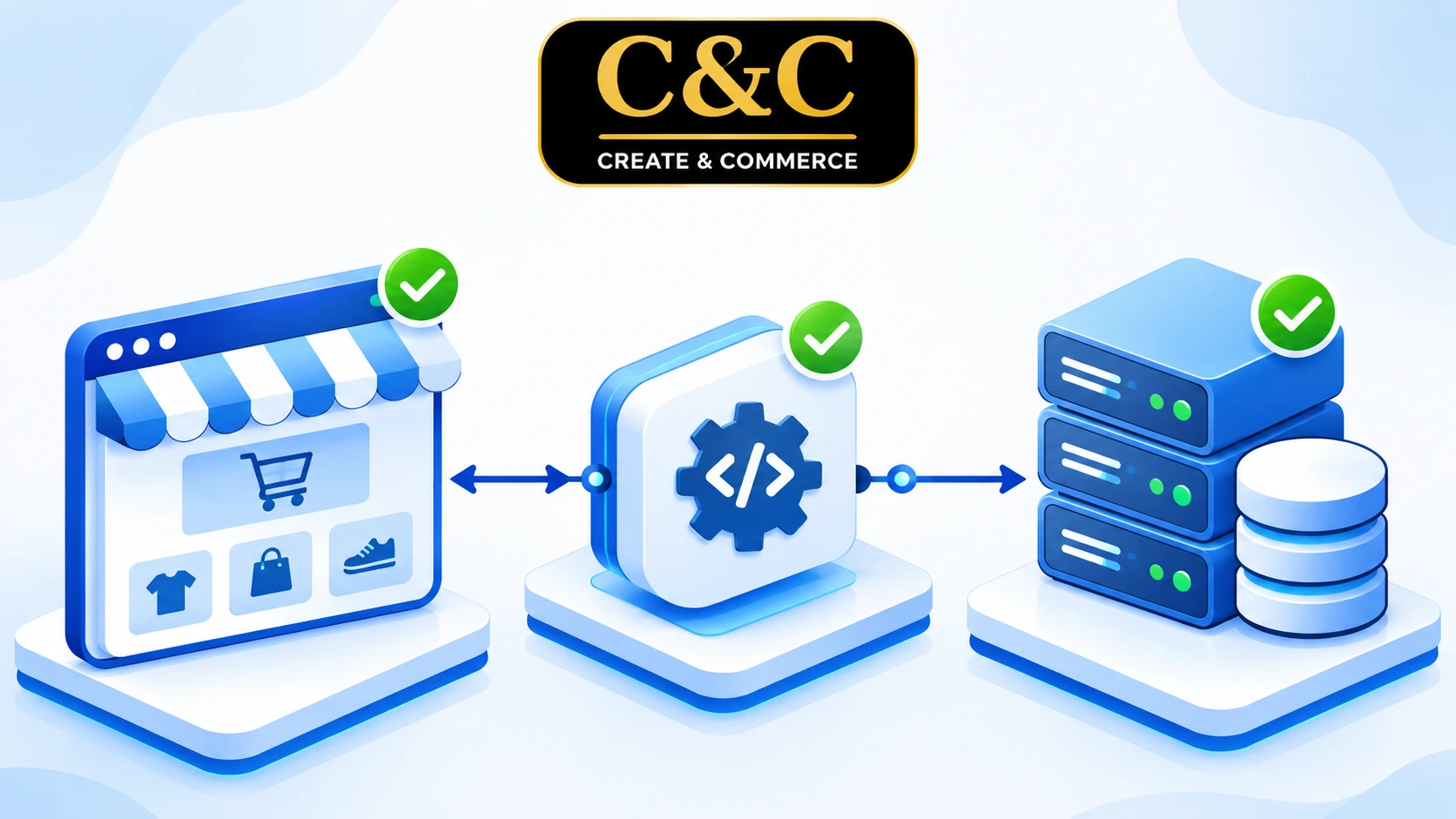
Headless commerce testing is the practice of verifying every layer of a decoupled store: the storefront, the commerce APIs, the ecommerce backend and the third-party integrations between them. A complete strategy combines unit tests, API contract tests, end-to-end checkout tests, performance tests and security checks, all automated in a CI/CD pipeline. Without that structure, a single changed API field can break checkout while every page still appears to load.
Quick answer: Headless commerce testing works best as a layered plan. Contract tests protect the boundary between storefront and API, a small set of end-to-end tests protects revenue paths, and monitoring in production catches what pre-release testing misses.
What Is Headless Commerce Testing?
Short answer: Headless commerce testing confirms that a separated front end and commerce platform exchange data correctly, perform well under load and remain secure after each release.
A decoupled storefront, often built with React, Next.js or Vue, requests catalog, cart and customer data through REST or GraphQL. The front end and the commerce engine are deployed on separate schedules, so either side can break the other without a visible error. Testing therefore shifts from checking rendered pages to checking agreements between services.
Three entities define the scope:
- The storefront: rendering, routing, client state and accessibility.
- The API layer: schemas, authentication, error handling and rate limits.
- The ecommerce backend: pricing, inventory, orders, promotions and indexing.
Why Headless vs Traditional Commerce Changes the Testing Approach
Short answer: Headless stores need more API, integration and monitoring coverage than traditional stores because failures cross service boundaries.
In a traditional Magento or WooCommerce theme, templates, sessions and rendering live in one codebase, so one test environment covers most behavior. A headless build distributes responsibility across a front end, one or more APIs, a CDN and external services. The comparison below shows how the testing focus moves.
| Area | Traditional commerce | Headless commerce |
|---|---|---|
| Rendering | Server templates | SSR, SSG and client rendering all need checks |
| Primary test target | Pages and themes | API contracts and data flows |
| Sessions and carts | Single application | Tokens and carts shared across services |
| Caching | Full-page cache | CDN, edge, API and browser caches |
| Releases | One deployment | Independent front-end and backend deployments |
| Typical failure | Template or plugin conflict | Schema change, stale cache or expired token |
Teams still weighing the models can review Martin Fowler’s practical test pyramid for the layering principles that apply to either architecture. Projects that already know decoupling is the direction can explore headless ecommerce development with testing planned from the first sprint.
The Headless Commerce Testing Pyramid
Short answer: The testing pyramid places many fast, isolated tests at the base and a few slow, high-value tests at the top.
The pyramid keeps feedback fast and maintenance affordable. In headless commerce, a fifth concern sits beside the classic layers: the contract between storefront and API. That boundary deserves its own layer because it is where most decoupled failures begin.
| Layer | What it verifies | Typical tools | Run frequency |
|---|---|---|---|
| Unit and component | Cart math, price formatting, variant selection, UI components | Vitest or Jest | Every commit |
| API contract | Field names, types, nullability, status codes | Pact, GraphQL schema diffing | Every pull request |
| Integration | Payment, ERP, PIM, tax and shipping behavior | Sandboxes, service virtualization | Every merge to main |
| End-to-end | Search, cart, checkout, login | Playwright, Cypress | Every deployment |
| Performance, security, accessibility | Load, Core Web Vitals, API risks, WCAG | k6, Lighthouse, OWASP ZAP, axe | Nightly and pre-release |

Unit and Component Tests
Unit tests protect logic that affects money: discount stacking, tax display, currency rounding and variant availability. Component tests render product cards, filters and mini-carts with mocked API responses. A common practical example is a test confirming that a configurable product with one out-of-stock size disables only that option, not the entire product page.
API Contract Testing for Headless Stores
Short answer: Contract testing verifies that the storefront and the commerce API agree on request and response structure before code is deployed.
In consumer-driven contract testing, the storefront defines the responses it expects, and the backend must satisfy them in its own pipeline. Pact is the most widely used framework for this pattern. The storefront team publishes a contract, the API team verifies against it, and an incompatible change fails the build instead of failing production.
Practical example: A Magento storefront reads the final product price from the GraphQL path price_range.minimum_price.final_price.value. A contract test asserts that the field exists, is numeric and is never null for simple products. If a customization renames or restructures the field, the pull request fails before reaching staging.
Steps for adding contract tests to an existing project:
- List the five to ten API calls that power search, product pages, cart and checkout.
- Record the response shape the storefront depends on, not the full payload.
- Write consumer tests for those calls and publish the contracts.
- Add provider verification to the backend pipeline.
- Block deployments when verification fails.
GraphQL Testing
GraphQL needs checks that REST rarely requires. A GraphQL server commonly returns HTTP 200 even when a query partially fails, placing problems in an errors array, so tests must inspect the response body and not only the status code. The GraphQL learning documentation explains how the schema and error model work.
Recommended GraphQL test cases:
- Schema drift: compare the current schema with the previous release and flag removed or retyped fields.
- Partial errors: confirm the storefront handles a response that contains both
dataanderrors. - Query depth and complexity: confirm the server rejects abusive nested queries.
- Authorization: confirm a guest token cannot read customer-only fields.
- Caching behavior: confirm cacheable queries are served from cache and that cart or customer queries are not.
End-to-End Tests for Revenue Paths
Short answer: End-to-end tests should cover only the journeys that generate revenue, because broad browser suites become slow and unreliable.
Browser automation validates the full path from search to order confirmation. Playwright runs Chromium, Firefox and WebKit from one suite, which suits storefronts with mixed browser traffic. A focused suite usually includes:
- Guest checkout with a card payment
- Logged-in checkout with a saved address
- Discount code applied to a multi-item cart
- Search with filters leading to a product purchase
- Failed payment followed by a successful retry
Each scenario should assert business outcomes, such as the order total and confirmation state, and not only that elements appeared on screen.
Platform-Specific Headless Commerce Testing
Short answer: Every commerce platform exposes different APIs, limits and failure modes, so one universal test suite rarely fits all of them.
| Platform | Primary headless API | Testing priorities |
|---|---|---|
| Magento 2 | GraphQL and REST | Cart tokens, customer groups, indexers, full-page cache |
| Adobe Commerce | GraphQL and REST | B2B features, Fastly, staged content, cloud environments |
| Shopify | Storefront API (GraphQL) | Cart mutations, metafields, checkout extensibility |
| BigCommerce | REST and GraphQL Storefront API | Webhooks, multi-currency, catalog sync |
| WooCommerce | REST API, Store API, WPGraphQL | Plugin conflicts, cart nonce or token handling |
Magento 2 and Adobe Commerce
Teams doing magento ecommerce development for headless storefronts typically rely on the GraphQL API with PWA Studio or a custom front end. For larger programs, magento enterprise development adds B2B quotes, shared catalogs, company accounts and customer-specific pricing, each of which needs dedicated scenarios. The official Adobe Commerce developer documentation lists the available endpoints.
Magento-specific scenarios worth automating:
- Guest cart merging into a customer cart after login
- Customer-group price changes appearing after reindexing
- Cache invalidation after a product or price update
- Inventory behavior with multi-source inventory enabled
- Admin-triggered catalog changes reaching the storefront
Reliable magento 2 performance optimization depends on testing under realistic cache conditions: warm cache, cold cache and invalidation storms after bulk imports. Teams planning that work can review Magento 2 performance optimization options built around measured baselines.
Magento 2 vs Adobe Commerce Cloud Testing
Short answer: Testing differs mainly in infrastructure. Adobe Commerce Cloud adds managed environments, a Fastly CDN layer and a built-in deployment process, so test plans must include them.
For magento 2 commerce cloud projects, the integration, staging and production environments should match as closely as possible, including Fastly configuration and cron schedules. The Fastly documentation covers caching and purge behavior that tests should exercise. Scenarios specific to cloud deployments include:
- Confirming that a configuration change deployed through the pipeline reaches staging unchanged
- Verifying that a product update purges the correct cached pages
- Checking that scheduled cron jobs such as reindexing and queue consumers run after deployment
- Rehearsing rollback on staging before a major release
Specialists delivering adobe commerce development services usually build this environment parity into the delivery process, because tests passing in an unlike environment prove little.
Shopify
Shopify headless builds, including Hydrogen and custom storefronts, use the Storefront API. Tests should cover cart creation and line updates, metafield rendering, selling-plan behavior and the handoff to Shopify-hosted checkout. The Shopify Storefront API reference documents the objects and mutations that need coverage, along with documented limits that tests should respect.
BigCommerce
BigCommerce supports headless storefronts through REST and GraphQL APIs. Webhook delivery, multi-currency pricing, customer login flows and catalog synchronization deserve dedicated scenarios. Endpoint details are in the BigCommerce developer documentation.
WooCommerce
WooCommerce headless projects use the REST API, the Store API for cart and checkout, or WPGraphQL. Plugin conflicts are the largest risk, so a regression suite should run after every plugin or core update. Reference material is available in the WooCommerce developer resources.
Testing Ecommerce API Integration Services
Short answer: Integration tests should simulate third-party failures, not just successful responses.
Payments, ERP, PIM, CRM, shipping and tax systems all connect through APIs. Dependable ecommerce api integration services rely on tests for timeouts, retries, duplicate webhooks and partial failures. Teams that need outside help can look at ecommerce API integration services alongside an internal test plan.
Failure scenarios worth scripting:
- Payment gateway timeout after authorization but before order creation
- Inventory sync delayed by several minutes during a sale
- Duplicate order webhook delivered twice
- Expired API token in the middle of checkout
- Tax service returning an unexpected currency format
Sandbox accounts and service virtualization keep these tests repeatable without touching live systems. Idempotency checks deserve special attention: a repeated webhook must never create a second order.
Validating the Ecommerce Backend
The ecommerce backend needs verification independent of any storefront: order state transitions, inventory reservation, promotion stacking, refunds and tax calculation. Database migration tests and queue-processing checks prevent silent data drift. Running backend tests without a front end makes failures faster to trace, because no rendering layer can hide the cause.
Performance Testing and Ecommerce Performance Optimization
Short answer: Performance testing for headless stores measures both user-facing speed, through Core Web Vitals, and system capacity, through load tests on APIs.
Google documents the current Core Web Vitals thresholds on web.dev: Largest Contentful Paint at or under 2.5 seconds, Interaction to Next Paint at or under 200 milliseconds, and Cumulative Layout Shift at or under 0.1 for a good rating. Load scenarios can be scripted with k6.
Useful ecommerce performance optimization test scenarios:
- Flash-sale simulation: ramp traffic on search, product and cart endpoints together.
- Cache-miss storm: purge caches and measure API response under load.
- Slow-network profile: test product pages on throttled mobile connections.
- Third-party failure: delay a payment or review script and confirm the page stays usable.
Security and Accessibility Testing
Public commerce APIs are frequent targets. The OWASP API Security Project lists the most common risks, including broken object-level authorization, where one customer can request another customer’s order by changing an ID. Tests should confirm that tokens are scoped correctly, that error messages avoid leaking internals and that rate limiting works.
Accessibility testing should follow the Web Content Accessibility Guidelines. Automated scanners find only part of the problems, so keyboard-only checkout and screen reader checks of the cart and payment form belong in the manual test plan.
AI Product Data Enrichment Testing
Short answer: Enriched product data should pass schema validation, rule-based checks and human sampling before publishing.
AI product data enrichment generates titles, attributes, descriptions and tags at scale, and introduces new failure types: invented specifications, wrong units, duplicated copy and mismatched categories. Controls that help include required-field validation, unit consistency checks, banned-claim filters and a manual audit of a sample from every batch. Accurate structured data also supports search and AI answer systems, since incorrect attributes reduce trust.
Automating Headless Commerce Testing in CI/CD
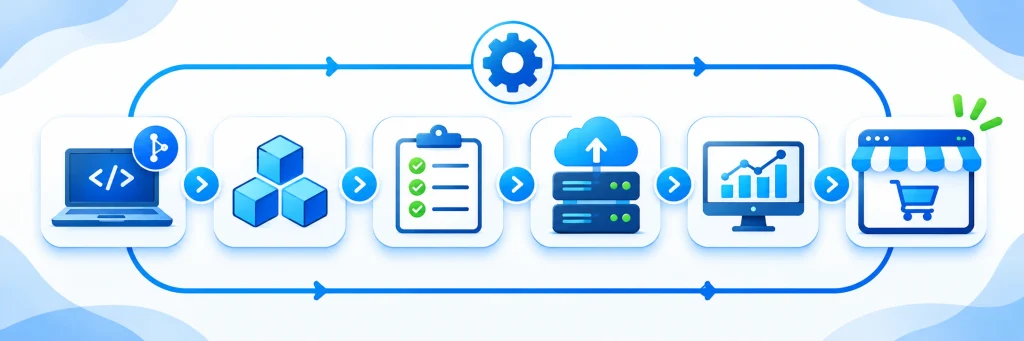
Short answer: A CI/CD pipeline runs fast tests on every commit and slower tests on a schedule, so quality gates never become a bottleneck.
A practical pipeline sequence:
- On every commit: lint, type checks and unit tests.
- On every pull request: contract tests, GraphQL schema diff and component tests.
- On merge to main: integration tests against sandboxes and a staging deployment.
- After staging deploy: end-to-end smoke tests for the checkout paths.
- Nightly: full performance, security and accessibility suites.
- In production: synthetic monitoring of login, search and checkout.
A minimal GitHub Actions workflow for the pull request stage looks like this:
name: pr-checks
on: pull_request
jobs:
  test:
    runs-on: ubuntu-latest
    steps:
      - uses: actions/checkout@v4
      - uses: actions/setup-node@v4
        with:
          node-version: 20
      - run: npm ci
      - run: npm run test:unit
      - run: npm run test:contract
      - run: npx playwright install --with-deps
      - run: npm run test:e2e:smoke
Practical tips for a healthy pipeline:
- Run suites in parallel to keep feedback short.
- Quarantine flaky tests quickly instead of normalizing red builds.
- Track coverage by business flow, such as checkout and returns, not only by code lines.
- Browser testing patterns are documented in the Cypress documentation for teams that prefer that tool.
Common Headless Commerce Testing Mistakes
- Skipping contract tests: front-end and backend teams drift apart unnoticed.
- Relying only on end-to-end scripts: suites turn slow and brittle.
- Ignoring cache behavior: shoppers see outdated prices or stock.
- Testing only the happy path: real traffic includes declined cards and timeouts.
- Using unlike environments: passing tests in staging mean little if the CDN or cron setup differs.
Choosing the Right Ecommerce Platform in 2026
Choosing the right ecommerce platform for 2026 depends on team skills, catalog complexity, budget and testing maturity. Platforms with stable, well-documented APIs make automation easier. Large catalogs and B2B workflows often point toward Adobe Commerce, while smaller teams may prefer the managed infrastructure of Shopify or BigCommerce. Whatever the choice, a documented headless commerce testing plan belongs in the selection criteria, because testability affects long-term cost.
Frequently Asked Questions About Headless Commerce Testing
What is headless commerce testing?
Headless commerce testing is the process of validating the storefront, APIs, ecommerce backend and integrations of a decoupled online store.
What should be tested first in a headless store?
The API contracts and the checkout path should come first, since a break in either stops revenue directly.
Which tools are used for headless commerce testing?
Common choices are Playwright or Cypress for browser flows, Pact for contracts, k6 for load, Lighthouse for page speed and OWASP ZAP for security scans.
How does testing differ from a traditional ecommerce store?
Traditional stores are tested mostly at the page level. Headless stores also need API, cache, CDN and independent-deployment testing.
How is a GraphQL commerce API tested?
Tests check schema changes between releases, partial errors in the response body, query complexity limits, authorization and caching behavior.
Does Adobe Commerce Cloud need different tests than Magento 2?
Yes. Fastly, managed environments and the deployment pipeline add layers that a self-hosted Magento 2 setup may not have.
How often should a headless store be tested?
Unit and contract tests run on every change, smoke tests on every deployment and load tests before major sales events.
How can AI-generated product data be tested?
Schema validation, unit checks, banned-claim filters and manual sampling should run before enriched data is published.
Conclusion
Headless commerce testing protects revenue by catching broken contracts, slow pages, insecure endpoints and bad data before shoppers encounter them. A layered plan, automated in CI/CD and adapted to each platform, keeps decoupled stores stable as teams and catalogs grow. Starting with contract tests and a small checkout suite delivers the largest early gain for the least effort.