
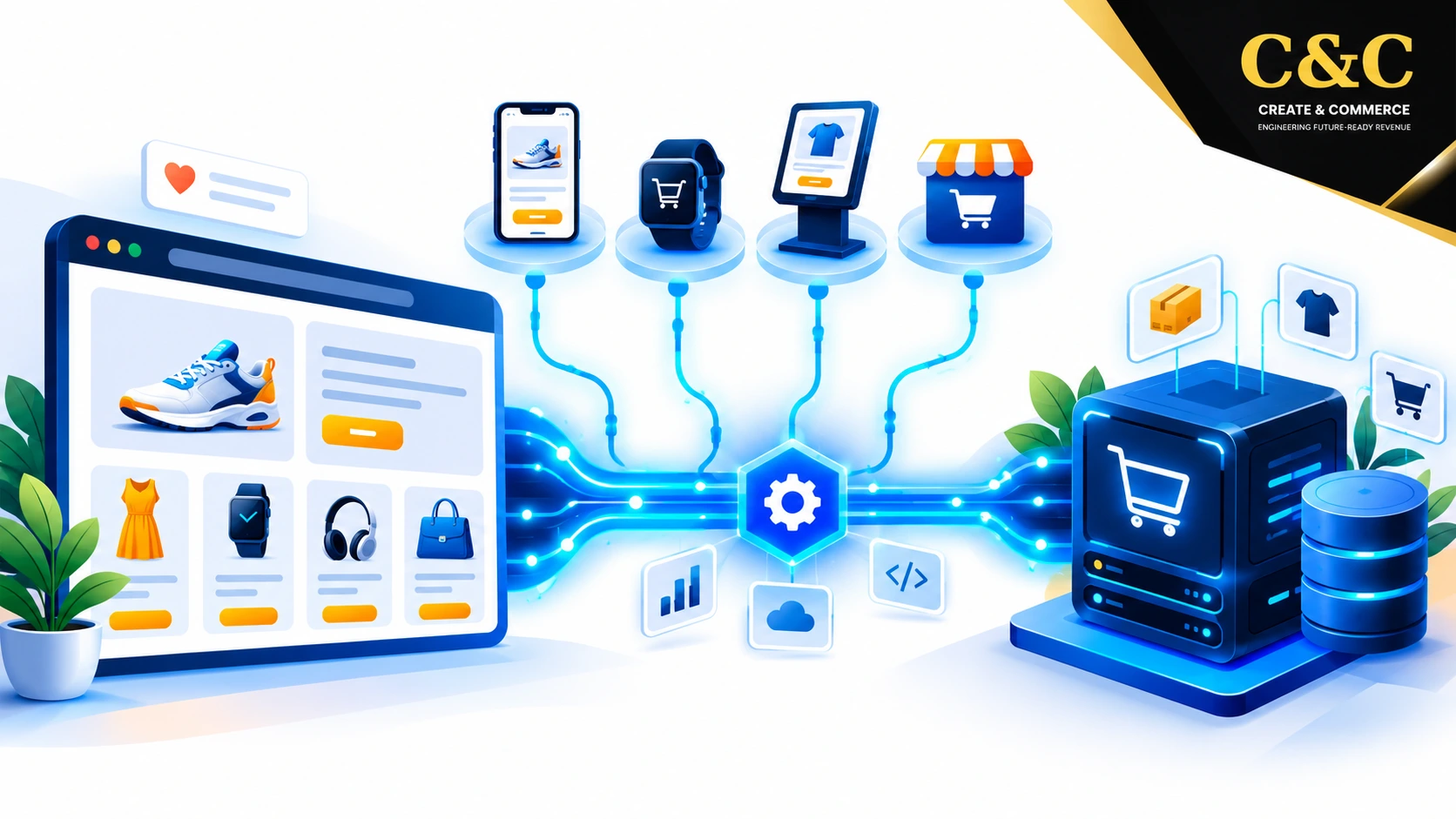
Headless ecommerce architecture separates the customer-facing storefront from the commerce engine that manages products, pricing, carts, and orders. The storefront becomes an independent application. The backend delivers data through APIs. Brands gain control over design, speed, and channel reach, yet headless ecommerce development also adds technical and financial complexity.
Choosing between a traditional platform and a decoupled build depends on architecture, benefits, costs, and trade-offs. Each area is covered below in plain language, with platform-specific guidance for Magento, Adobe Commerce, Shopify, WooCommerce, and BigCommerce.
Key Takeaways
- Definition: Headless ecommerce architecture splits the frontend (storefront) from the ecommerce backend and connects both through APIs.
- Main benefits: Faster pages, design freedom, omnichannel delivery, and independent scaling.
- Typical cost: Roughly $30,000 for smaller SaaS-based builds and $300,000 or more for enterprise programs.
- Main trade-offs: Higher complexity, longer launch time, two codebases to maintain, and more SEO responsibility.
- Best fit: Multi-brand, multi-region, performance-driven, or content-heavy stores with strong engineering support.
- Platforms: Magento, Adobe Commerce, Shopify, WooCommerce, and BigCommerce all support decoupled storefronts.
What Is Headless Ecommerce Architecture?
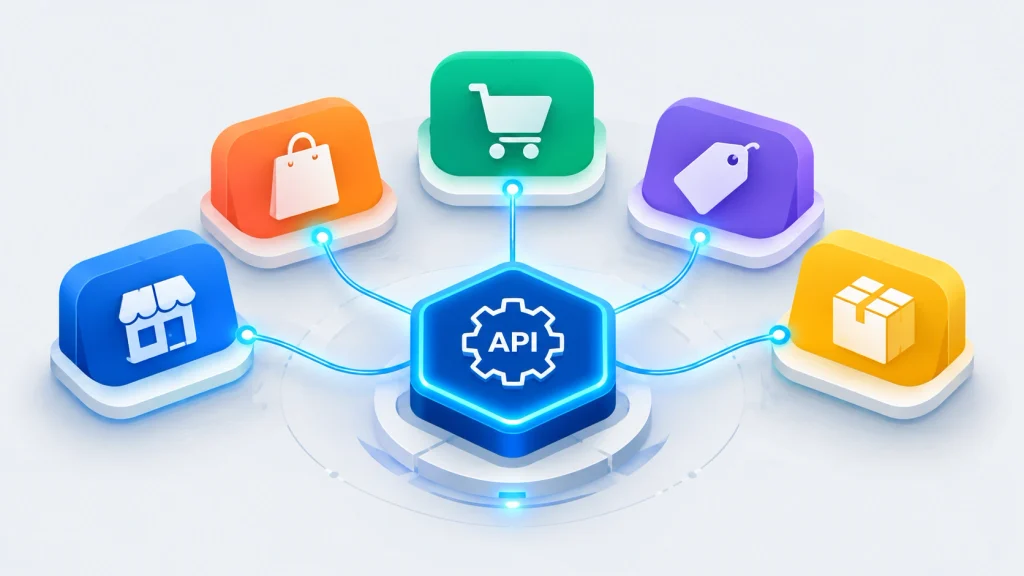
Quick answer: Headless ecommerce architecture is a setup in which the storefront and the commerce engine run as separate systems. The storefront requests data such as products, prices, and carts from the engine through REST or GraphQL APIs, then displays the data on any device or channel.
In a traditional setup, frontend templates and backend logic live inside one codebase. A change to a product page layout often touches the same system that processes payments. Headless ecommerce architecture removes that dependency. The “head” (the storefront) is detached from the “body” (the commerce engine).
The storefront can then be built with modern frameworks such as React, Next.js, Vue, or Nuxt. The same backend can also feed mobile apps, kiosks, marketplaces, smart devices, and social commerce channels. Catalog, content, and checkout data flow outward from one source of truth.
Headless commerce is often grouped with composable commerce. The ideas overlap, but the terms differ. Headless decouples the frontend. Composable commerce goes further by assembling best-of-breed services for search, payments, content, and order management. For many brands, headless ecommerce development is the first practical step toward a composable stack.
Headless Commerce Terms at a Glance
- API: A defined way for two systems to exchange data.
- REST: A common API style built on standard web requests. The MDN glossary entry on REST gives a concise definition.
- GraphQL: A query language that returns only the fields requested. The GraphQL.org learning guide covers the fundamentals.
- BFF: Backend-for-frontend, a middleware layer that shapes data for the storefront.
- PIM: Product information management, a central hub for product data.
- SSR and ISR: Server-side rendering and incremental static regeneration, two ways to deliver fast, crawlable pages. The web.dev article on rendering on the web compares the options.
- CDN: A network that serves content from locations close to shoppers. Cloudflare explains the concept in its CDN guide.
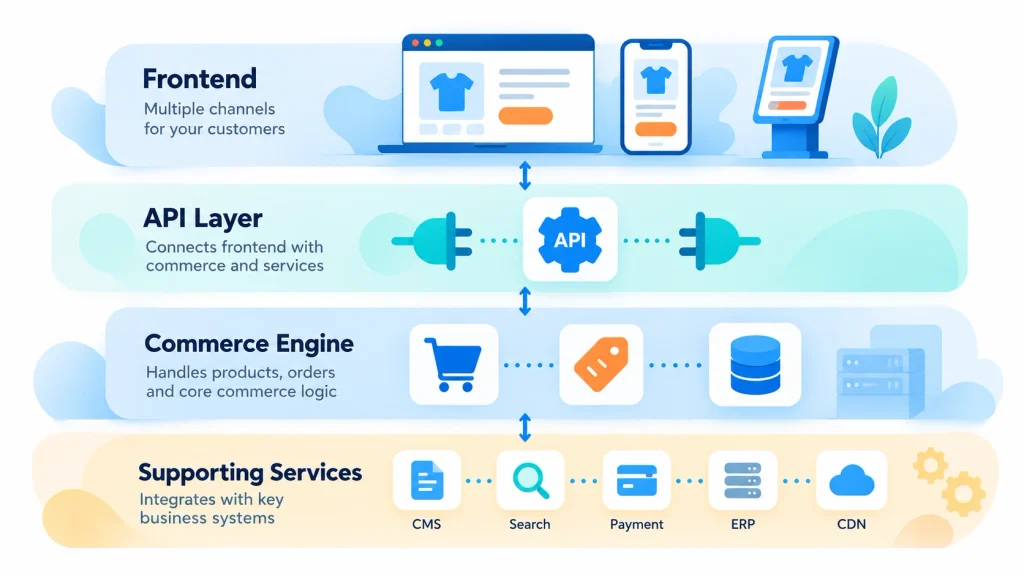
Core Layers of Headless Ecommerce Architecture
A decoupled build consists of several cooperating layers. Knowing each layer shows where effort, risk, and cost build up.
The Presentation Layer (Frontend)
The presentation layer is the application shoppers see and touch. Frameworks such as Next.js, Remix, Gatsby, or Vue Storefront render pages, manage routing, and handle interactions. Server-side rendering and static generation keep pages fast and crawlable. Google documents how Googlebot handles JavaScript in its JavaScript SEO basics guide, which is essential reading for any decoupled frontend.
The Commerce Engine (Ecommerce Backend)
The ecommerce backend stores catalog data, customer accounts, pricing rules, promotions, inventory, tax logic, and order records. Adobe Commerce, Magento Open Source, Shopify, BigCommerce, and WooCommerce can all fill the role. The engine exposes data through APIs rather than rendering HTML pages directly.
The API and Integration Layer
APIs form the bridge between frontend and backend. REST endpoints are widely supported. GraphQL lets the storefront request exactly the fields required, which reduces payload size. Professional ecommerce api integration services often add a middleware or BFF layer that merges data from several systems, caches responses, and shields the storefront from backend changes. Security deserves equal attention, and the OWASP API Security Project lists the most common API risks.
Supporting Services
A complete headless ecommerce architecture usually includes:
- A headless CMS for editorial content
- A PIM tool for product data
- A dedicated search service
- A payment gateway
- An ERP connection
- A content delivery network
Every service is replaceable. Replaceability is the core promise of the model.
Traditional vs Headless vs Composable Commerce
- Traditional (monolithic): One tightly connected system handles frontend and backend. Setup is the fastest and cheapest. Design flexibility and independent scaling are limited. Best for simple catalogs and small teams.
- Headless: The frontend is decoupled while one commerce platform remains as the backend. Flexibility is high, setup time and cost are moderate to high, and engineering effort rises. Best for growing brands that need custom experiences.
- Composable: Every capability is a separate service connected through APIs. Freedom is the highest, and so are the integration, governance, and cost burdens. Best for large enterprises with complex needs.
Many mid-market brands settle on headless ecommerce development as a balanced middle path. A trusted backend stays in place while the experience layer gets modernized.
Key Benefits of Headless Ecommerce Architecture
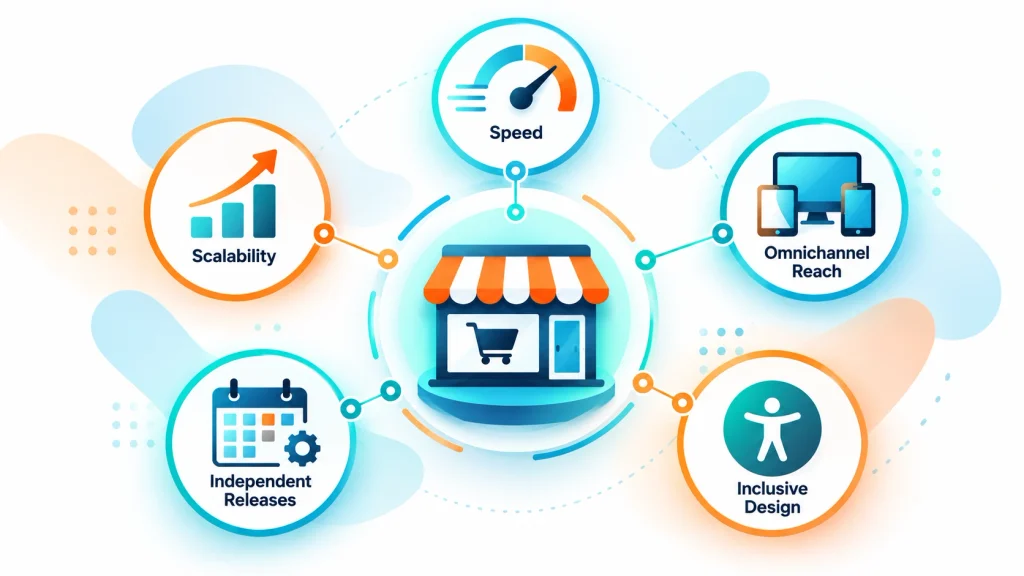
Faster Storefronts and Ecommerce Performance Optimization
Speed is the most cited reason for going decoupled. Lightweight frontends, edge caching, and static generation can reduce load times sharply. Strong ecommerce performance optimization influences conversion rate, bounce rate, and search visibility. Google’s Core Web Vitals metrics measure loading, interactivity, and visual stability, and serve as a practical benchmark for any headless build. The web.dev guide to optimizing Largest Contentful Paint offers concrete tactics for product and category pages.
Design Freedom and Omnichannel Reach
Without template constraints, designers can craft unique journeys, from interactive product configurators to editorial-led shopping pages. The same APIs power web, mobile apps, in-store screens, and voice interfaces. Product data stays consistent everywhere.
Scalability and Resilience
Frontend and backend scale independently. A traffic spike during a sale can be absorbed at the CDN and frontend layer without overloading the commerce engine. If one service fails, the rest of the stack can often keep running.
Independent Release Cycles
Marketing teams can launch campaign pages without waiting for a backend deployment. Developers can ship frontend updates daily while backend upgrades follow a slower, safer cadence.
Accessibility and Modern Standards
A custom frontend can be built around the Web Content Accessibility Guidelines (WCAG) from the first sprint. Accessible components improve usability for all shoppers and reduce legal risk.
Headless Ecommerce Architecture Costs
Budgets vary by platform, team location, and scope. The figures below are planning ranges rather than quotes, and real projects can fall outside the ranges.
Main Cost Drivers
- Frontend engineering: Design systems, component libraries, SEO handling, and accessibility work.
- Backend configuration: Catalog modeling, checkout customization, and API extension.
- Integrations: ERP, PIM, CMS, search, payments, tax, and shipping connections.
- Infrastructure: Hosting for the frontend, CDN, monitoring, and middleware.
- Licensing: Enterprise platforms and SaaS tools often carry recurring fees.
- Ongoing maintenance: Two codebases mean two sets of updates and security patches.
Typical Budget Ranges
- Small to mid-size store: Roughly $30,000 to $100,000, commonly built on Shopify or BigCommerce with Next.js.
- Mid-market store with a complex catalog: Roughly $100,000 to $300,000, usually with custom integrations and a headless CMS.
- Enterprise program: $300,000 and above, typically multi-region and multi-brand builds on Adobe Commerce.
Hidden Costs Worth Planning For
Developer hiring is a frequent surprise. Headless projects need engineers skilled in JavaScript frameworks, API design, and DevOps. Preview environments, QA automation, and monitoring tools add recurring spend. Underestimating such items is a common reason for budget overruns.
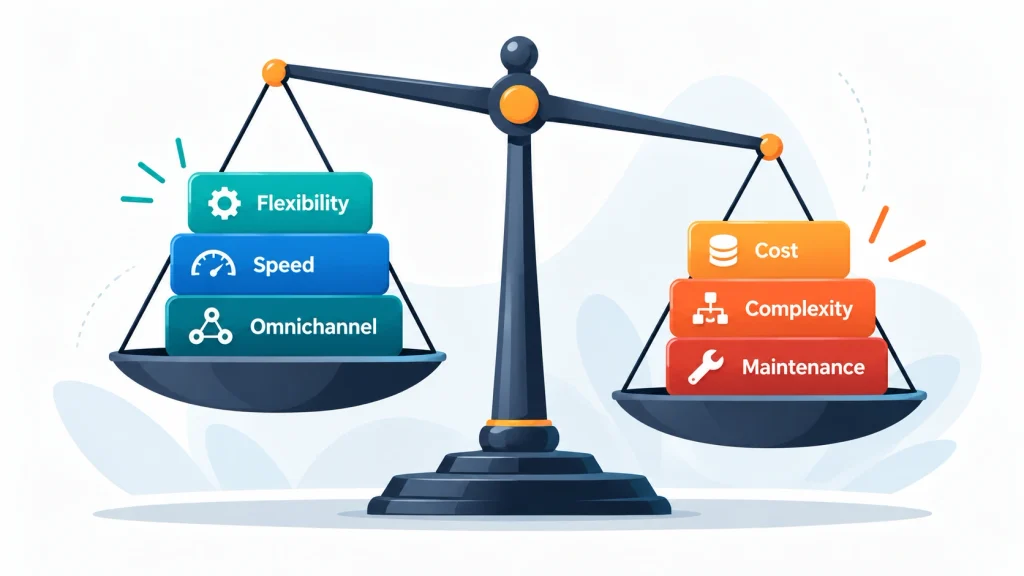
Business Trade-Offs of Headless Ecommerce Architecture
Headless ecommerce architecture is not automatically the right answer. Several trade-offs deserve honest evaluation.
- Higher complexity: More moving parts mean more points of failure and a steeper learning curve for teams.
- Longer time to market: A custom frontend takes longer than a themed storefront.
- Loss of built-in features: Page builders, theme editors, and plugin ecosystems may stop working out of the box. Marketers can lose independence if the headless CMS is poorly configured.
- Greater ongoing investment: Maintenance, monitoring, and developer talent are continuous costs.
- SEO responsibility shifts: Metadata, structured data, sitemaps, canonical tags, and rendering strategy must all be handled deliberately. Google’s guidance on Product structured data and the Schema.org Product type are useful references.
A decoupled model tends to pay off when growth targets, channel plans, or performance requirements exceed what a standard theme can deliver. Smaller catalogs with simple needs are often better served by a well-optimized traditional store.
Is Headless Ecommerce Architecture Right for the Business?
A short readiness checklist helps decide. The more statements that apply, the stronger the case for going headless.
- Page speed targets cannot be met with the current theme.
- Two or more storefronts, regions, or brands need one shared backend.
- A mobile app, in-store display, or marketplace feed is planned.
- Editorial content and product listings need to blend seamlessly.
- An in-house or partner engineering team can maintain a JavaScript stack.
- The budget covers both the build and ongoing maintenance.
Three or fewer matches usually point toward a traditional or hybrid platform. Four or more matches suggest that headless ecommerce development deserves serious evaluation.
Platform Options for Headless Ecommerce Architecture
Magento eCommerce Development for Headless Builds
Magento remains a strong backend for complex catalogs, B2B pricing, and multi-store setups. Its GraphQL and REST endpoints support decoupled storefronts, and PWA-based approaches are common. Skilled magento ecommerce development teams often pair the platform with Next.js or Vue Storefront. The official PWA Studio documentation outlines one Adobe-supported route.
Careful magento 2 performance optimization keeps API responses quick enough for a responsive frontend. Core tactics include full-page caching, Redis for session and cache storage, Varnish for page caching, indexing tuning, and database query review.
Adobe Commerce and Magento 2 Commerce Cloud
Adobe Commerce adds enterprise features such as advanced B2B tools, content staging, and customer segmentation on top of the Magento foundation. Magento 2 commerce cloud hosting provides managed infrastructure, CI/CD pipelines, and built-in scaling, which simplifies operations for large headless programs. Adobe documents the hosted option in the Commerce on Cloud overview.
Brands with demanding requirements often rely on adobe commerce development services and magento enterprise development specialists to design API strategy, extension architecture, and upgrade paths. Official references include the Adobe Commerce developer documentation and the Adobe Commerce GraphQL reference.
Shopify
Shopify offers a Storefront API and the Hydrogen framework for custom storefronts. Hosting, checkout security, and scaling are handled by the platform, which shortens delivery time. The trade-off is less control over core backend logic compared with self-hosted systems. Details are available in the Shopify headless documentation.
WooCommerce
WooCommerce pairs naturally with WordPress content and exposes data through the WooCommerce REST API. The model suits content-led brands that want a decoupled frontend without abandoning a familiar admin. Performance tuning and hosting quality matter heavily at scale. The WooCommerce developer resources cover extension and API practices.
BigCommerce
BigCommerce follows an open SaaS approach, offering GraphQL and REST APIs along with multi-storefront capabilities. The BigCommerce headless documentation covers patterns and integrations with popular frontend frameworks.
Platform Comparison Snapshot
- Magento: Flexible for complex catalogs and B2B. Needs experienced developers and tuned hosting.
- Adobe Commerce: Enterprise tooling and a managed cloud option. Carries higher licensing cost.
- Shopify: Fast delivery and managed scaling. Offers less control over backend logic.
- WooCommerce: Strong content and WordPress synergy. Performance depends on hosting and plugin quality.
- BigCommerce: Open SaaS with multi-storefront support. The extension ecosystem is smaller than larger rivals.
Performance and Integration Best Practices
Strong headless storefronts rarely happen by accident. Several habits separate fast builds from sluggish ones:
- Cache API responses at the edge and in a middleware layer.
- Use server-side rendering or incremental static regeneration for category and product pages.
- Request only needed fields through GraphQL.
- Compress and lazy-load images in modern formats such as WebP or AVIF.
- Monitor real-user performance continuously rather than relying only on lab tests. Lighthouse and the Chrome UX Report supply lab and field data.
- Plan ecommerce api integration services around rate limits, error handling, and fallback behavior.
Quality ecommerce performance optimization is an ongoing discipline, not a launch-day task. A well-planned headless ecommerce architecture makes the discipline easier to maintain.
Common Mistakes in Headless Ecommerce Development
- Skipping server-side rendering: Client-only rendering can delay indexing and slow first paint.
- Ignoring checkout usability: Research from the Baymard Institute on checkout usability shows how small friction points reduce completed orders.
- Overbuilding at launch: Replacing every system at once raises risk. Phased migration is safer.
- Forgetting redirects: Missing 301 mapping can erase organic rankings after launch.
- Weak API governance: Undocumented endpoints and absent versioning cause breakage later.
How to Create a Headless Commerce Website
A practical roadmap looks like the following:
- Define goals and metrics. Conversion rate, page speed, channel expansion, and content velocity should guide every decision.
- Audit current systems. Catalog structure, integrations, and technical debt determine migration effort.
- Choose the commerce backend. Match Magento, Adobe Commerce, Shopify, BigCommerce, or WooCommerce to catalog complexity, budget, and team skills.
- Select the frontend stack and CMS. Framework, hosting, and a headless CMS should support both developers and marketers.
- Design the API layer. Decide between direct calls and a middleware layer, and document contracts clearly.
- Build in phases. Launch key templates first: home, category, product, cart, and checkout.
- Test rigorously. Cover performance, accessibility, SEO rendering, payment flows, and edge cases.
- Launch, measure, and iterate. Redirect mapping, analytics validation, and post-launch monitoring protect organic rankings.
The MACH Alliance offers context on microservices, API-first, cloud-native, and headless principles for teams planning larger composable programs.

When Headless Ecommerce Architecture Makes Sense
Headless ecommerce architecture fits best in situations such as:
- Multiple storefronts, regions, or brands managed from one backend
- Strict performance goals that standard themes cannot reach
- Plans for mobile apps, in-store displays, or marketplace feeds
- Content-heavy experiences where editorial and commerce blend
- Engineering resources capable of maintaining a modern JavaScript stack
A traditional or hybrid approach may serve better when budgets are tight, catalogs are simple, or internal technical capacity is limited. Further reading is available in ecommerce platform comparison, Magento development services, and ecommerce site speed guide.
Frequently Asked Questions About Headless Ecommerce Architecture
What is headless ecommerce architecture in simple terms?
Headless ecommerce architecture separates the storefront from the backend commerce engine. The two parts communicate through APIs. The frontend can be built, redesigned, and updated without touching the systems that manage products, pricing, and orders.
Is headless commerce better than traditional ecommerce?
Neither option is universally better. Headless suits brands needing custom experiences, high performance, and multichannel delivery. Traditional platforms suit simpler stores that value quick setup and lower cost. The right choice depends on goals, budget, and technical capacity.
How much does headless ecommerce development cost?
Costs commonly range from about $30,000 for smaller SaaS-based builds to several hundred thousand dollars for enterprise programs. Scope, integrations, team rates, licensing, and ongoing maintenance drive the final figure.
Can Magento or Adobe Commerce be used for headless commerce?
Yes. Both platforms provide GraphQL and REST APIs that power decoupled storefronts. Many enterprise brands run Magento or Adobe Commerce with modern JavaScript frontends such as Next.js or Vue Storefront.
Does headless ecommerce architecture affect SEO?
A decoupled setup can improve SEO through faster pages and cleaner markup, provided server-side rendering, structured data, canonical tags, and XML sitemaps are implemented correctly. Poor rendering choices can harm crawling and indexing.
Which platform is best for a headless build?
The best platform depends on catalog size, budget, and technical capacity. Shopify and BigCommerce favor faster delivery. WooCommerce favors content-driven brands. Magento and Adobe Commerce favor complex, large-scale requirements.
How long does a headless ecommerce project take?
Timelines usually span three to nine months, depending on integrations, design complexity, and the number of storefronts. Phased launches shorten the time to the first release.
Conclusion
Headless ecommerce architecture offers speed, design freedom, and multichannel reach, but the benefits arrive with added cost, integration work, and maintenance responsibilities. Success depends on matching the approach to real business goals rather than industry trends.
A well-chosen backend, a clean API strategy, disciplined performance work, and a phased rollout turn a decoupled build into a lasting competitive advantage. Brands ready for the investment gain a flexible foundation that adapts as channels and customer expectations evolve.