
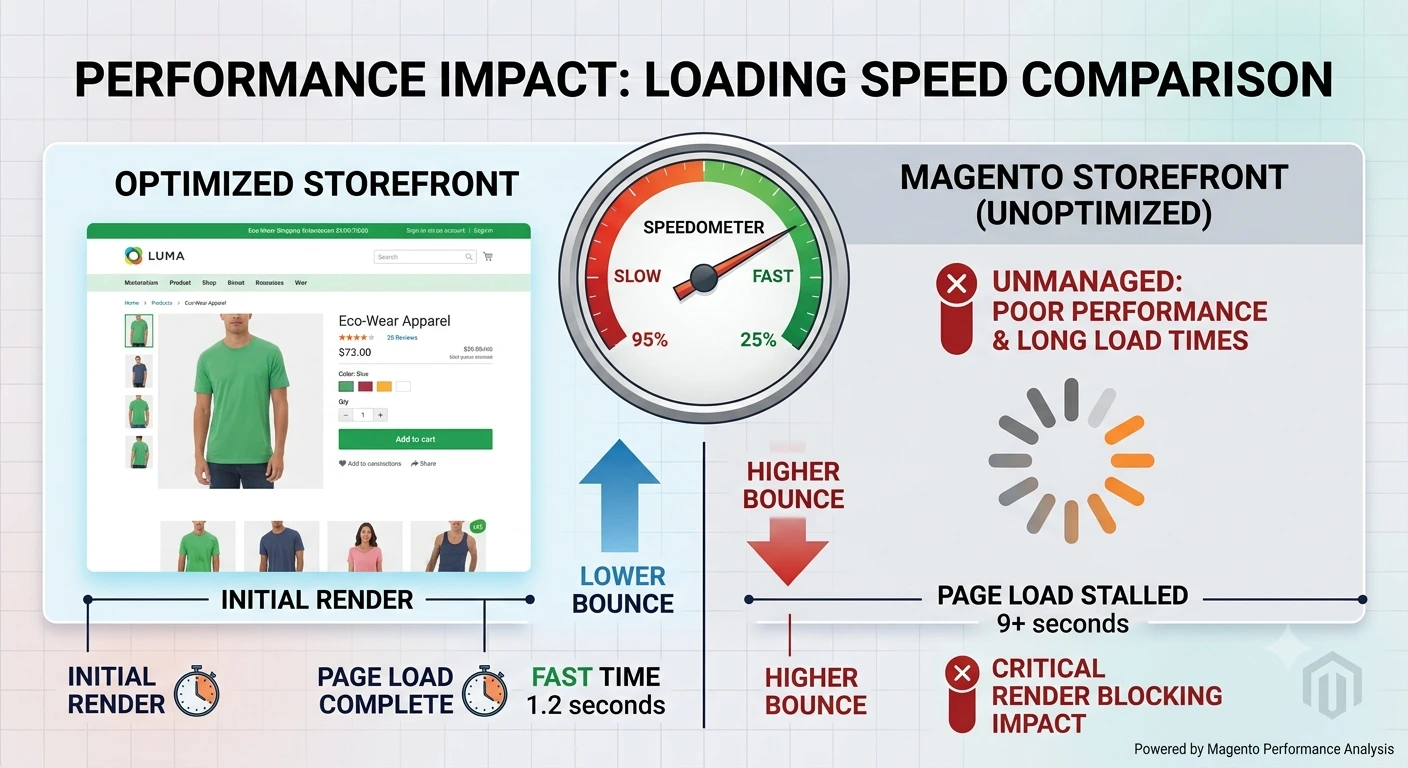
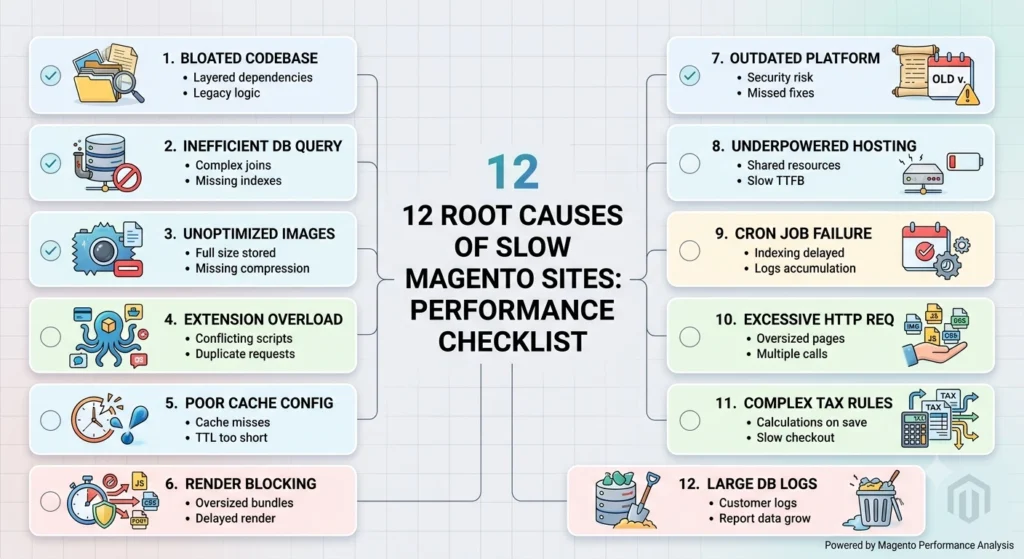
A magento site slow to respond is more than an inconvenience. It directly affects conversion rates, search rankings, and customer trust. Online shoppers tend to abandon a store within seconds if pages stall, and search engines factor load speed into ranking decisions. Below are the twelve most common reasons a Magento storefront drags, along with fixes that store owners and development teams can apply right away, plus the platform context needed to judge whether a fix will actually move the needle.
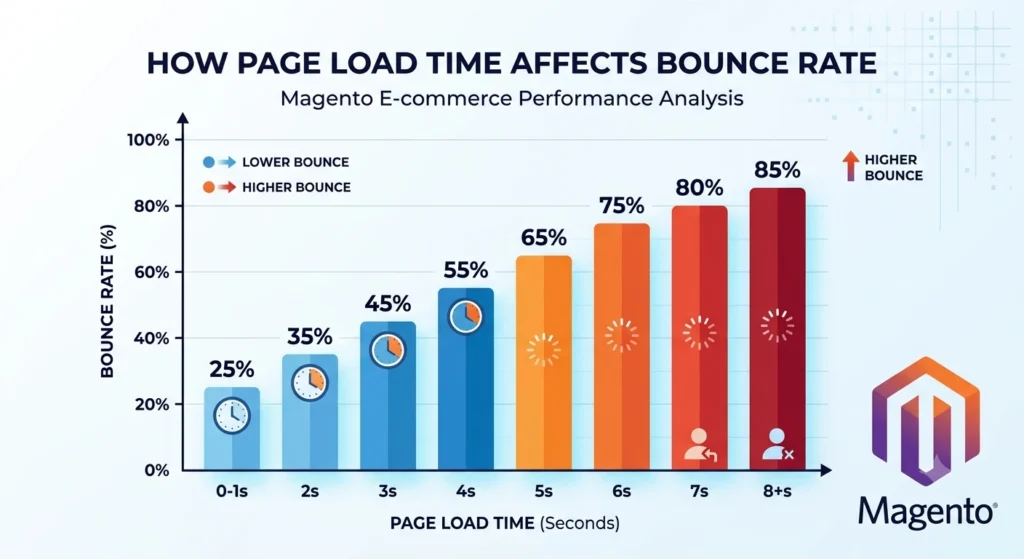
1. Outdated Magento Version or Unpatched Core Code
Running an old Magento release means missing out on performance patches, security fixes, and improved indexing logic that later versions include. Legacy installations often carry inefficient core modules that later releases have optimized. Version gaps also tend to widen compatibility problems with modern PHP releases, which themselves carry substantial performance improvements over older PHP branches.
Why version age compounds over time
The longer an upgrade is postponed, the more time passes between the existing codebase and the patches intended to address it, increasing the expense and danger of catching up.
Fix: Upgrade to the latest supported Magento or Adobe Commerce release, and apply official patches promptly. A staged upgrade process, testing on a development environment before pushing to production, reduces risk while restoring performance gains built into newer core code. Pairing the upgrade with a current, supported PHP version compounds the speed benefit further.
2. Poorly Optimized or Bloated Extensions
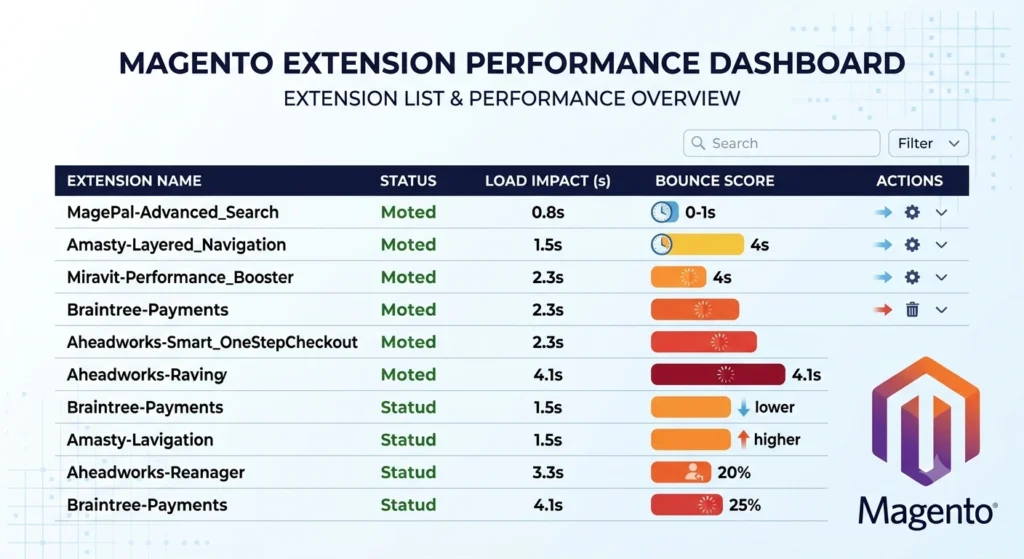
Third-party extensions are a leading cause of a slow storefront. Poorly coded modules can add unnecessary database queries, block level rendering delays, or conflicting JavaScript that competes for browser resources. Extension conflicts are especially common when multiple modules attempt to modify the same layout blocks or override the same core classes.
Magento Site Slow: Signs an Extension Is the Culprit
Sudden slowdowns after installing a new module, checkout delays tied to a specific plugin, or admin panel lag concentrated in one settings page are all common indicators.
Fix: Audit installed extensions using Magento’s built-in profiler or a tool such as New Relic. Disable or remove modules that are unused, and replace poorly maintained extensions with lightweight, well reviewed alternatives. Testing extensions one at a time in a staging environment isolates which module is responsible before a permanent decision is made.
3. Unoptimized Database Queries
Magento’s EAV (Entity Attribute Value) database structure is powerful but can generate complex queries, especially on catalogs with thousands of SKUs. Poorly indexed tables or inefficient custom queries multiply page render time, and the effect becomes more visible as catalog size and attribute count grow.
Fix: Review slow query logs regularly, add proper indexes to frequently queried columns, and avoid custom SQL that bypasses Magento’s optimized data layer. Running EXPLAIN on suspect queries helps pinpoint bottlenecks before they scale into bigger problems. Database query caching at the application layer can also reduce repeated load on frequently accessed tables.
4. Disabled or Misconfigured Caching
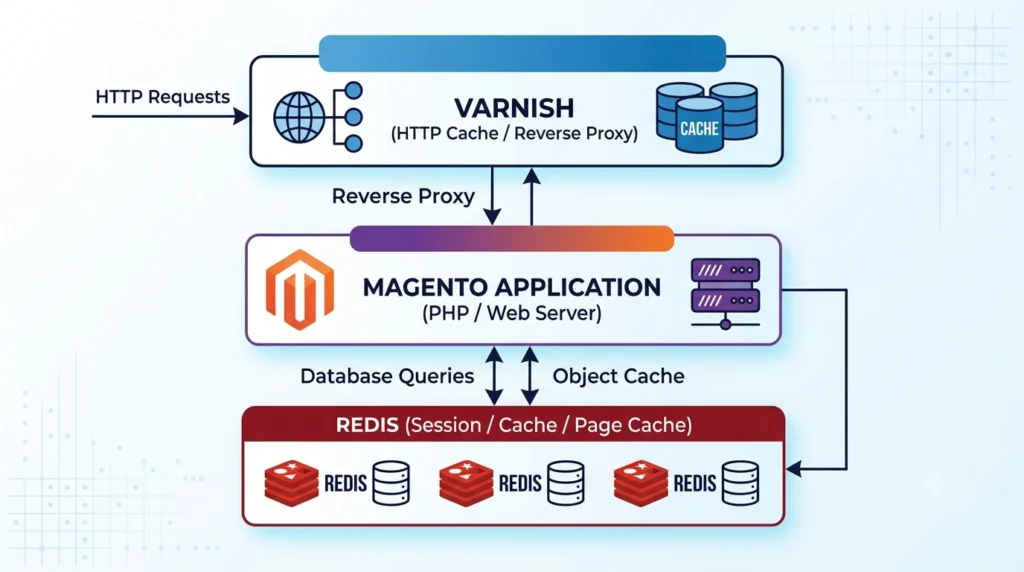
Magento relies heavily on full page cache (FPC) and object caching to avoid rebuilding pages from scratch on every request. When caching is disabled, misconfigured, or frequently flushed, every visit triggers expensive rendering. Cache misconfiguration is one of the fastest fixes available relative to the performance gain it delivers.
Common Caching Mistakes That Cause Magento Site Slow
Flushing full page cache after every minor content change, leaving Redis unconfigured for session storage, and skipping cache warm up scripts after deployment all quietly erase the benefit caching is meant to provide.
Fix: Enable Varnish for full page caching in production, and configure Redis for both the default cache and session storage. Confirm cache warms correctly after deployments, and avoid unnecessary manual cache flushes during peak traffic hours.
5. Uncompressed or Unoptimized Images
One of the most frequent and preventable causes of delayed site loads is large, uncompressed product photos, especially on catalog and category pages with dozens of thumbnails. High resolution photography intended for print or zoom features often gets uploaded at full size without any resizing for web delivery.
Fix: Convert images to modern formats such as WebP, compress files without visible quality loss, and implement lazy loading so below the fold images load only when needed. A content delivery network (CDN) further reduces image delivery time by serving files from servers closer to the visitor. Reducing needless data transfer on mobile connections is another benefit of serving responsive image sizes dependent on screen width.
6. No Content Delivery Network (CDN) in Place
Serving static assets, including CSS, JavaScript, images, and fonts, directly from an origin server increases latency for visitors located far from that server. This effect is magnified for stores selling internationally, where a single origin server cannot serve every region efficiently.
Fix: Deploy a CDN such as Fastly, Cloudflare, or Akamai to cache and distribute static assets globally. This reduces server load and shortens the physical distance data has to travel to reach each visitor. Combining a CDN with proper cache headers ensures assets are reused across sessions rather than re-fetched unnecessarily.
7. Inefficient JavaScript and CSS Delivery
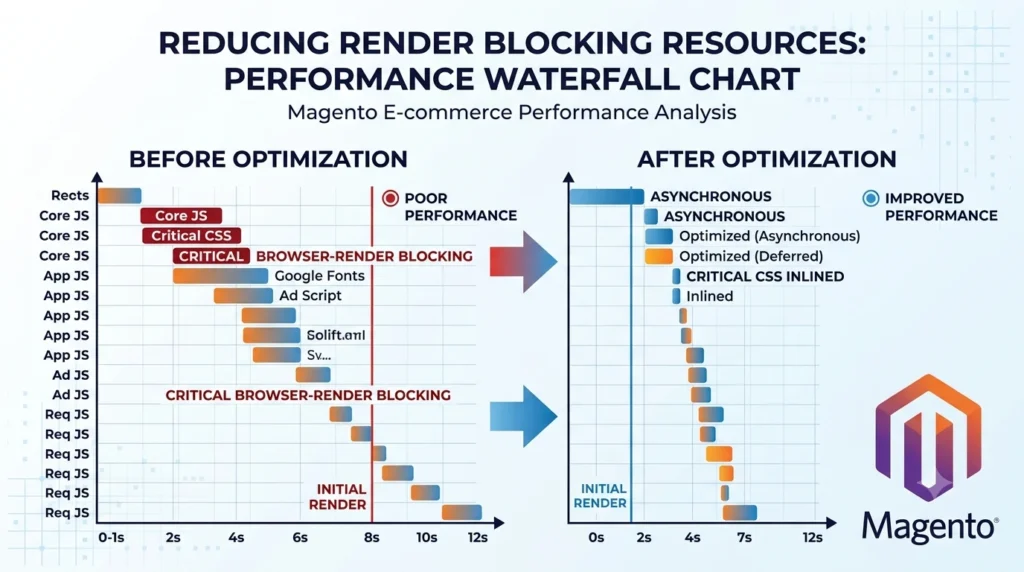
Render blocking JavaScript and CSS files delay the point at which a page becomes visible and interactive. Magento themes with excessive third party scripts, such as chat widgets, tracking pixels, and review plugins, compound this issue substantially.
What Render Blocking Means for Magento Site Slow
A render blocking resource forces the browser to pause layout and painting until that file finishes downloading and executing, even if the rest of the page content is already available.
Fix: Minify and bundle JavaScript and CSS files, defer non-critical scripts, and audit third party tags regularly. Tools like Google PageSpeed Insights highlight which specific files are blocking render, and prioritizing critical CSS for above the fold content speeds up perceived load time even before the full page finishes loading.
8. Shared or Underpowered Hosting
Magento is resource intensive by design. Shared hosting environments, or virtual servers with insufficient CPU and memory, struggle under catalog size, traffic spikes, or concurrent checkout sessions. Hosting limitations tend to surface first during flash sales, holiday traffic, or marketing campaign launches, when the gap between available resources and actual demand becomes obvious.
Fix: Move to Magento optimized hosting or cloud infrastructure that provides dedicated resources, auto scaling, and server level caching support. Providers built specifically for Adobe Commerce and Magento workloads typically outperform generic shared hosting by a wide margin, particularly for database heavy operations like reindexing and order processing.
9. Unindexed or Reindexing Catalog Data
When product, category, or price indexes fall out of date or run in “update on save” mode instead of scheduled mode, every catalog change can trigger a heavy reindex process that consumes server resources mid session. Large catalogs with frequent price or inventory updates are especially exposed to this problem.
Fix: Switch all indexers to cron based scheduled mode, and monitor reindex jobs to ensure they run during low traffic windows rather than peak shopping hours. Reviewing indexer run times periodically also helps catch a growing catalog before reindexing becomes a bottleneck on its own.
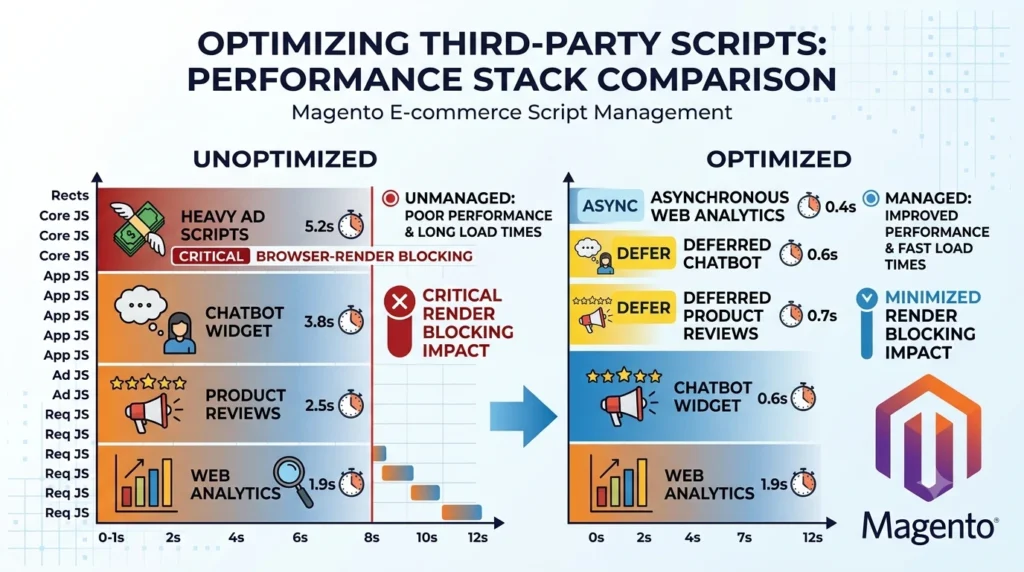
10. Excessive Third Party Scripts and Trackers
Marketing pixels, live chat tools, A/B testing scripts, and analytics tags each add an extra network request. Stacked together, they can add several seconds to page load time without the added weight being obvious from a quick visual check of the storefront.
Fix: Audit the tag manager setup, consolidate tracking through a single tag manager where possible, and load non-essential scripts asynchronously so they do not block the main content from rendering. Periodically removing scripts tied to discontinued campaigns or unused tools prevents gradual script accumulation over time.
11. Poor Database Maintenance and Log Table Bloat
Log tables, abandoned cart data, and old customer session records accumulate over time and can balloon database size, slowing every query that touches related tables. Backup routines also take longer as database size grows, extending maintenance windows unnecessarily.
Fix: Schedule regular database cleanup using Magento’s built in log cleaning tools, archive or remove outdated records, and monitor database size growth as part of routine maintenance. Setting automatic log retention limits prevents the same bloat from reappearing after a single manual cleanup.
12. Missing Performance Monitoring
Performance regressions sometimes go undiscovered until consumers complain or conversion rates decline in the absence of continuous monitoring. Many root causes above resurface silently after updates, new extensions, or catalog growth, making a one time fix insufficient on its own.
Fix: Set up continuous monitoring with tools such as New Relic, Blackfire, or Google Search Console’s Core Web Vitals report, and review performance metrics on a recurring schedule rather than only after problems appear. Setting alert thresholds for page load time and server response time catches regressions before customers notice them.
Platform Considerations Beyond Magento for Magento Site Slow
Performance troubleshooting looks different depending on the commerce platform in use. Adobe Commerce environments share much of Magento’s architecture but add cloud specific tuning options such as managed Fastly integration and built in scaling tools. Slowdowns in BigCommerce and Shopify businesses are more frequently caused by theme code or app overflow than by server capacity because the platform bears a large portion of the infrastructure strain . WooCommerce performance depends heavily on WordPress hosting quality and plugin count, since WooCommerce runs on top of a general purpose content management system rather than a dedicated commerce engine. A headless commerce setup decouples the frontend from the backend entirely, which can reduce many of the rendering bottlenecks described above but introduces its own API latency considerations that require separate monitoring.
Choosing Where to Focus First for Magento Site Slow
Stores built on Magento or Adobe Commerce typically gain the most from server side fixes such as caching, indexing, and hosting upgrades. Stores on Shopify, BigCommerce, or WooCommerce more often see faster results from theme cleanup, app audits, and image optimization, since infrastructure is largely managed by the platform itself.
For a full performance audit across any of these platforms, the development team at Create and Commerce reviews hosting, caching, code quality, and catalog structure to identify what is driving slow load times.
Frequently Asked Questions About Magento Site Slow
What is considered a slow Magento site?
Generally, a homepage or category page taking longer than three seconds to become interactive is considered slow by both customer experience and search engine standards.
Can a Magento site slow down after a routine update?
Yes. Updates can introduce new default settings, disable cache temporarily, or trigger a full reindex, all of which can cause a temporary performance dip until resolved.
Does hosting really make that much difference for Magento performance?
Significantly. Magento’s resource demands mean that CPU, memory, and disk I/O speed on the hosting environment directly shape how fast pages render, especially under concurrent traffic.
How often should a Magento performance audit be done?
A quarterly review is a reasonable baseline, with additional checks after major extension installs, theme changes, or catalog expansions.
Is switching to headless commerce a guaranteed fix for slow performance?
Not automatically. Headless architecture can remove some bottlenecks tied to monolithic rendering, but poor API design or unoptimized frontend code can reintroduce similar slowdowns in a different form.
What is the fastest fix to try first when a store suddenly slows down?
Checking whether full page cache and Redis are functioning correctly is usually the fastest diagnostic step, since caching failures produce an immediate and noticeable slowdown across nearly every page.
Conclusion
A slow Magento storefront rarely traces back to a single cause. Over time, outdated core code, bloated extensions, unoptimized queries, improperly setup cache, a lot of pictures, a lack of CDN coverage, render blocking scripts, poor hosting, reindexing problems, Database bloat, tracking script saturation, and a lack of ongoing monitoring all exacerbate one another. Addressing these root causes methodically, starting with caching and hosting since they tend to deliver the fastest measurable gains, then working through code and asset level optimizations, restores both page speed and the customer experience tied to it. Regular audits after major updates, extension installs, or catalog growth keep performance gains from quietly eroding again. For stores across Magento, Adobe Commerce, BigCommerce, Shopify, WooCommerce, or a headless setup, the underlying principle stays the same: consistent monitoring paired with targeted fixes keeps a storefront fast, searchable, and ready to convert.