
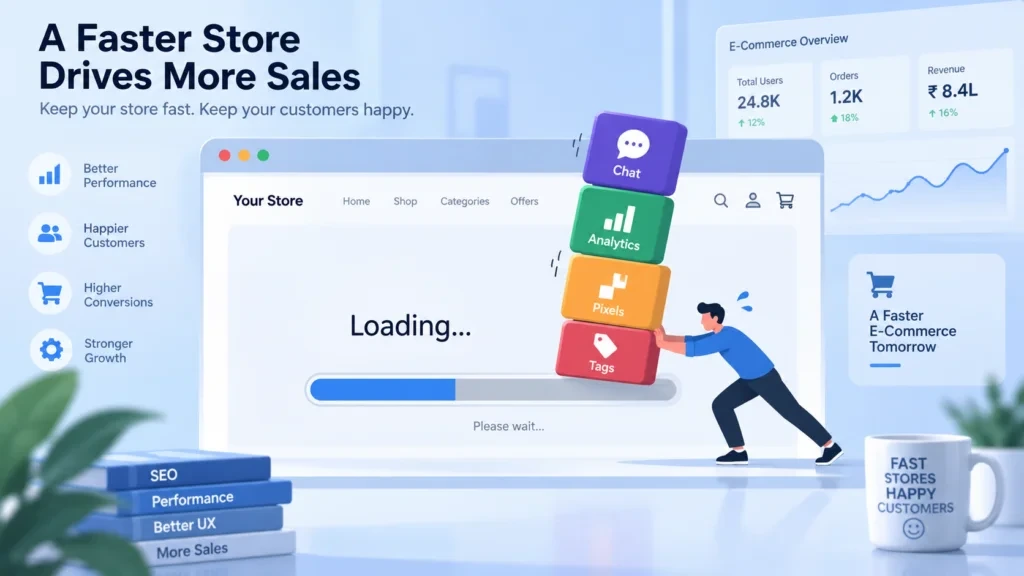
Every marketing team eventually reaches the same moment: a new platform promises better attribution, sharper personalization, or a smoother chat experience, and adding it feels harmless. One script tag, one line of code, one quick integration. But the marketing tool performance cost rarely shows up immediately it accumulates silently, script by script, until page speed, conversion rates, and search rankings all start slipping at once.
This guide breaks down where the marketing tool performance cost comes from, how it plays out differently across Magento, Adobe Commerce, Shopify, WooCommerce, BigCommerce, and headless commerce builds, and what a store can do to keep marketing capability without sacrificing speed.
Why Marketing Tools Quietly Drain Website Speed
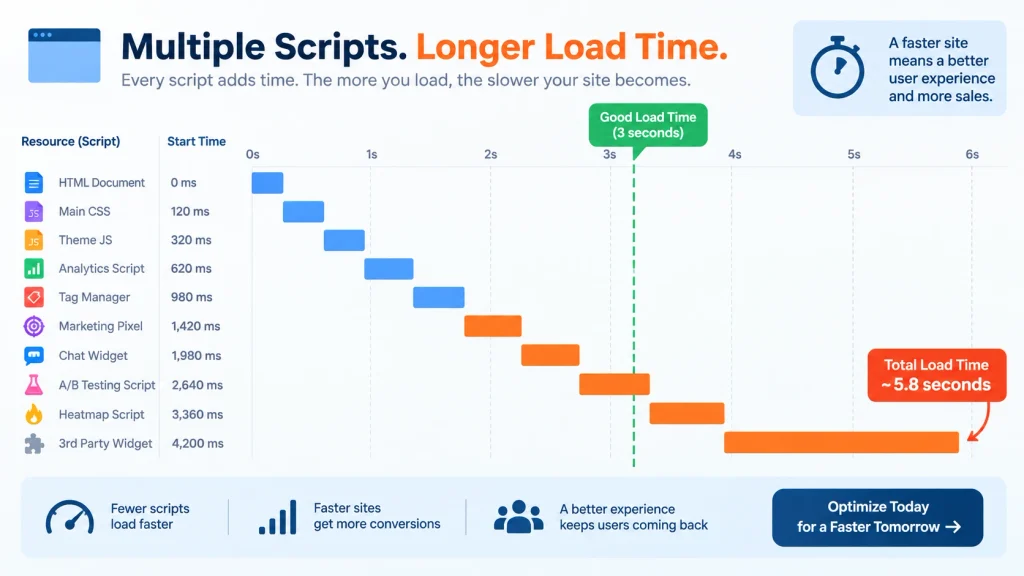
A single tracking pixel or chat widget rarely breaks a site on its own. The marketing tool performance cost builds in layers:
- Render-blocking scripts that delay the browser from painting visible content, a problem explained in detail in Google’s guide to eliminating render-blocking resources
- Third-party requests that each add DNS lookups, connection time, and download weight, covered in web.dev’s third-party JavaScript guidance
- Duplicate functionality across tools that were never meant to run together
- Unoptimized tag managers loading dozens of nested scripts on every page view, a pattern documented in Google Tag Manager’s own performance documentation
Individually, each addition might cost a few hundred milliseconds. Collectively, a checkout page loaded with analytics suites, heatmap trackers, chat widgets, review plugins, and retargeting pixels can lose several seconds of load time and seconds translate directly into abandoned carts, a relationship well documented in Google’s page experience research.
The Marketing Tool Performance Cost Across Commerce Platforms
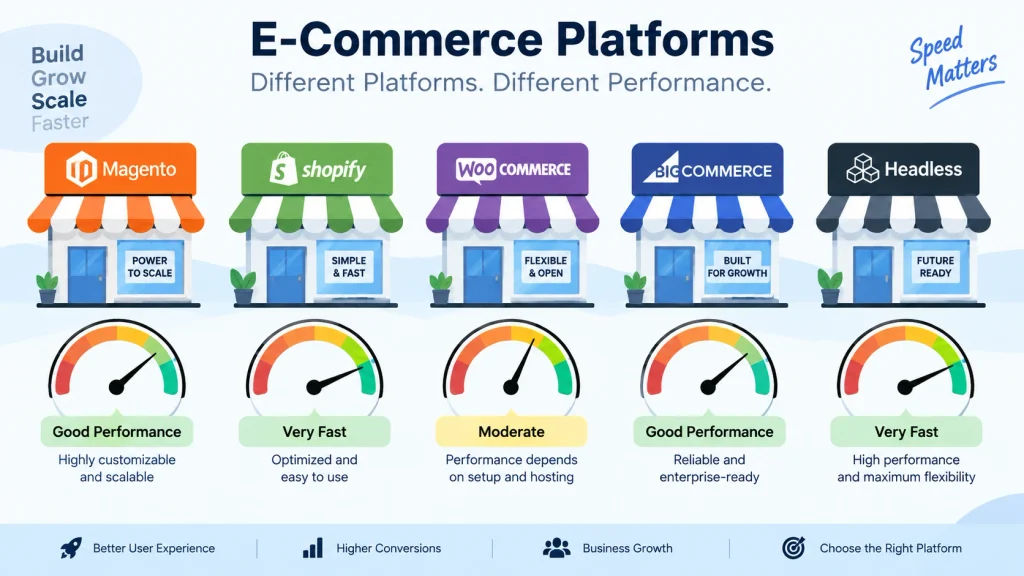
Performance overhead does not behave the same way across every commerce stack. Architecture, hosting, and rendering method all change how much damage a stack of marketing scripts can do, and the marketing tool performance cost shifts accordingly.
Magento and Adobe Commerce
Magento and Adobe Commerce environments carry heavier baseline page weight than most lightweight platforms, which means third-party marketing scripts compound faster. Layered navigation, extensive catalog rendering, and server-side processing already demand resources; stacking multiple marketing extensions on top often pushes Time to Interactive well past acceptable thresholds. Careful extension auditing becomes essential, and Adobe Commerce’s own performance best practices documentation and the Magento DevDocs performance guidelines are useful starting references.
Shopify
Shopify’s hosted infrastructure handles server response time well, but theme-level script injection is where damage accumulates. Apps installed for upsells, reviews, loyalty programs, and tracking each inject their own JavaScript into the storefront. Shopify’s app performance guidelines note that a storefront running a dozen marketing apps can see Largest Contentful Paint slow dramatically, even on fast hosting.
WooCommerce
Because WooCommerce runs on WordPress, plugin sprawl is the biggest contributor to the marketing tool performance cost here. Marketing plugins frequently load their own CSS and JavaScript libraries sometimes duplicating jQuery or other dependencies already present. The WooCommerce performance documentation and WordPress.org’s own site performance guide both point to plugin-added scripts as a leading slowdown factor.
BigCommerce
BigCommerce’s API-driven architecture keeps core storefront performance strong, but third-party marketing tags added through Google Tag Manager or theme customization still carry the same execution weight as anywhere else. The BigCommerce developer performance documentation confirms that most performance loss on this platform traces directly back to how many external scripts sit in the page head.
Headless Commerce Architectures
Headless setups decouple the frontend from the backend, which removes a lot of traditional platform overhead but marketing tools do not disappear in a headless build; they move into the frontend framework. Poorly implemented tag managers or client-side tracking libraries in a Next.js or Vue storefront can undo the performance gains headless architecture was chosen for in the first place. Server-side tagging, as outlined in Google’s server-side tagging documentation, is often the difference between a fast headless storefront and a bloated one.
Signs a Store Is Paying a Hidden Marketing Tool Performance Cost
Several patterns tend to show up before the marketing tool performance cost is properly diagnosed:
- Core Web Vitals scores drop after a new integration goes live
- Mobile load times worsen more than desktop load times
- Checkout abandonment rises without any pricing or design changes
- PageSpeed Insights reports flag “reduce unused JavaScript” repeatedly
- Support tickets mention slow or unresponsive pages during peak traffic
None of these symptoms point to a single obvious cause, which is exactly why the cumulative marketing tool performance cost often goes undiagnosed for months.
How to Measure the Marketing Tool Performance Cost
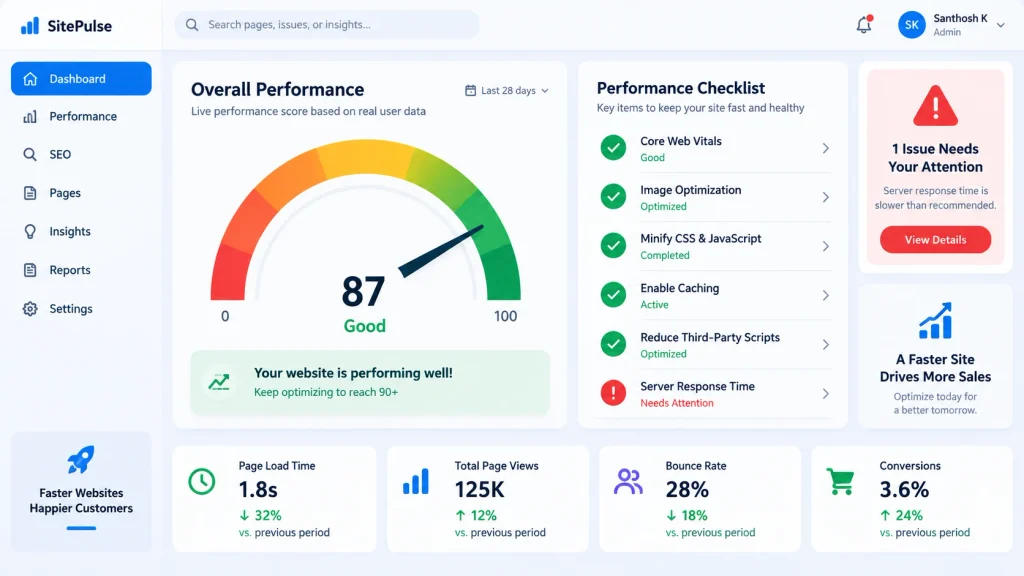
Before removing or replacing anything, the actual impact needs to be measured rather than assumed. A few reliable approaches:
- Waterfall analysis through browser developer tools, following Chrome DevTools network analysis documentation
- Tag audit reports inside Google Tag Manager to identify redundant or unused tags
- Before-and-after testing using a staging environment with tools disabled one at a time, benchmarked with GTmetrix
- Real User Monitoring (RUM) data using tools such as Google’s Chrome User Experience Report to see how actual visitors, not just lab tests, experience load times
This kind of testing usually reveals that a small number of tools account for a disproportionate share of the marketing tool performance cost often the oldest integrations still running from a previous marketing strategy.
Reducing the Marketing Tool Performance Cost Without Losing Functionality
Cutting the marketing tool performance cost does not require abandoning marketing capability. A few practical adjustments tend to make the largest difference:
- Consolidate tracking into a single tag management system instead of multiple standalone scripts
- Defer non-critical scripts so chat widgets, reviews, and social proof tools load after core content, following the loading strategies in web.dev’s guide to lazy loading
- Move tracking server-side where the platform and tooling support it, especially in headless environments
- Audit tools quarterly and remove anything no longer actively used for decision-making
- Set a performance budget so new tools are tested against load-time impact before approval
Marketing Tool Performance Cost and Search Ranking Impact
Search visibility is directly tied to page experience signals, which means the marketing tool performance cost is not only a conversion issue — it is a ranking issue as well. Google’s page experience documentation confirms that Core Web Vitals metrics factor into how pages are evaluated for ranking, particularly on mobile. A commerce site carrying excessive marketing scripts risks slower indexing crawl efficiency alongside slower user-facing load times, since search crawlers also have to process the same bloated script payloads.
Stores that treat script weight as a ranking factor, not just a user-experience factor, tend to prioritize marketing tool audits earlier and see more stable organic performance over time.
Building a Long-Term Governance Process to Control Marketing Tool Performance Cost
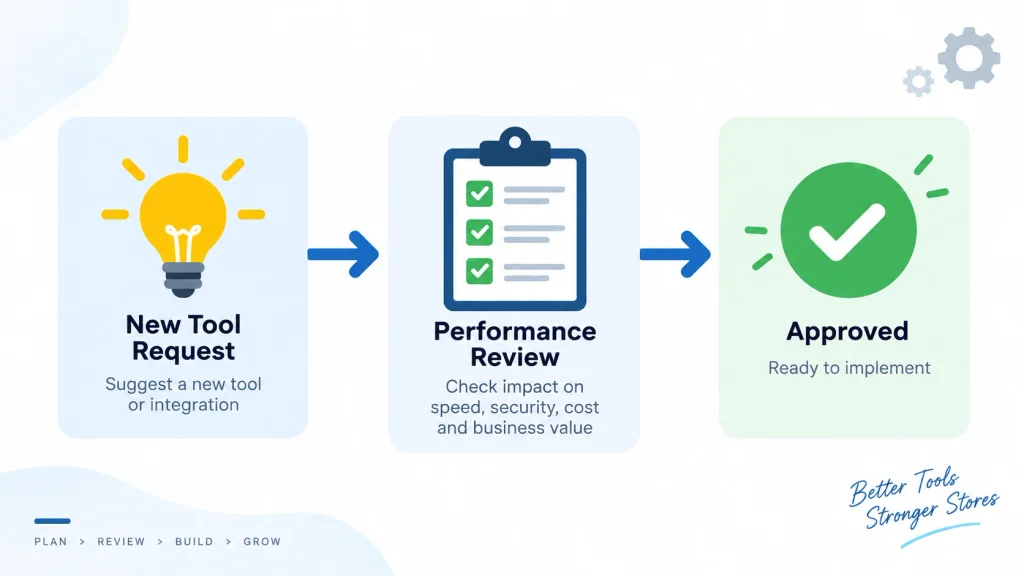
A one-time cleanup only solves the marketing tool performance cost temporarily. A recurring process is what keeps it from returning:
- Requiring a documented performance impact check before any new script is approved
- Assigning ownership of tag management to a specific role instead of leaving it open-ended
- Reviewing the Chrome UX Report or PageSpeed data on a monthly cadence
- Sunsetting unused tools during quarterly marketing technology reviews
- Documenting every approved script’s purpose so future audits move faster
Best Practices for Balancing Marketing Needs and Site Speed
Marketing and performance teams often operate in separate lanes, which is part of why tool sprawl happens in the first place. Closing that gap usually comes down to a shared process:
- Requiring a performance impact check before any new script is approved
- Reviewing existing tags on a recurring schedule rather than only after a complaint
- Assigning ownership of tag management to a specific role
- Treating page speed as a marketing metric, not just a development metric, since slow pages directly reduce the return on every campaign running through those same scripts
Common Mistakes When Adding Marketing Tools to a Commerce Site
Most script bloat does not happen on purpose. It happens through small, reasonable-sounding decisions that add up over time.
A few mistakes show up again and again:
- Approving tools without a trial period. A tool gets added permanently after one quick demo, with no staging test to confirm actual load-time impact.
- Letting multiple teams install overlapping tools. Marketing, support, and product teams each add their own analytics or chat solution, unaware another team already covers the same function.
- Ignoring mobile performance. A tool might feel fast on a desktop connection during testing, then quietly wreck mobile load times where most shoppers actually browse.
- Never removing “temporary” tools. A tracking pixel added for a single campaign stays live for years because nobody owns the decision to remove it.
- Skipping documentation. Without a record of what each script does, teams hesitate to remove anything even tools nobody remembers approving.
Avoiding these mistakes does not require a large team or a complex process. It mostly requires one habit: treating every new script as a decision worth reviewing, not a quick favor to approve.
Choosing New Marketing Tools Without Increasing Performance Cost
New tools will always get proposed. The goal is not to block every request it is to evaluate requests consistently, so the marketing tool performance cost stays under control as the stack grows.
A short evaluation checklist works well before any tool goes live:
- Confirm the tool’s actual script weight. Ask the vendor directly, or test it in a staging environment first.
- Check for loading options. Many tools support asynchronous or deferred loading; if a vendor cannot explain this, that is a warning sign.
- Look for overlap with existing tools. A new chat widget might duplicate a feature already available in an existing platform.
- Set a review date. Every tool gets approved with a built-in expiration check, typically 90 days out, to confirm it is still worth the performance trade-off.
- Assign an owner. Someone specific is responsible for the tool’s continued use not a department, a person.
This kind of lightweight checklist takes only a few minutes per request. Over a year, though, it prevents the exact pattern that causes most commerce sites to end up with fifteen scripts nobody can fully explain.
Frequently Asked Questions
Does every marketing tool slow down a website?
Not necessarily. Impact depends on script size, loading method, and how many other tools are already running. A single well-optimized tool rarely causes a noticeable marketing tool performance cost; the damage comes from accumulation across many tools over time.
Which commerce platform handles marketing scripts best?
No platform is immune. BigCommerce and headless setups tend to have lighter baseline weight, but poor script implementation can slow any platform down, including Shopify, WooCommerce, Magento, and Adobe Commerce.
How often should marketing tools be audited for performance?
A quarterly review is a reasonable baseline for most stores, with an additional check anytime a new tool is added or an existing one is upgraded.
Can server-side tagging fully solve the problem?
Server-side tagging removes a large share of client-side script weight, particularly for tracking and analytics tools, but it does not eliminate every marketing tool performance cost some tools still require frontend elements like chat widgets or on-page personalization.
What is a reasonable performance budget for a commerce site?
Many teams target a Largest Contentful Paint under 2.5 seconds and a Total Blocking Time under 200 milliseconds as baseline goals, referencing the thresholds defined in web.dev’s Core Web Vitals thresholds, and adjusting based on catalog size and traffic patterns.
Conclusion
The performance cost of marketing tools rarely appears as one major problem. It builds slowly through many small additions. Over time, these tools can slow down page speed, reduce conversions, and hurt search rankings.
Magento, Adobe Commerce, Shopify, WooCommerce, BigCommerce, and headless commerce platforms can all face this issue in different ways. But the main problem is the same: scripts keep getting added without regular checks. Over time, this can lead to slower websites and lost revenue.
Regular performance audits, a clear performance budget, and better teamwork between marketing and development teams can keep these costs under control. This makes it easier to spot problems early and prevent them from growing.