
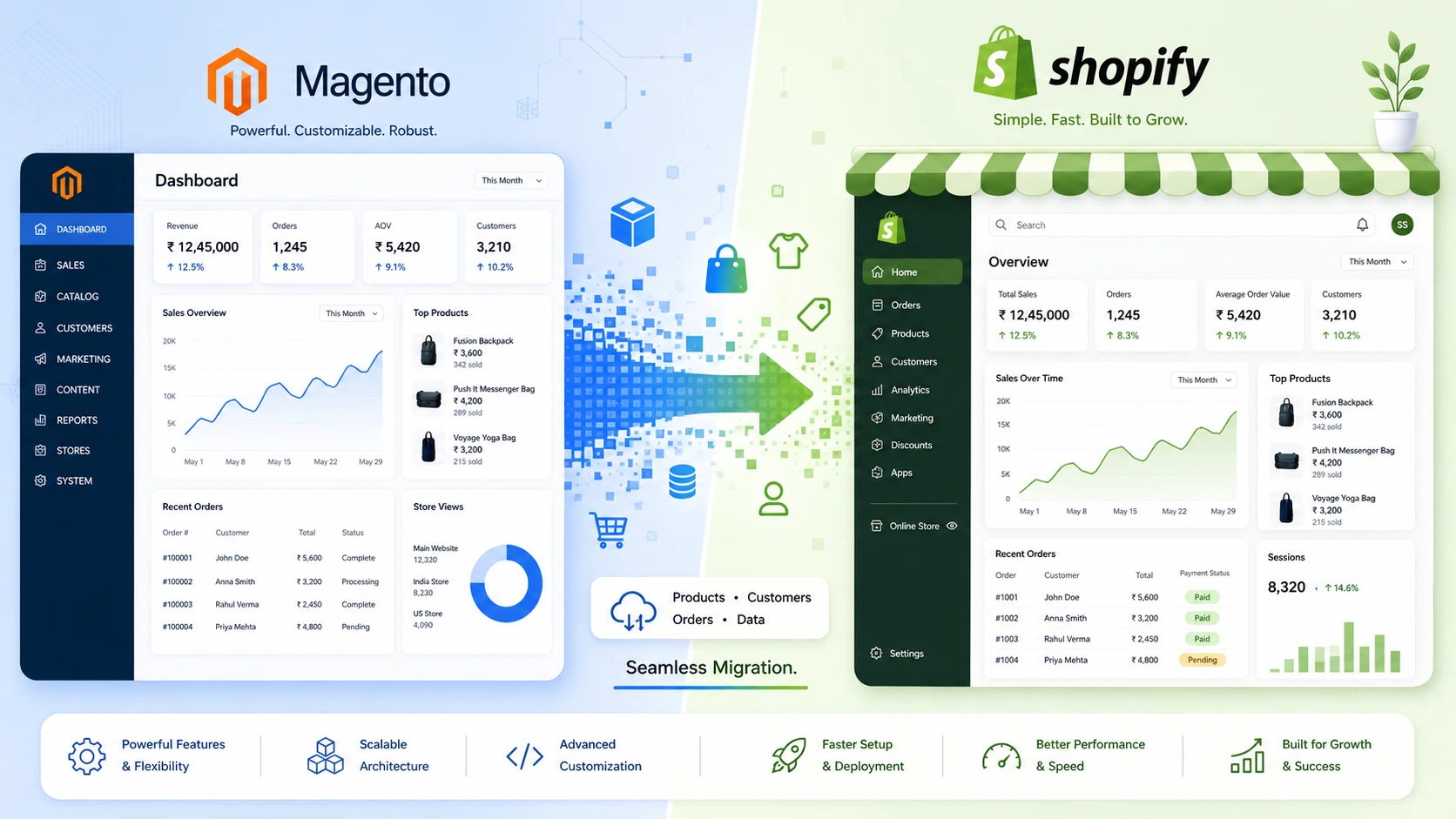
Agencies managing multiple ecommerce clients increasingly field one recurring request: a Magento to Shopify Migration. Rising Adobe Commerce licensing costs, mounting technical debt on Magento 1 and Magento 2 instances, and the appeal of a managed, scalable hosting environment are pushing merchants toward Shopify. A structured, checklist-driven approach keeps migration projects on schedule, protects search rankings, and prevents the data loss that derails so many platform switches.
The sections below outline a full agency-ready checklist for planning, executing, and validating a Magento to Shopify Migration, along with notes on cost, tooling, team roles, multi-store complexity, common pitfalls, and how the process compares when a client is instead considering WooCommerce, BigCommerce, Adobe Commerce, or a headless commerce architecture.
Why Agencies Are Moving Client Stores From Magento to Shopify
Magento (now Adobe Commerce) remains a powerful, highly customizable platform, but that flexibility comes with a maintenance burden: server management, PHP version upgrades, security patching, and extension conflicts. Shopify removes most of that operational overhead through managed hosting, built-in PCI compliance, and a mature app ecosystem.
Common triggers for a Magento to Shopify Migration include:
- Rising Adobe Commerce licensing and hosting costs after outgrowing Magento Open Source
- Frequent downtime or slow page speeds tied to unmanaged infrastructure
- A shrinking pool of available Magento developers compared to Shopify talent
- A need for faster feature releases without a large in-house development team
- Interest in headless commerce flexibility through Shopify’s Storefront API
Pre-Migration Assessment Checklist
Before any data moves, a full audit of the existing Magento environment establishes scope, risk, and timeline.
Auditing the Existing Magento Catalog
- Export a full product catalog, including configurable products, bundles, and custom attributes
- Document all product categories, tags, and navigation structures
- Identify products with custom pricing rules, tier pricing, or B2B-specific logic
- Flag discontinued or out-of-stock SKUs that do not need to migrate
Reviewing Custom Extensions and Integrations
- List every installed Magento extension and confirm whether a Shopify app equivalent exists
- Review ERP, PIM, and accounting system integrations (NetSuite, SAP, QuickBooks) for Shopify compatibility
- Audit custom checkout logic, shipping rules, and tax configurations built into Magento
- Confirm payment gateway compatibility with Shopify Payments or an approved third-party processor
Assembling the Right Team for a Migration Project
A Magento to Shopify Migration touches development, design, SEO, and QA simultaneously, so role clarity from the outset avoids duplicated or dropped work.
- A project lead coordinating timeline, client communication, and scope changes
- A Shopify developer handling theme customization, Liquid templating, and app configuration
- A data specialist in charge of mapping orders, customers, and catalogs
- An SEO specialist owning the redirect map and post-launch ranking monitoring
- Before launch, a QA tester verifies the account, shipping, and checkout processes
- A Magento-side developer available during the audit and cutover phases to resolve source-data questions
Smaller agencies often combine several of these roles into one or two people; larger projects benefit from separating them to avoid bottlenecks during the QA and launch phases. Any gaps in internal coverage are filled by collaborating with a skilled e-commerce development team without delaying the project’s completion.
Phased Migration vs Big-Bang Migration
Two broad approaches exist for moving a live store, and the right choice depends on catalog size, order volume, and client risk tolerance.
- A phased migration moves a subset of functionality or traffic at a time for example, launching a new Shopify storefront while keeping Magento live temporarily as a fallback, or migrating a smaller product line first as a proof of concept.
- A big-bang migration cuts over the entire store in a single scheduled window, which suits smaller catalogs with lower order volume and less integration complexity.
For high-traffic or high-revenue stores, phased techniques lower risk, but also lengthen the project’s duration and necessitate operating two systems concurrently for a while. Big-bang approaches finish faster but concentrate risk into a single launch window, making the launch-day checklist especially critical. High-volume merchants evaluating either approach often review Shopify Plus for the enterprise-grade uptime and support guarantees a large-scale cutover requires.
Creating a Schedule for the Migration of Magento to Shopify
A realistic timeline prevents scope creep and sets client expectations early. Most mid-sized Magento to Shopify Migration projects fall into four phases:
- Discovery and audit: one to two weeks
- Data mapping and theme development: two to six weeks, depending on customization
- Testing for integration and migration: one to three weeks
- QA, staging review, and launch: one to two weeks
Larger B2B catalogs, multi-store Magento instances, or custom ERP integrations extend each phase.
Data Migration Checklist: Products, Customers, and Orders
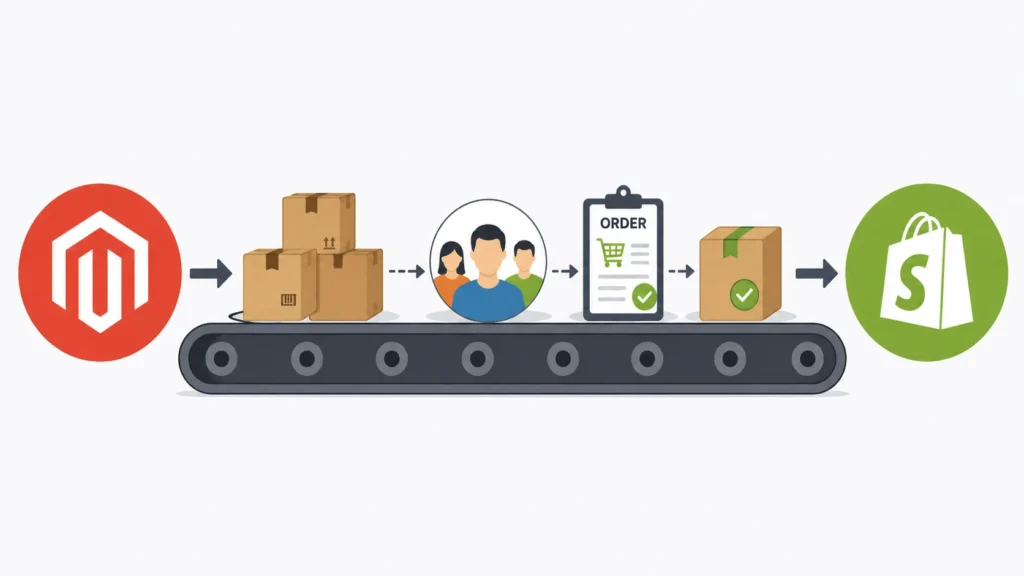
The most significant risk factor in any Shopify migration is data integrity. A dedicated checklist reduces the chance of lost history or broken records.
- Map Magento product attributes to Shopify’s meta fields structure
- Migrate customer accounts, including saved addresses and order history where required
- Transfer historical order data or archive it separately if not needed in Shopify
- Preserve product reviews through a compatible Shopify app rather than losing them entirely
- Transfer store credit balances, gift cards, and discount codes.
- Validate inventory counts post-migration against the original Magento database
Multi-Store, Multi-Currency, and Multi-Language Considerations
Magento’s multi-store architecture allows several storefronts to share a single backend, which does not map directly onto Shopify’s structure and needs explicit planning during a Magento to Shopify Migration.
- Decide whether each Magento store view becomes a separate Shopify store or a market within a single Shopify store using Shopify Markets
- Map multi-currency pricing rules to Shopify’s native currency conversion or a pricing app
- Migrate translated content for each language storefront, checking for missing strings after import
- Confirm tax and duty configuration per region, since Magento and Shopify calculate international tax differently
- Test region-specific checkout flows separately rather than assuming one configuration covers every market
Migrating B2B and Wholesale Functionality
B2B merchants running custom pricing, quoting, or approval workflows in Magento need a deliberate plan for replicating that functionality in Shopify.
- Audit customer-group-specific pricing and minimum order quantities configured in Magento
- Evaluate Shopify’s native B2B features (available on Shopify Plus) against third-party wholesale apps
- Migrate net payment terms, purchase order workflows, and company-level account structures
- Test quote-to-order workflows end-to-end before granting wholesale customers access to the new store
Migration Tools and Apps Worth Evaluating
Manual data entry is rarely practical beyond a handful of SKUs, so most agencies rely on dedicated migration tooling to move catalog and customer data at scale.
- Dedicated Magento-to-Shopify migration apps available on the Shopify App Store, which typically handle products, customers, and orders in a single pass
- CSV-based bulk import and export for smaller catalogs or highly customized attribute mapping
- Middleware or iPaaS tools (such as integration platforms connecting ERP systems to Shopify) for ongoing data sync after launch
- Staging environments on both platforms to test a sample migration before committing to a full data transfer
A test migration on a staging Shopify store, run against a subset of the catalog, surfaces attribute-mapping issues before the full dataset moves.
Cost Considerations for a Magento to Shopify Migration
Budgeting accurately keeps a Magento to Shopify Migration from stalling mid-project. Typical cost drivers include:
- Shopify plan tier (Basic, Shopify, Advanced, or Plus) based on projected order volume
- Theme development a premium theme adaptation costs less than a fully custom build
- Migration app or developer fees for moving products, customers, and order history
- App subscriptions replacing functionality that Magento extensions previously handled natively
- Agency hours for QA, redirect mapping, and post-launch monitoring
Ongoing costs typically shift from server maintenance and extension licensing on Magento toward a predictable monthly platform fee plus app subscriptions on Shopify. Requesting a migration cost estimate early in the discovery phase keeps client budgeting accurate before development begins.
SEO Preservation During Magento to Shopify Migration
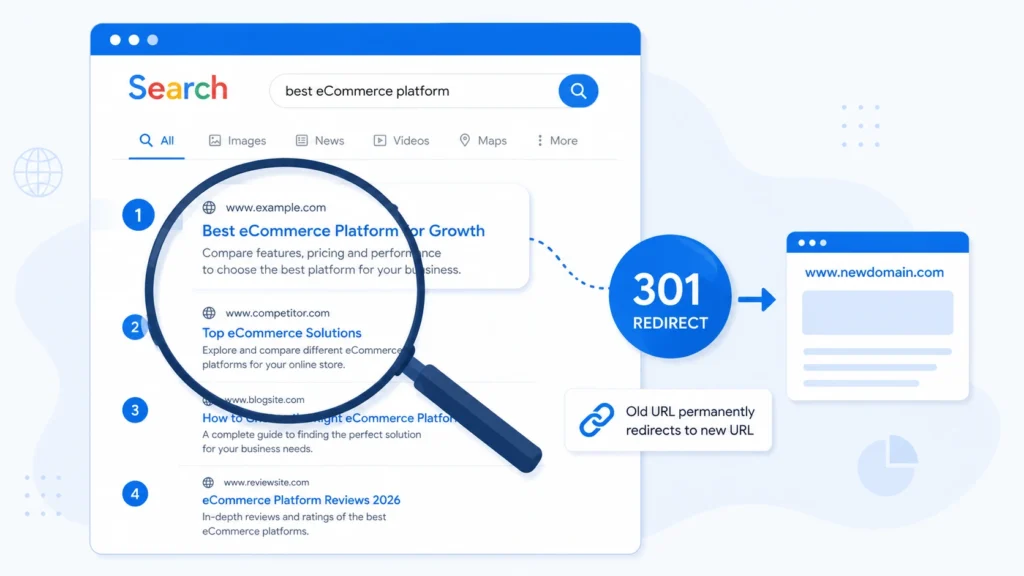
Search visibility is frequently lost during platform switches due to broken URLs and missing redirects. Protecting rankings requires deliberate planning rather than a default Shopify setup.
- Export a full list of indexed Magento URLs before migration begins
- Build a 301 redirect map from old Magento URLs to new Shopify URLs
- Preserve meta titles, meta descriptions, and header tag structures on key landing pages
- Retain existing alt text and image file naming conventions where possible
- Submit an updated XML sitemap to Google Search Console after launch
- Monitor crawl errors and organic traffic closely during the first thirty days post-launch
Theme and Design Migration Considerations
Recreating a Magento storefront’s design inside Shopify’s Liquid templating language is rarely a one-to-one process. Agencies typically choose between adapting an existing Shopify theme or building a fully custom theme.
- Audit existing brand guidelines, typography, and component libraries
- Decide between a premium Shopify theme adaptation and a custom-built theme
- Rebuild custom Magento layout elements (mega menus, filters, product configurators) using Shopify-native or app-based solutions
- Test mobile responsiveness thoroughly, since Magento and Shopify handle breakpoints differently
A dedicated Shopify theme design service shortens this phase considerably for brands wanting a fully custom storefront rather than a template adaptation.
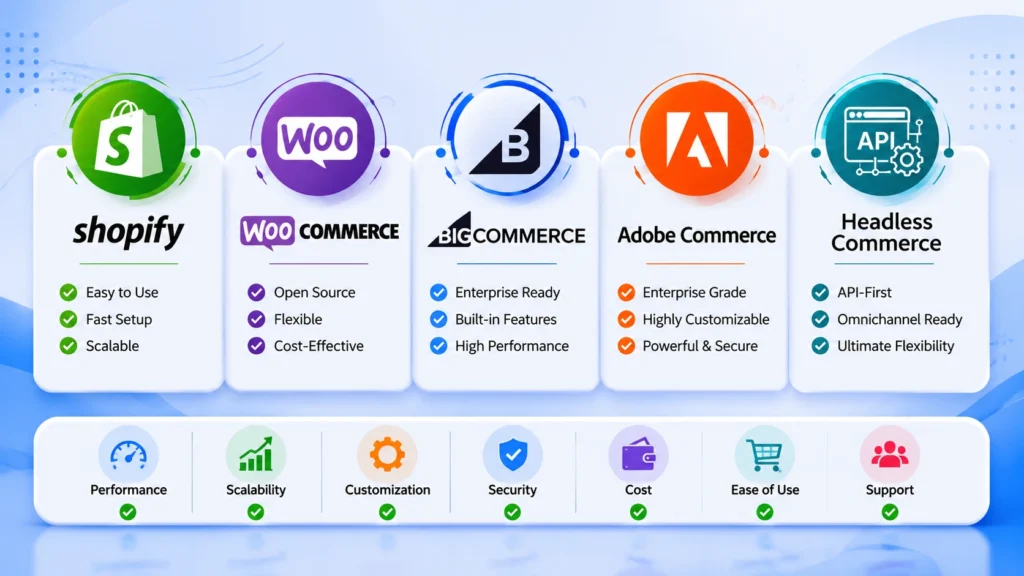
Shopify vs Other Platforms: WooCommerce, BigCommerce, Adobe Commerce, Headless Commerce
Not every merchant lands on Shopify by default. A Magento to Shopify Migration is one path among several, and an honest platform comparison belongs in any agency discovery process.
- WooCommerce suits merchants already invested in WordPress content workflows and wanting full code-level control at a lower licensing cost.
- BigCommerce appeals to merchants wanting native multi-channel selling and fewer app dependencies than Shopify for certain B2B features.
- Adobe Commerce (Magento’s enterprise tier) remains a fit for large, highly customized catalogs with dedicated development resources and complex B2B workflows.
- Headless commerce architectures pairing a platform’s backend with a decoupled frontend such as Next.js suit brands prioritizing site speed and fully custom user experiences over out-of-the-box theming.
Shopify tends to win when the priority is reduced maintenance overhead, a mature app marketplace, and faster time-to-launch. A platform comparison consultation helps weigh these tradeoffs against a specific catalog and growth plan before committing to a migration path.
Common Challenges in a Magento to Shopify Migration
Even well-planned projects run into recurring obstacles. Anticipating them ahead of time shortens the QA phase considerably.
- Complex Magento attribute sets that do not map cleanly to Shopify’s simpler variant structure (Shopify supports a limited number of variant options per product)
- Custom B2B pricing tiers or wholesale logic requiring a dedicated Shopify B2B setup or app
- Large historical order archives that inflate migration time if moved in full rather than summarized
- Extension-dependent functionality (such as advanced layered navigation) needing a Shopify app replacement rather than a direct equivalent
- URL structure differences between Magento and Shopify requiring careful redirect planning rather than a one-to-one mapping
Client Communication Checklist During Migration
Clear, scheduled communication prevents scope confusion and keeps stakeholders aligned through a multi-week project.
- Share a written project plan with milestones before work begins
- Schedule a recurring check-in during the data mapping and theme development phases
- Provide staging store access early so feedback surfaces before final QA rather than after
- Document every scope change in writing, including its effect on timeline and cost
- Send a launch-day status update once DNS cutover and QA are confirmed complete
Post-Migration Testing and QA Checklist
Before handing a migrated store back to a client, a full QA pass across every core workflow prevents costly post-launch fixes.
- Test the full checkout flow across multiple payment methods
- Verify shipping rates and tax calculations against the original Magento configuration
- Confirm all product variants, images, and pricing display correctly
- Test account login, password reset, and order history access for returning customers
- Run site speed tests and compare against Magento benchmarks
- Check all redirects for broken links or redirect chains
Launch Day Checklist for a Magento to Shopify Migration
- Freeze new orders on Magento shortly before final data sync
- Run a final incremental data sync to capture last-minute orders and inventory changes
- Point DNS to Shopify and confirm SSL certificate activation
- Verify tracking pixels, analytics, and marketing integrations fire correctly
- Monitor server response codes and Search Console for crawl errors during the first 48 hours
Post-Launch Optimization Checklist for the First 90 Days
Launch marks the midpoint of a Magento to Shopify Migration, not the end. The weeks immediately following cutover determine whether search rankings and conversion rates recover fully.
- Review Search Console weekly for crawl errors, dropped pages, or redirect issues
- Compare conversion rate and average order value against pre-migration Magento benchmarks
- Audit app performance and remove any unused apps slowing page speed
- Revisit product page templates based on early heatmap or session-recording data
- Confirm email marketing and abandoned-cart flows fire correctly on the new platform
- Schedule a 90-day retrospective with the client covering traffic, revenue, and outstanding fixes
Ongoing Shopify support beyond the initial launch window catches performance regressions and app conflicts that only surface once real customer traffic hits the new store.
Choosing an Agency Partner for a Magento to Shopify Migration
Technical migration skill matters, but so does experience with the SEO, data integrity, and integration risks unique to ecommerce replat forming. Create and Commerce works with growing brands and agency partners on Shopify, Magento, BigCommerce, WooCommerce, Adobe Commerce, and headless commerce projects, offering Shopify migration services built around the checklist above. A consultation with a team experienced across multiple platforms helps determine whether Shopify, BigCommerce, or a headless setup best fits a given catalog and growth stage before any migration work begins.
Frequently Asked Questions About Magento to Shopify Migration
How long does a Magento to Shopify Migration take?
Most mid-sized catalogs complete a Magento to Shopify Migration in six to twelve weeks, spanning audit, data mapping, theme development, QA, and launch. Larger B2B catalogs or heavily customized Magento instances extend that timeline.
Will search rankings drop after moving from Magento to Shopify?
Rankings can dip temporarily if redirects and metadata are not preserved carefully. A full 301 redirect map retained meta titles and descriptions, and an updated XML sitemap submitted to Search Console minimize ranking loss during a Magento to Shopify Migration.
Can historical order data move from Magento to Shopify?
Historical orders can migrate through a dedicated migration app or CSV import, though many merchants choose to archive older order history separately rather than importing it in full, since Shopify’s order numbering and structure differ from Magento’s.
Is Shopify better than Adobe Commerce for every merchant?
Not universally. Shopify suits merchants prioritizing lower maintenance and faster launches, while Adobe Commerce remains competitive for large, highly customized B2B catalogs with dedicated development resources.
What happens to Magento extensions after migration?
Extension-based functionality typically needs a Shopify app equivalent. Auditing every installed extension during the pre-migration assessment phase confirms which features carry over directly and which require a replacement app or custom development.
Should a store stay live on Magento during the migration?
Keeping Magento live until Shopify passes full QA is standard practice. A parallel-run period, especially under a phased migration approach, allows a fallback if critical issues surface during testing.
What is the average cost of a Magento to Shopify migration?
Cost varies widely based on catalog size, theme complexity, and integration count, ranging from a few thousand dollars for a small catalog with a premium theme to a much larger investment for enterprise B2B catalogs needing custom development and multiple app integrations.
Does multi-store Magento require multiple Shopify stores?
Not necessarily. Shopify Markets allows a single store to serve multiple regions, currencies, and languages, which often replaces what previously required separate Magento store views, though very distinct brand experiences may still warrant separate Shopify stores.
Conclusion
A Magento to Shopify Migration succeeds or fails on preparation. Catalog audits, SEO redirect mapping, thorough QA, realistic cost budgeting, clear team roles, and a well-planned timeline separate a smooth replat forming project from one that damages search rankings and customer trust. Agencies that follow a structured checklist rather than treating migration as a simple data export deliver measurably better outcomes for clients moving off Magento.