
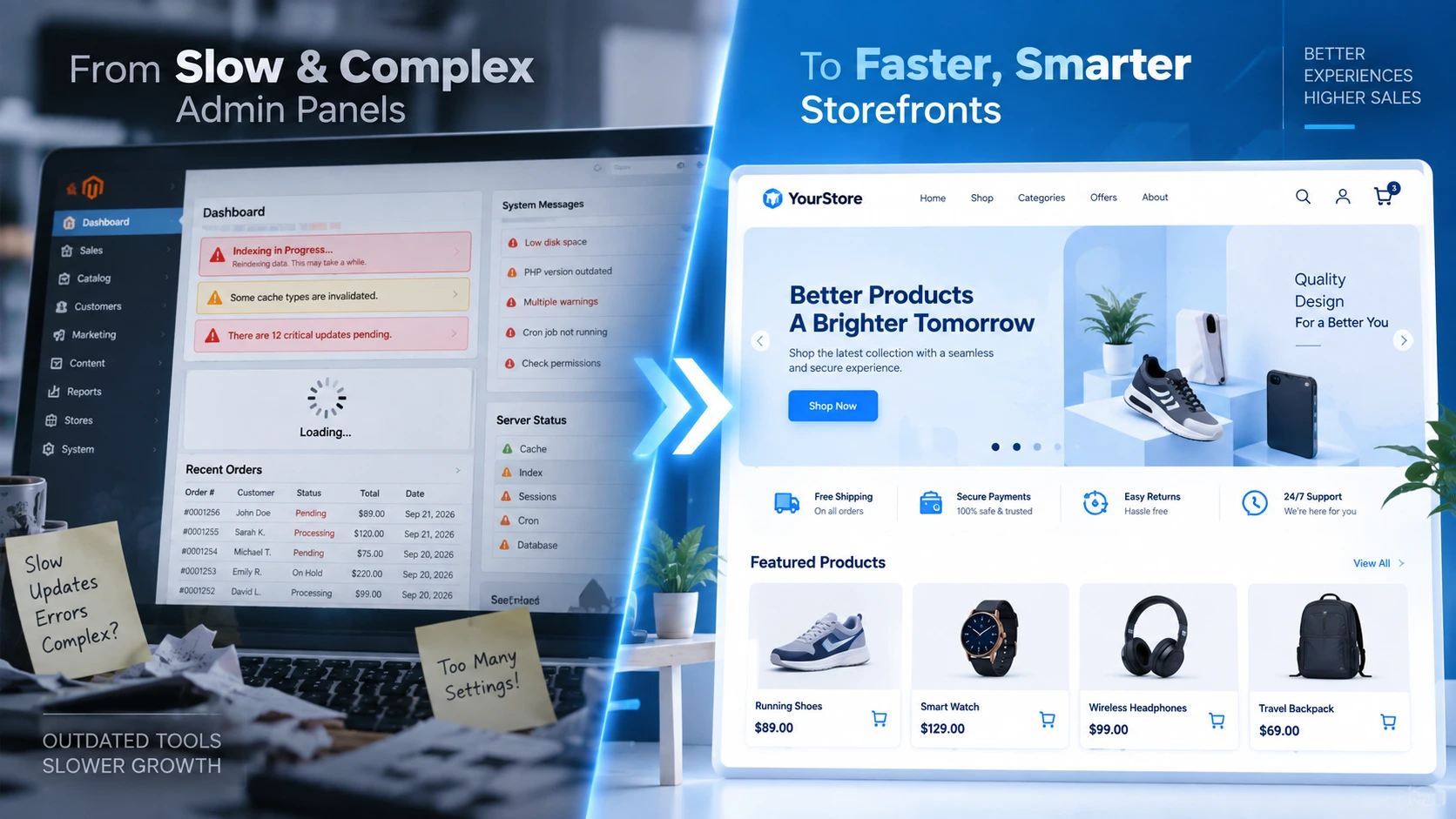
A Magento store upgrade has become a priority for retailers still running outdated versions of the platform. Security gaps, slow checkout performance, and limited integration options push online stores toward a Magento store upgrade every year. Delayed upgrades create compounding risks: unpatched vulnerabilities, declining search visibility, and lost conversions during peak shopping periods. Reviewing platform readiness against a structured Magento store upgrade checklist helps retailers plan a modernization path without unnecessary downtime.
Why a Magento Store Upgrade Matters for Long-Term Growth
Ecommerce infrastructure ages faster than most retailers expect. A platform that felt current three years ago often struggles under new extensions, higher traffic volume, and mobile-first shopping habits. A timely Magento store upgrade addresses several core issues tied directly to organic traffic and revenue stability:
- Security gaps in unsupported software versions
- Slow page load speed, which directly reduces conversion rates
- Limited scalability during high-traffic sales events
- Poor integration with modern payment gateways and marketing automation tools
- Reduced search engine crawlability caused by outdated code structures
Search engines and AI-driven answer engines increasingly favor fast, secure, mobile-optimized stores when surfacing product and category pages in search results and AI-generated summaries. A completed Magento store upgrade supports better crawlability, structured data readability, and answer-engine visibility, strengthening both traditional SEO performance and AEO/GEO positioning, a trend confirmed by Google’s Core Web Vitals performance data.
Signs a Business Needs a Magento Store Upgrade
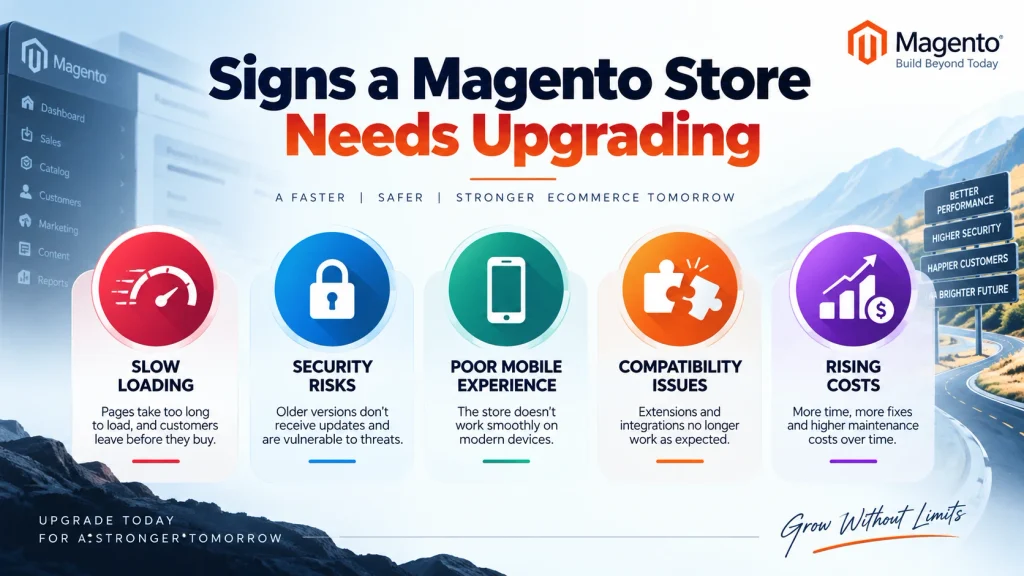
Outdated Platform Version
Running on an unsupported Magento version leaves a store exposed to unpatched vulnerabilities. Adobe regularly discontinues support for older releases, as outlined in the Adobe Commerce version support schedule, meaning security patches stop entirely once a version reaches end-of-life status.
Declining Site Speed
Page load times above three seconds significantly increase bounce rates, a pattern documented in independent page speed and bounce rate research. A sluggish store often signals bloated code, outdated extensions, or insufficient hosting infrastructure.
Poor Mobile Experience
Mobile commerce accounts for a majority of online transactions today, according to recent mobile commerce growth statistics. A store that renders poorly on smartphones or tablets loses sales directly to competitors offering responsive, mobile-optimized design.
Limited Extension Support
Older platform versions frequently lose compatibility with new plugins, payment processors, and shipping integrations, forcing manual workarounds that raise operational cost over time.
Rising Maintenance Costs
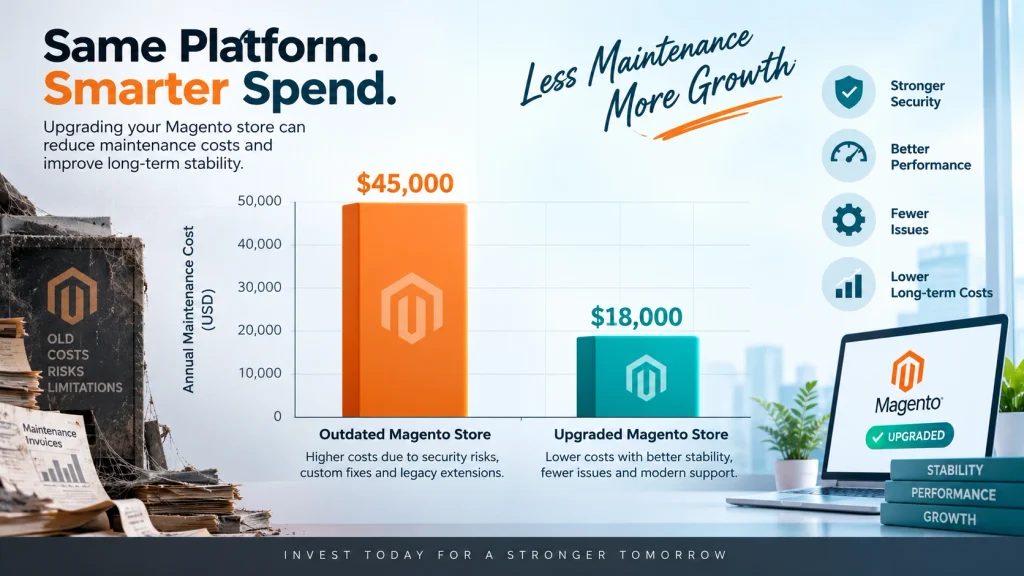
Patching legacy code, fixing recurring bugs, and hiring specialized developers to maintain outdated systems often costs more annually than completing a full Magento store upgrade.
Security Benefits of a Magento Store Upgrade
Closing Known Vulnerabilities
Every unsupported Magento version accumulates publicly documented vulnerabilities over time, and ecommerce security breach statistics show attackers actively target outdated retail platforms. A completed Magento store upgrade closes these gaps by moving the store onto a version that still receives active security patching.
Protecting Customer Payment Data
Payment card industry compliance standards, detailed in the official PCI compliance requirements, require supported software and current encryption protocols. Stores running end-of-life platforms risk falling out of compliance, which can affect payment processor relationships.
Reducing Downtime Risk During a Magento Store Upgrade
Security incidents often cause extended downtime, which directly affects revenue and customer trust. A modernized platform, backed by active vendor support, reduces the likelihood of prolonged outages caused by exploited vulnerabilities.

The Complete Magento Store Upgrade Checklist
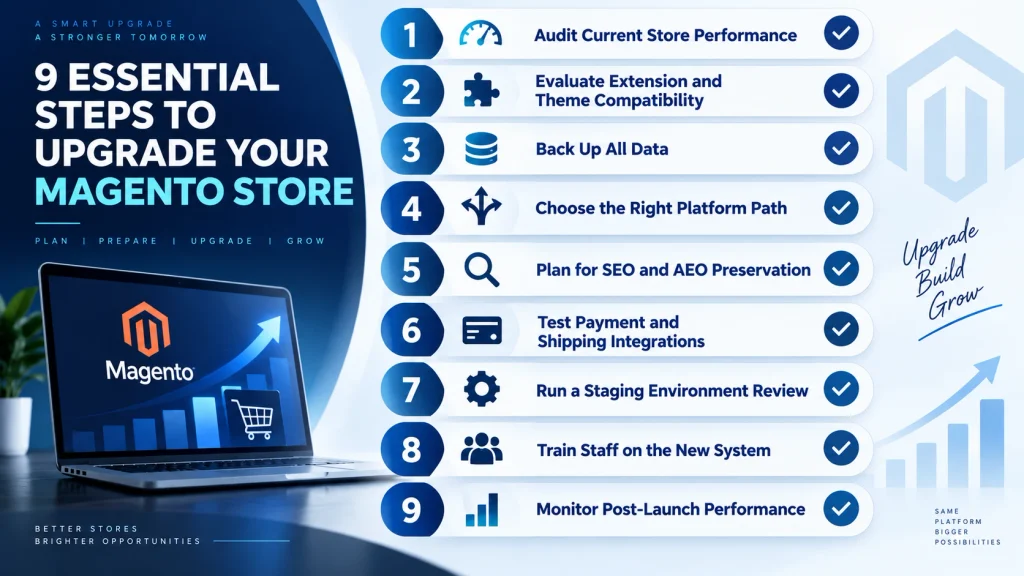
Audit Current Store Performance
A full technical audit should review page speed, uptime history, checkout completion rates, and existing security vulnerabilities before any Magento store upgrade begins.
Evaluate Extension and Theme Compatibility
Every installed extension and custom theme needs review to confirm compatibility with the target version or platform.
Back Up All Data Before a Magento Store Upgrade
Product catalogs, customer records, order history, and configuration files require complete backups before any migration step starts.
Choose the Right Platform Path
Retailers can remain on Magento Open Source, move to Adobe Commerce, or migrate entirely to a different ecommerce platform depending on business needs and budget.
Plan for SEO and AEO Preservation
URL structures, redirects, structured data markup, and metadata must transfer correctly during migration. Following the official structured data guidelines protects visibility in AI-generated answer results and voice search responses as answer engine optimization grows alongside traditional search ranking signals.
Test Payment and Shipping Integrations
Every payment gateway and shipping carrier connection requires testing in a staging environment before launch.
Run a Magento Store Upgrade Staging Environment Review
A full staging test, covering checkout flow, mobile rendering, and load testing, should happen before the new store goes live.
Train Staff on the New System
Store administrators and support teams need onboarding on any new backend interface, inventory tools, or reporting dashboards.
Monitor Post-Launch Performance
Site speed, error logs, and conversion metrics should be tracked closely during the first thirty days after the upgrade to catch regressions early.
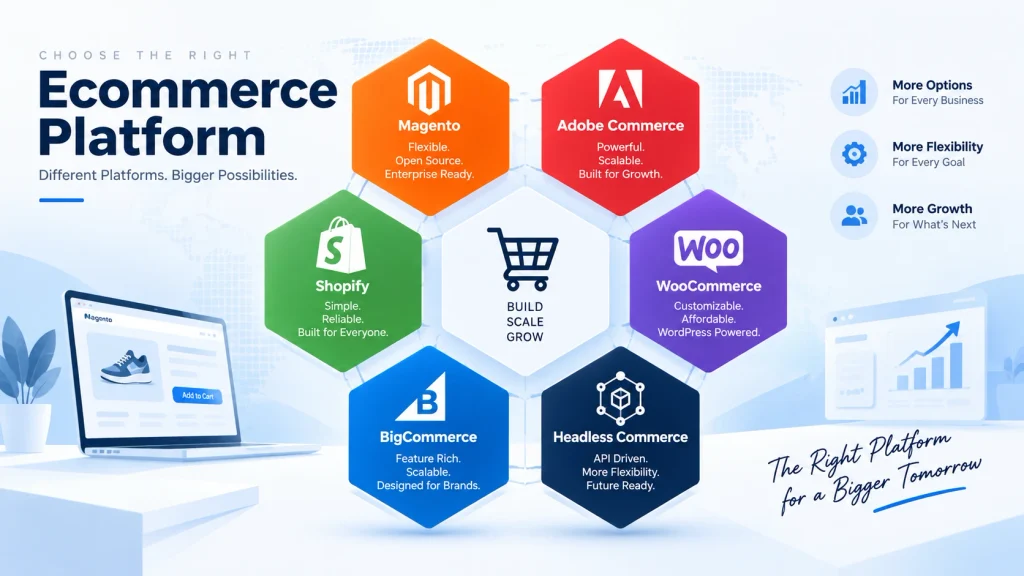
Best Platform Options After a Magento Store Upgrade Decision
Magento Open Source and Adobe Commerce
Businesses already invested in the Magento ecosystem often complete their Magento store upgrade within the same family, moving from Magento Open Source to Adobe Commerce for advanced B2B tools, built-in page builder features, and enterprise-grade support.
Shopify
Retailers seeking a fully hosted, low-maintenance solution frequently migrate to Shopify, trading platform flexibility for simplified operations and built-in hosting security.
WooCommerce
Small to mid-sized stores already running WordPress content sites sometimes migrate to WooCommerce, integrating commerce directly into an existing content management system.
BigCommerce
BigCommerce appeals to mid-market retailers needing native multi-channel selling tools without heavy reliance on third-party apps.
Headless Commerce
Larger retailers with complex front-end requirements increasingly adopt headless commerce architecture as part of a broader Magento store upgrade strategy, a shift documented in a recent headless commerce adoption trends report, separating the front-end presentation layer from the back-end commerce engine for design flexibility and faster page performance.
Measuring Organic Traffic Gains After a Magento Store Upgrade
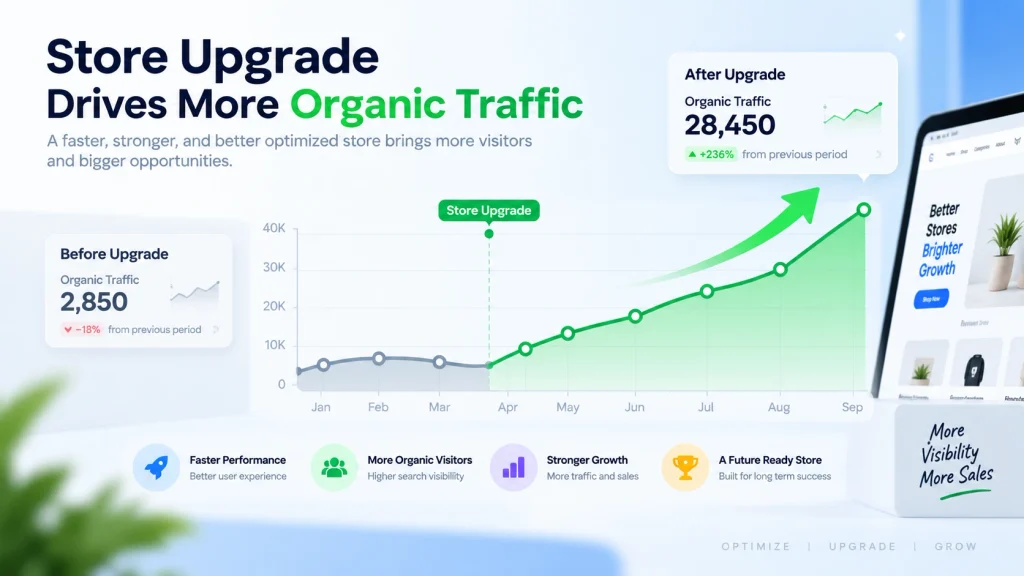
Tracking Core Search Metrics
Organic traffic, keyword rankings, and click-through rates should be monitored closely in the weeks following a Magento store upgrade. The official Google Search Console guide helps identify crawl errors, indexing issues, or ranking drops early enough to correct before they affect revenue.
Monitoring Conversion Rate Changes
Faster page speed and improved mobile usability typically translate into measurable conversion rate improvements within the first few months after launch. Comparing pre-upgrade and post-upgrade conversion data highlights the direct business impact of the modernization project.
Evaluating Answer Engine Visibility
As AI-driven search tools become a larger source of referral traffic, AI search visibility research shows tracking how often a store’s content appears in AI-generated answers provides an additional performance signal alongside traditional organic rankings.
Common Mistakes to Avoid During a Magento Store Upgrade
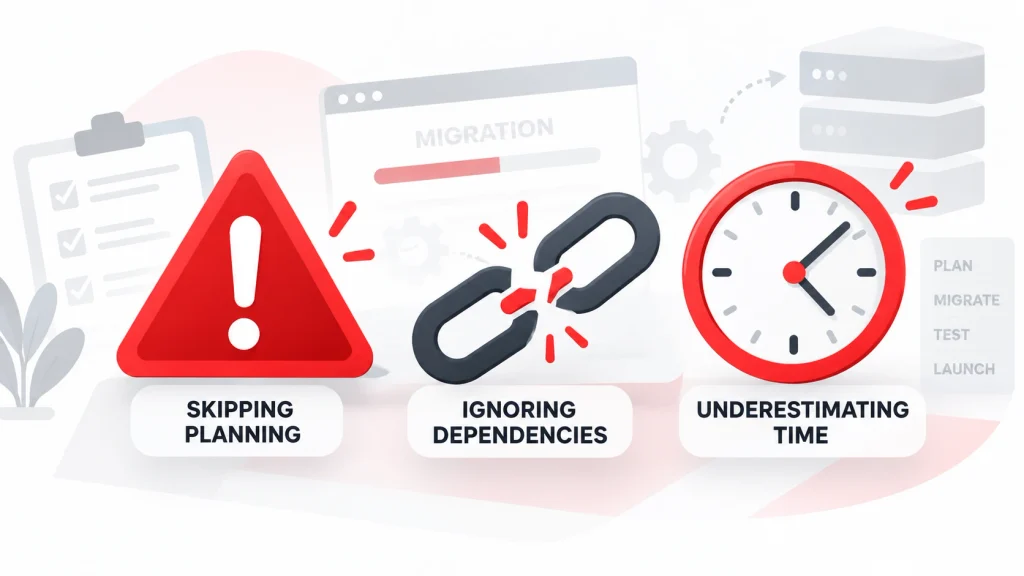
Skipping the Pre-Migration Audit
Rushing into an upgrade without a full audit often causes teams to miss broken extensions, orphaned database entries, or custom code dependencies until after launch, when fixes become far more expensive.
Ignoring Redirect Mapping
A missing or incomplete redirect map is one of the most common causes of sudden organic traffic loss after migration. Every old URL needs a mapped destination before the new store goes live, not after.
Underestimating Testing Time
Compressed testing schedules frequently lead to checkout bugs, broken payment integrations, or mobile display issues surfacing in front of live customers instead of during staging.
Overlooking Third-Party Integration Dependencies
CRM connections, email marketing tools, and inventory management systems often break silently during a platform change. Each integration needs individual verification rather than a single blanket test.
Delaying Staff Training Until After Launch
Support and fulfillment teams unfamiliar with a new backend interface tend to make slower, more error-prone decisions during the critical first weeks after the upgraded store goes live.
Choosing the Right Development Partner for a Magento Store Upgrade
Reviewing Technical Certification and Experience
A qualified development partner should hold verifiable Magento or Adobe Commerce certifications and demonstrate prior migration case studies covering catalog sizes and complexity similar to the current project.
Evaluating Communication and Project Management Process
Clear milestone reporting, defined staging checkpoints, and documented rollback procedures reduce the risk of miscommunication during a multi-week Magento store upgrade timeline.
Confirming Post-Launch Support Availability
A development partner offering structured post-launch monitoring and rapid-response bug fixing helps stabilize a store faster than one that considers the project finished at launch day.
Comparing Pricing Models Against Scope
Fixed-price quotes work well for clearly scoped migrations, while time-and-materials pricing often suits projects with custom functionality that may shift during discovery. Matching pricing structure to project scope reduces the likelihood of budget overruns.

Cost Considerations During a Magento Store Upgrade
Migration cost varies widely based on catalog size, custom functionality, and chosen platform. Budget planning should include the following categories:
- Development and migration labor
- Hosting and infrastructure changes
- Extension licensing fees
- Staff training time
- Post-launch support and monitoring
Businesses that set aside contingency budget, guided by published ecommerce migration cost benchmarks, typically avoid mid-project delays during a Magento store upgrade.
Timeline for a Standard Magento Store Upgrade
A standard Magento store upgrade generally follows four phases. Audit and planning typically requires one to two weeks. Development and migration work spans four to eight weeks depending on catalog complexity. Staging and testing adds another two to three weeks before launch. Post-launch monitoring continues for at least one full month to confirm stability and catch performance regressions early.
Frequently Asked Questions About Magento Store Upgrade Projects
How often should a Magento store be upgraded?
Platform versions typically require review every twelve to eighteen months to maintain security compliance and performance standards.
Is migrating away from Magento the right choice for every business?
Not necessarily. Businesses with heavy B2B requirements or complex catalogs often benefit more from staying within the Magento or Adobe Commerce ecosystem rather than switching platforms entirely.
What is the biggest risk during a Magento store upgrade?
Loss of search rankings ranks among the most common risks, typically caused by broken redirects, missing metadata, or lost structured data during the transition.
Does a headless commerce setup cost more than a traditional platform?
Initial development costs tend to run higher for headless commerce due to custom front-end work, though long-term flexibility and speed gains often offset the investment.
How long does a typical Magento store upgrade take?
A standard Magento store upgrade project runs between eight and twelve weeks from audit to full launch, depending on store complexity and catalog size.
Conclusion
A Magento store upgrade protects more than uptime. It protects revenue, search rankings, and customer trust.
Old platforms carry real costs. Slow pages lose sales. Unpatched code invites security risk. Outdated systems block new integrations. Waiting rarely saves money. It usually costs more later.
A clear checklist keeps the process on track. Start with an audit. Back up all data. Test every integration in staging. Preserve SEO and AEO signals during migration. Train staff before launch, not after.
Platform choice matters too. Some businesses stay within the Magento ecosystem and move to Adobe Commerce. Others choose Shopify, WooCommerce, or BigCommerce for simpler operations. Larger retailers often move toward headless commerce for speed and flexibility.
Each path leads to the same goal: a faster, safer, more visible store.
Businesses that act early avoid the bigger risks. A planned Magento store upgrade, done in stages and tested carefully, sets up a store for stronger organic traffic, better security, and long-term growth.