
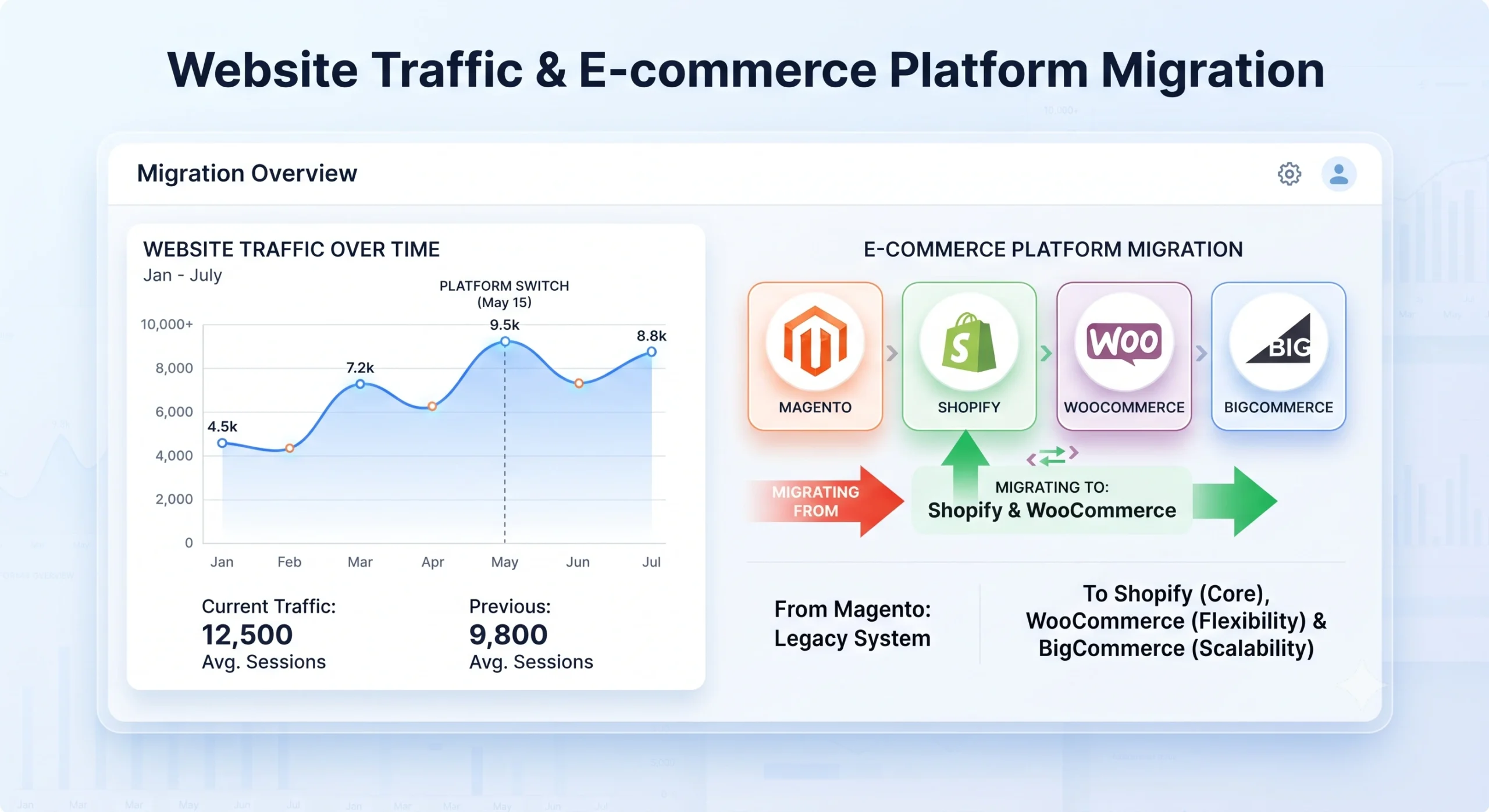
Organic traffic represents years of accumulated authority, and a single platform switch can undo that progress within days. eCommerce migration and SEO planning must happen together, not as separate workstreams, because rankings, indexed pages, and structured data all depend on technical decisions made long before launch day. A store moving from one platform to another whether from an older system to Shopify, from WooCommerce to BigCommerce, or into a headless setup faces the same core risk: search engines losing track of pages that once ranked well. The sections below outline a complete framework for protecting visibility across every phase of a platform transition.
Understanding eCommerce Migration and SEO Risks
A migration touches nearly every technical element that search engines rely on: URLs, page structure, metadata, internal linking, and site speed. Traffic loss after a platform switch rarely stems from a single mistake; instead, it accumulates from several small technical gaps left unaddressed.
Common Traffic Loss Triggers
- Broken or missing redirects from old addresses to new ones
- Category and product pages disappearing or merging without notice
- Duplicate content created by new platform templates
- Loss of structured data (reviews, pricing, availability markup)
- Slower load times on the new platform
- Changes to site architecture that bury previously strong pages
Pre-Migration Strategy for Successful eCommerce Migration and SEO
Planning is the single largest factor separating a smooth transition from a traffic collapse. Teams that invest time in a thorough audit before touching a new platform consistently retain more ranking positions.
Auditing the Existing Site
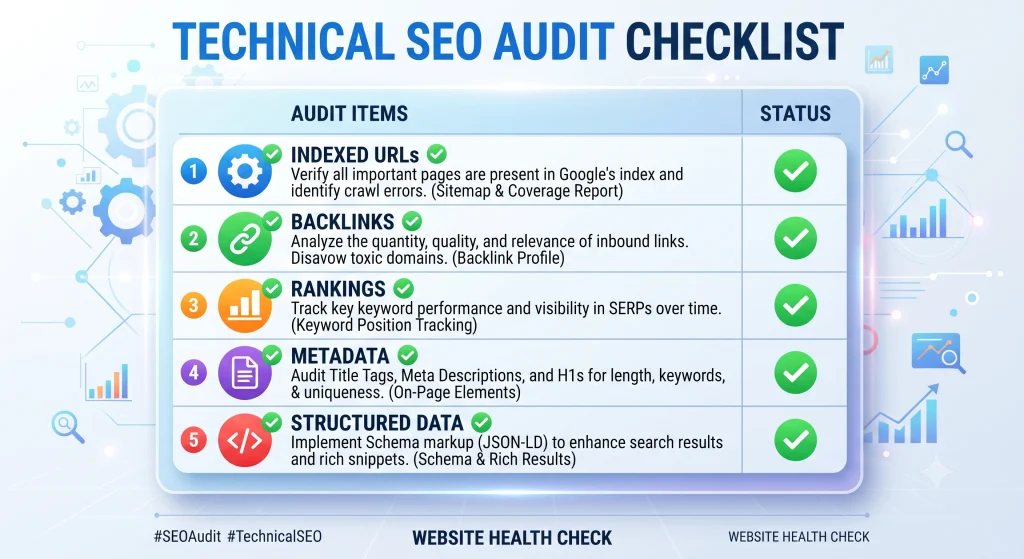
A full crawl of the existing store should be completed before development begins. That crawl should capture every indexed URL, current rankings, backlink profile, page titles, meta descriptions, and structured data currently in place. Google Search Console provides historical performance data that becomes the benchmark for post-launch comparison.
Mapping URLs and Redirects for eCommerce Migration and SEO
Every existing URL needs a documented destination on the new platform. A spreadsheet mapping old paths to new paths becomes the foundation for 301 redirect implementations, following Google’s official redirect guidelines. Category pages, product pages, blog posts, and even outdated seasonal pages should all be accounted for orphaned old URLs left without redirects are a leading cause of ranking loss.
Benchmarking Rankings and Traffic
Before launch, ranking positions for priority terms, organic sessions, conversion rates, and indexed page counts should all be recorded. These figures become the reference point used to measure recovery speed after the new site goes live, and pair well with a conversion tracking setup guide.
Platform-Specific Considerations
Different platforms handle URLs, redirects, and metadata differently, so migration steps vary depending on the destination system.
Adobe Commerce and Magento Migration Considerations
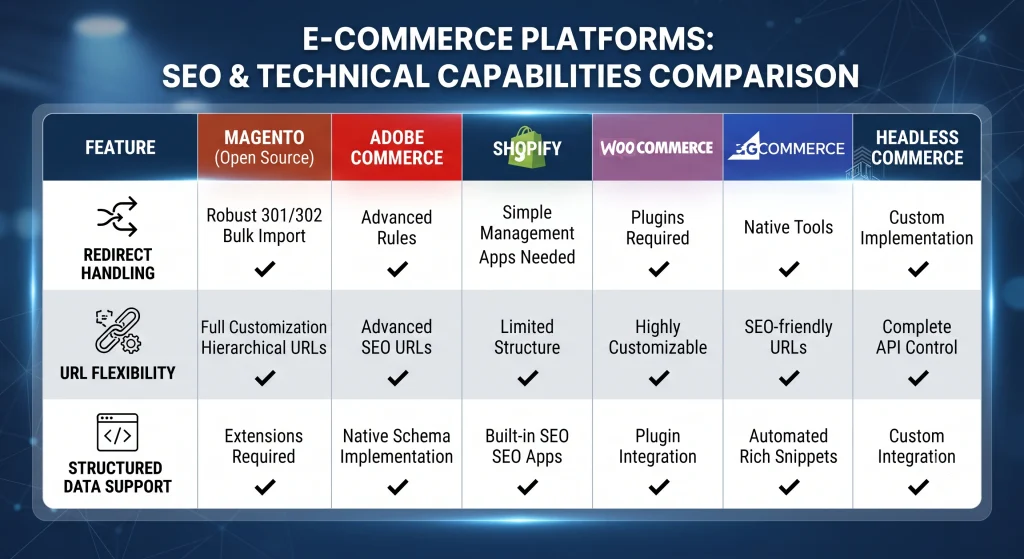
Magento, now often deployed as Adobe Commerce, offers deep control over URL structure and redirect rules through its admin panel, which makes bulk redirect imports straightforward. Layered navigation and faceted search pages, however, often generate large volumes of low-value indexed URLs that require careful handling through canonical tags and robot directives. Enterprise migrations involving multiple storefronts or regional domains require extra attention to hreflang tags and cross-domain canonical settings.
Shopify Migration Considerations
Shopify simplifies much of the technical setup but limits certain customizations, particularly around URL structure for collection pages, which always include a fixed /collections/ path. Redirect management is handled through a built-in tool, and bulk redirect uploads via CSV are supported, making large-scale mapping manageable.
WooCommerce Migration Considerations
WooCommerce, running on WordPress, offers flexibility through plugins for redirects, structured data, and metadata control. Because WooCommerce sites often accumulate plugin-generated URLs over time, a careful audit before migration helps avoid carrying forward unnecessary duplicate pages.
BigCommerce Migration Considerations
BigCommerce provides native redirect tools and strong default handling of structured data for product pages. URL customization is flexible, though category page structures should be planned carefully to preserve existing path patterns where possible.
Headless Commerce Migration Considerations
A headless setup separates the front-end presentation layer from the back-end commerce engine, which means rendering method (server-side vs. client-side) becomes critical for indexation. Search engines need to receive fully rendered HTML rather than relying solely on JavaScript execution, so server-side rendering or pre-rendering solutions are strongly recommended for headless builds.
During Migration: Technical Execution
The execution phase is where planning gets tested, and it is where eCommerce migration and SEO decisions either hold up or fall apart. Errors introduced here are the most common source of ranking drops.
Redirect Mapping and Implementation
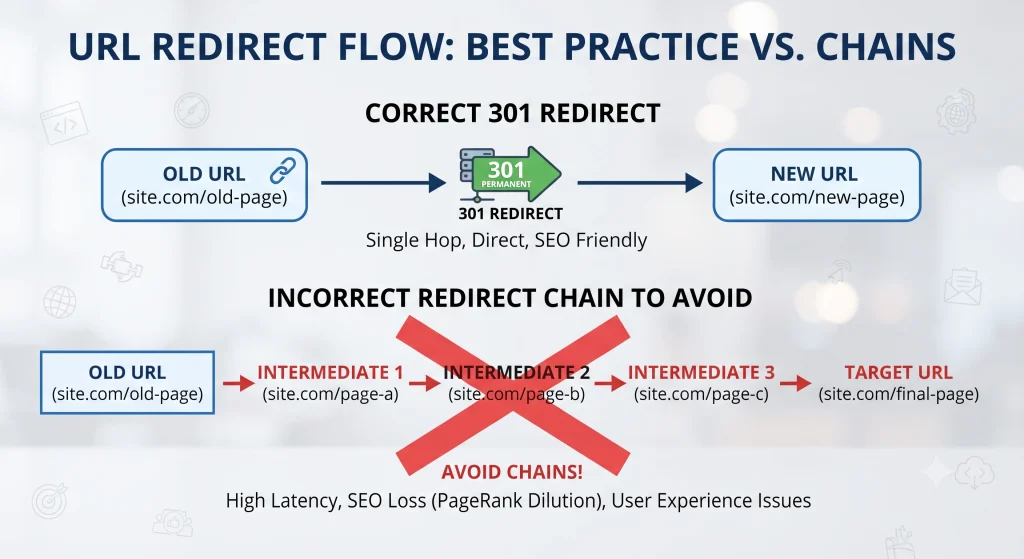
Every mapped URL from the planning phase should be implemented as a 301 redirect at launch, not days afterward. Redirect chains a redirect pointing to another redirect should be avoided, since each additional hop can dilute page authority and slow crawling.
Structured Data and Metadata Migration for eCommerce Migration and SEO
Page titles, meta descriptions, header tags, and schema markup for pricing, reviews, and availability need to transfer accurately to the new templates, following Schema.org product markup standards. Automated migration tools sometimes strip structured data by default, so manual verification across a sample of product and category pages is essential.
Site Architecture and Internal Structure
Navigation menus, breadcrumb trails, and category hierarchies should mirror the structure that performed well previously, unless a deliberate restructuring is part of the project. Sudden depth changes burying popular pages several clicks deeper can reduce crawl frequency and weaken their ranking signals. A related site architecture planning guide covers this in more depth.
Post-Launch Monitoring and Recovery
Launch day is not the finish line for eCommerce migration and SEO work. The weeks following a migration require close monitoring to catch and fix issues quickly.
Tracking Rankings and Indexation for eCommerce Migration and SEO
Search Console coverage reports should be checked daily during the first two weeks for crawl errors, index drops, or sudden spikes in excluded pages. A dedicated rank tracking tool such as Ahrefs can track the same benchmark terms recorded before migration to measure recovery pace.
Resolving Broken Pages and Crawl Errors
Any 404 errors surfaced through Search Console should be resolved immediately, either through a redirect or restored content. A submitted XML sitemap reflecting only live, indexable pages speeds up re-crawling. A related XML sitemap optimization guide offers additional detail.
Rebuilding Authority Signals
Backlinks pointing to old URLs should be identified through a backlink audit tool such as Moz Link Explorer and updated where possible, particularly high-value referring domains. Outreach to major linking sites requesting updated destination URLs helps preserve authority that would otherwise be lost through redirect chains alone.
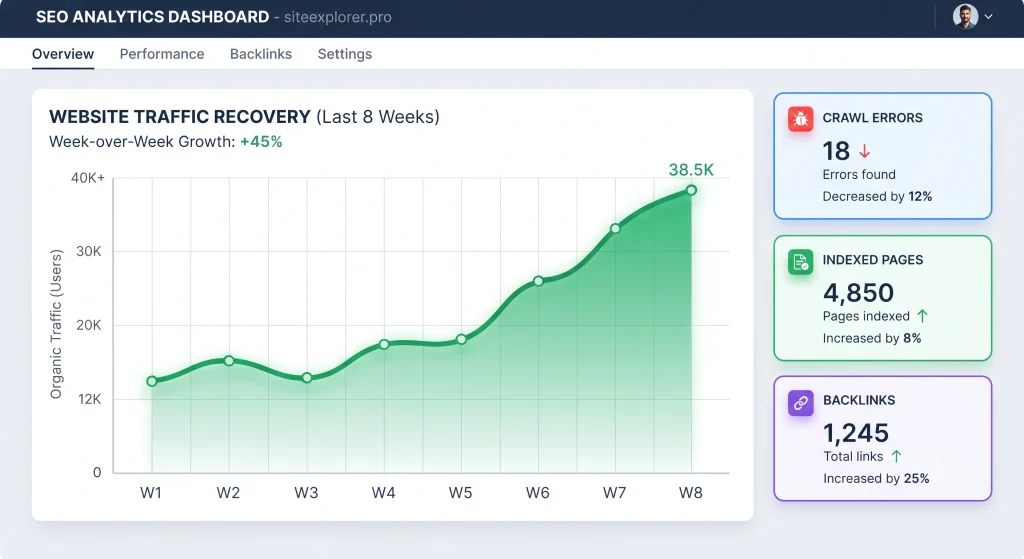
Checklist of Best Practices for SEO and eCommerce Migration
- Complete a full pre-migration crawl and export of all indexed URLs
- Build a complete old-to-new URL redirect map before development starts
- Preserve page titles, meta descriptions, and header structure wherever rankings are strong
- Migrate structured data (reviews, pricing, stock) accurately
- Test redirects thoroughly in a staging environment before launch
- Submit an updated XML sitemap immediately at launch
- Monitor Search Console daily for the first two to three weeks
- Update high-value backlinks pointing to outdated addresses
- Compare post-launch rankings and traffic against pre-migration benchmarks
- Address crawl errors and broken pages within 48 hours of detection
For a deeper walkthrough on measuring results after launch, see an eCommerce performance tracking guide.
Common Mistakes That Cause Traffic Loss During Migration
Even well-funded migrations lose rankings when a handful of avoidable errors slip through. Recognizing these patterns early is central to protecting eCommerce migration and SEO performance from unnecessary setbacks.
Launching Without a Complete Redirect Map
A partial redirect map is one of the most frequent causes of post-launch traffic collapse. Teams under deadline pressure sometimes redirect only top-performing pages, leaving mid-tier and long-tail pages to return 404 errors. Every indexed URL identified during the pre-migration audit needs a destination, not just the pages generating the most current traffic.
Changing URL Structure Without Necessity
Switching from one URL pattern to another for example, restructuring category paths purely for aesthetic reasons multiplies the number of redirects required and increases the risk of mapping errors. Unless a platform forces a structural change, preserving the existing URL pattern reduces overall migration risk.
Ignoring Mobile Performance and Core Web Vitals
A new platform template can unintentionally slow page load speed, particularly on mobile devices. Since page experience signals factor into rankings, testing Core Web Vitals on staging pages before launch rather than after prevents a second wave of ranking loss layered on top of the migration itself.
Skipping a Staging Environment Test
Redirects, structured data, and canonical tags should all be verified on a staging version of the new site before the domain goes live. Testing directly on the production domain risks exposing incomplete or broken pages to search engine crawlers during the most sensitive indexing window.
Timeline for a Safe eCommerce Migration and SEO Transition
A realistic timeline reduces the pressure that leads to rushed technical work. The phases below reflect a typical mid-sized catalog migration, though larger stores may extend each stage.
eCommerce Migration and SEO: Four to Six Weeks Before Launch
This phase covers the full site audit, URL mapping, and redirect spreadsheet creation described earlier. Content, metadata, and structured data should also be finalized on the staging environment during this window.
Before Launch, One to Two Weeks
Redirects, canonical tags, and schema markup should be fully tested on staging. A final crawl comparison between the staging site and the live site helps catch discrepancies before they reach production.
eCommerce Migration and SEO: Launch Day Checklist
Redirects go live alongside the new domain, followed immediately by an updated XML sitemap submission and a fresh crawl request through Search Console. Monitoring should begin the same day rather than the following week.
Two to Eight Weeks After Launch
This period covers the recovery phase daily monitoring, crawl error resolution, and backlink updates described in the post-launch section. Ranking positions typically begin stabilizing toward the later end of this window.
Frequently Asked Questions About eCommerce Migration and SEO
How long does organic traffic typically take to recover after a platform migration?
Recovery timelines vary, but most well-executed migrations see traffic stabilize within four to eight weeks, provided redirects and structured data were handled correctly at launch.
Is a temporary drop in rankings normal after switching platforms?
A brief dip is common even with careful planning, since search engines need time to re-crawl and re-index updated pages. Significant or prolonged drops usually indicate a technical gap such as missing redirects.
Which platform is easiest to migrate without losing rankings?
No platform guarantees zero risk for eCommerce migration and SEO outcomes; results depend more on the quality of the redirect map, metadata transfer, and site structure than on the destination platform itself.
Should redirects point to the exact matching new page or the homepage?
Redirects should always point to the most relevant equivalent page. Mass redirects to a homepage waste authority and provide a poor experience for visitors landing from search results.
Does a headless commerce setup carry extra ranking risk?
Rendering method is the main variable. Without server-side rendering or pre-rendering, search engines may struggle to fully index JavaScript-heavy pages, so that setup requires additional technical verification.
How many redirects are too many for a single migration?
There is no fixed limit; large catalogs commonly require thousands of redirects. The priority is accuracy and avoiding chains, not minimizing volume.
Conclusion
eCommerce migration and SEO outcomes are decided long before launch day, through the quality of the audit, the completeness of the redirect map, and how carefully structured data and site architecture are carried over to the new platform. Whether the destination is Magento, Adobe Commerce, Shopify, WooCommerce, BigCommerce, or a headless build, the same core discipline applies: document everything on the old site, map it precisely to the new one, and monitor closely once the new domain goes live. Stores that treat migration and SEO as a single coordinated project consistently recover faster and retain more of the ranking equity built over years of prior performance.