
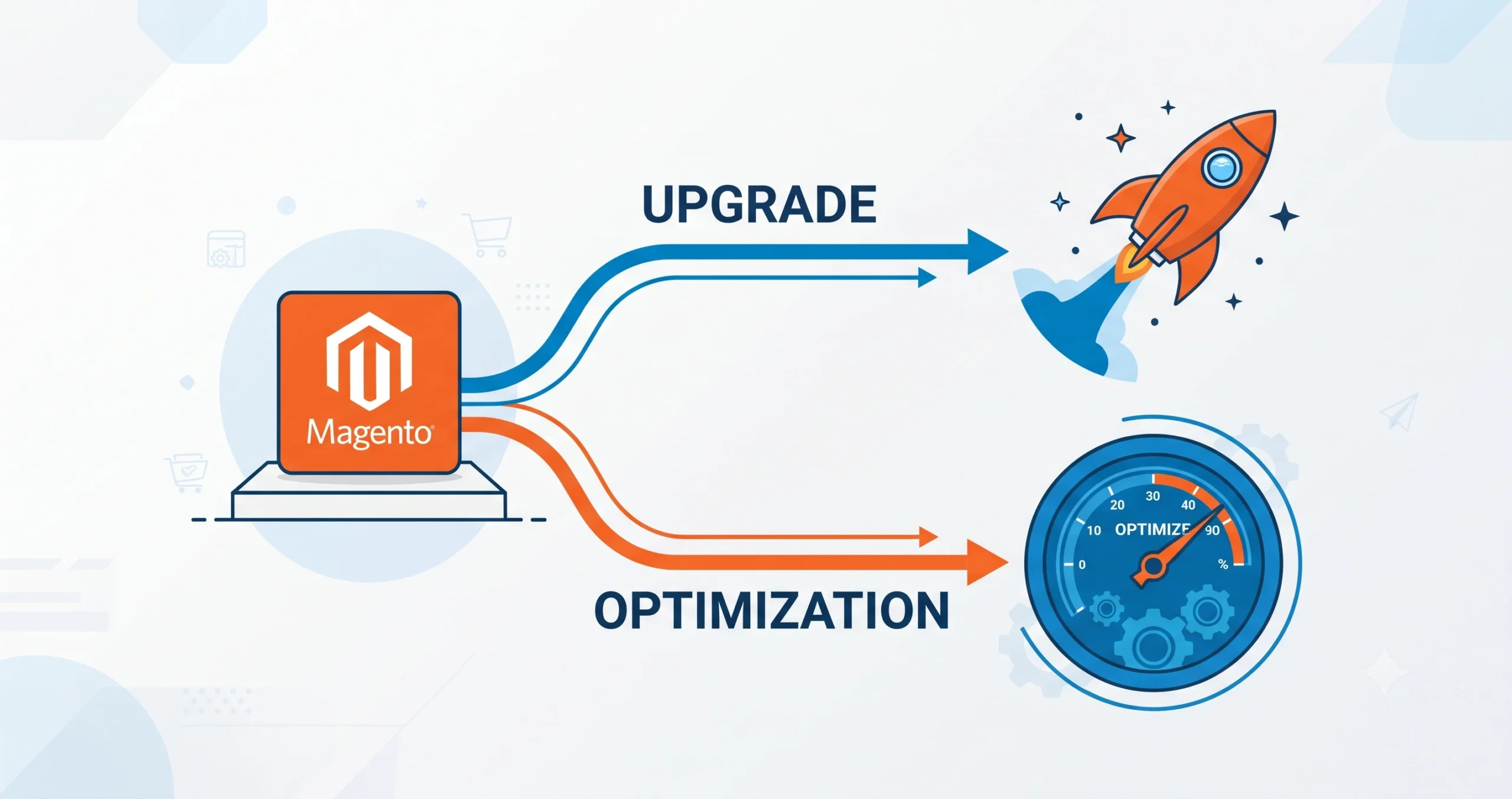
Running an online store on Magento 2 comes with a recurring question: is it time for a Magento 2 upgrade, or would performance optimization solve the existing problems just as effectively? The decision affects budget, timelines, developer resources, and the overall customer experience. A wrong call in either direction can lead to wasted spend, extended downtime, or a platform that continues to underperform despite heavy investment.
The confusion between upgrading and optimizing is common because both processes aim at the same outcome a faster, more secure, and more scalable store. However, the approach, cost structure, and long-term impact of each path are very different. Understanding those differences is the first step toward making a decision that fits the size, goals, and technical maturity of a commerce business.
For businesses evaluating supported version timelines, the official Adobe Commerce and Magento Open Source support lifecycle page is a reliable external reference for confirming end-of-life dates before deciding on a path.
What Does a Magento 2 Upgrade Actually Mean?
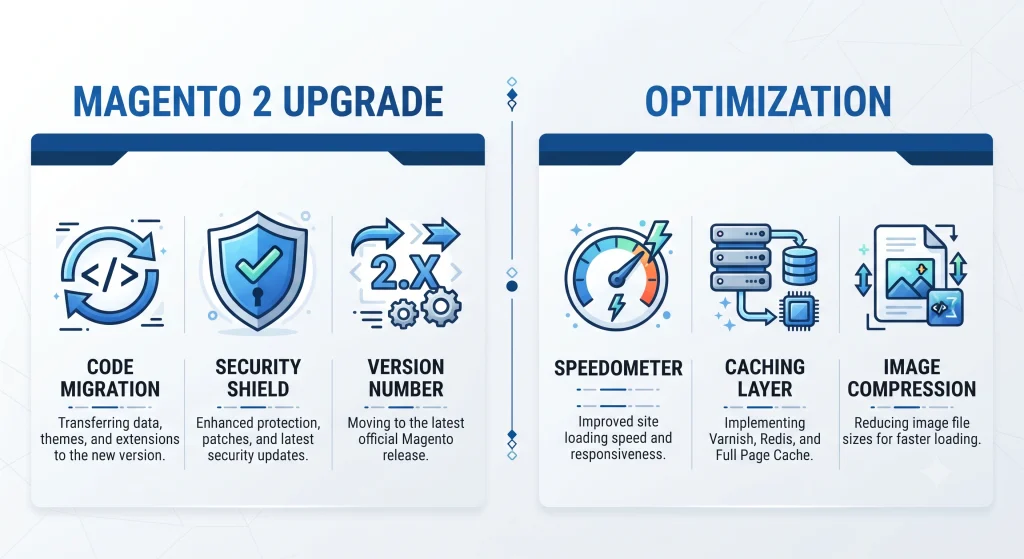
A Magento 2 upgrade refers to moving a store from an older version of Magento (including Magento 1, which reached end-of-life years ago) to a newer, supported version of Magento 2, or moving between Magento 2 minor and major releases. It typically involves:
- Migrating the codebase, extensions, and themes to a compatible structure
- Rebuilding or updating custom modules that no longer meet current standards
- Testing checkout flows, payment gateways, and shipping integrations
- Re-indexing catalog and customer data after migration
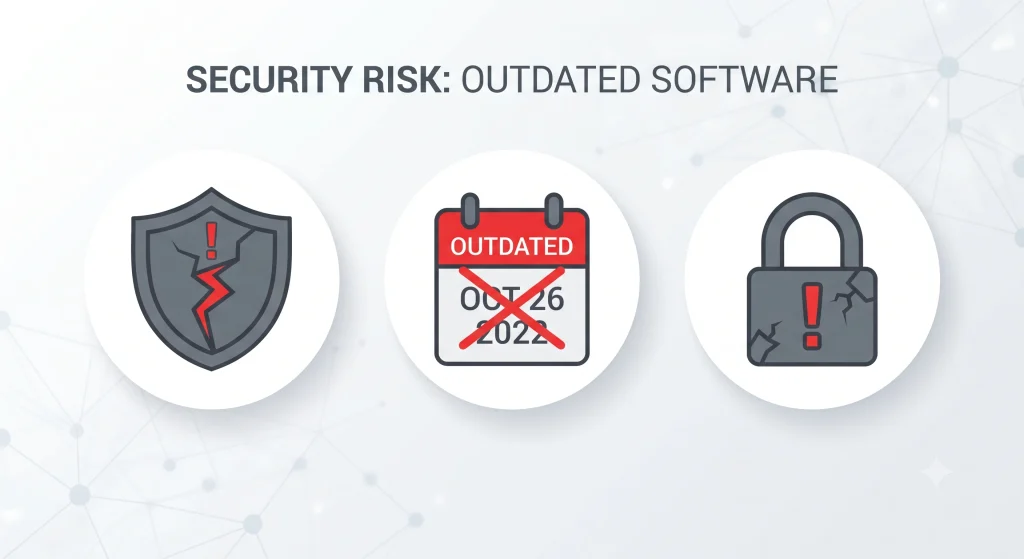
An upgrade is a structural change. New core files replace old ones, and the underlying architecture shifts to match the latest Magento release. Businesses still operating on Magento 1 or an unsupported Magento 2 version face growing security exposure, since patches and fixes are no longer issued for outdated builds.
Signs an Upgrade Is Necessary
- The current Magento version has reached end-of-life and no longer receives security patches
- Extensions and third-party integrations are incompatible with newer PHP or MySQL versions
- Compliance requirements (PCI-DSS, GDPR-related data handling) demand a supported platform
- Native features in newer Magento releases (improved checkout, better admin tools) are unavailable on the current build
What Does Magento 2 Optimization Involve?
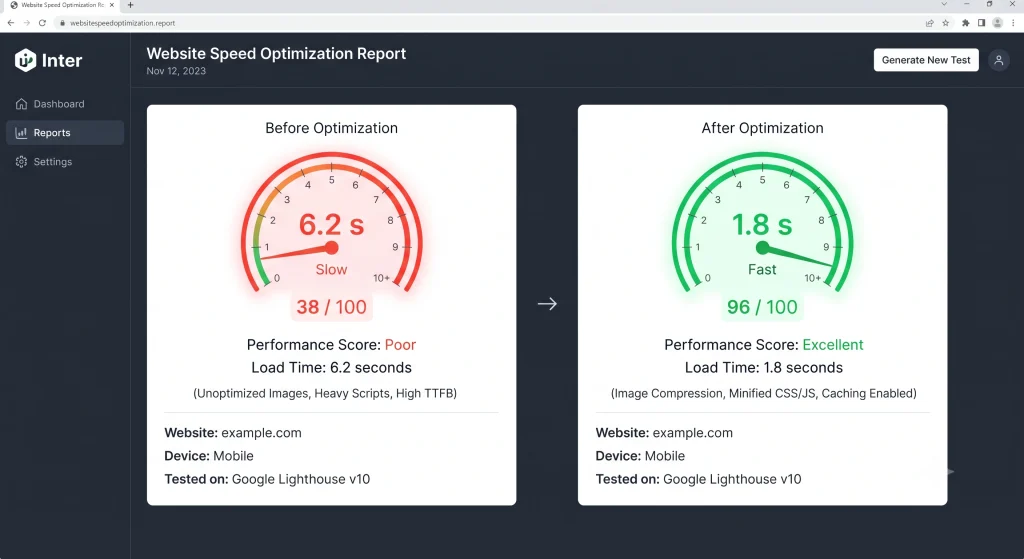
Optimization does not touch the platform version. Instead, it focuses on improving how the existing Magento 2 store performs page speed, server response, database queries, image delivery, and code efficiency. Common optimization activities include:
- Enabling full-page caching and configuring Varnish correctly
- Compressing and lazy-loading product images
- Reducing JavaScript and CSS bundle sizes
- Optimizing database indexing and cleaning up log tables
- Fine-tuning server resources (PHP-FPM, Redis, Elasticsearch/OpenSearch configuration)
A detailed technical reference for caching and indexing configuration is available on the Adobe Commerce DevDocs performance best practices page, useful as an external resource for development teams handling the configuration work directly.
Signs Optimization Is the Right First Step
- The store already runs on a supported Magento 2 version
- Page load times are slow but the codebase itself is stable
- Traffic spikes during sales events cause slowdowns or crashes
- Conversion rates are dropping due to poor front-end performance rather than missing features
Magento 2 Upgrade vs Optimization: Key Differences
An upgrade changes the platform version, architecture, and extension base, typically taking several weeks to a few months, carrying higher cost and higher compatibility risk, but resolving security and long-term support gaps. Optimization instead targets speed, server configuration, and code efficiency, usually completed within days to a few weeks, at lower cost and lower risk, improving performance without altering the core version.
Neither path is universally better. A store running on an unsupported version cannot rely on optimization alone to fix security vulnerabilities. Conversely, a fully updated store with slow load times does not need a costly version migration when the real issue is unoptimized images or an inefficient theme.
How Business Size and Goals Influence the Decision
Magento 2 Upgrade for Small and Growing Stores
Smaller catalogs with moderate traffic often benefit more from optimization first. Improving caching, image delivery, and hosting configuration can resolve speed complaints without the expense of a full migration. An upgrade becomes necessary only once the current version approaches its support cutoff.
Mid-Size and Enterprise Stores
Larger catalogs with complex integrations ERP systems, multiple payment gateways, custom B2B pricing rules tend to outgrow older Magento versions faster. For these businesses, an upgrade often becomes unavoidable within a two-to-three-year cycle, since compatibility with newer extensions, security standards, and marketing tools depends on running a current release.
Businesses Considering a Platform Shift
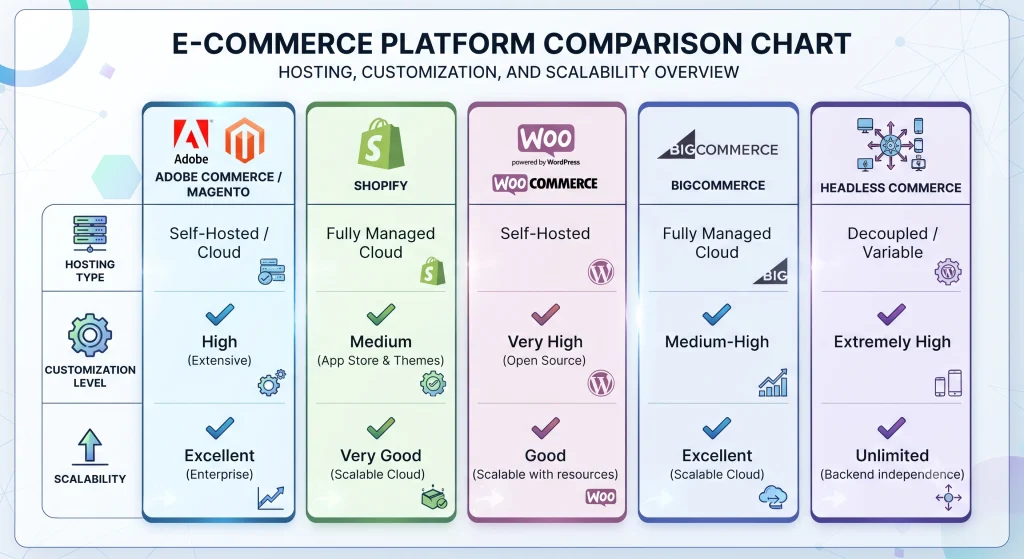
Some businesses use the upgrade decision point as a moment to evaluate the broader commerce technology, comparing Magento (now branded Adobe Commerce for the enterprise tier) against Shopify, WooCommerce, BigCommerce, or a headless commerce setup.
- Shopify suits businesses wanting a fully managed, low-maintenance environment with limited backend customization needs.
- WooCommerce fits smaller catalogs already built on WordPress, prioritizing flexibility and lower upfront cost.
- BigCommerce offers a middle ground hosted infrastructure with more built-in enterprise features than WooCommerce.
- Adobe Commerce (the commercial edition of Magento) remains a strong fit for complex B2B catalogs, multi-store setups, and businesses needing deep customization.
- Headless commerce architecture separating the front-end presentation layer from the backend commerce engine appeals to businesses wanting faster storefront experiences across web, mobile, and emerging channels, regardless of which backend platform is chosen.
Magento 2 Upgrade Cost Considerations
Budget planning differs significantly between the two approaches.
Upgrade costs typically include developer hours for code migration, extension compatibility fixes, quality assurance testing across devices and browsers, and potential hosting changes to meet new server requirements. Depending on store complexity, this can range from a modest project for a simple catalog to a substantial investment for a highly customized enterprise setup.
Optimization costs are generally lower and more predictable, often billed as a fixed-scope project covering caching configuration, front-end asset optimization, and server tuning. Since the core platform remains unchanged, testing requirements are lighter, and the risk of unexpected complications is reduced.
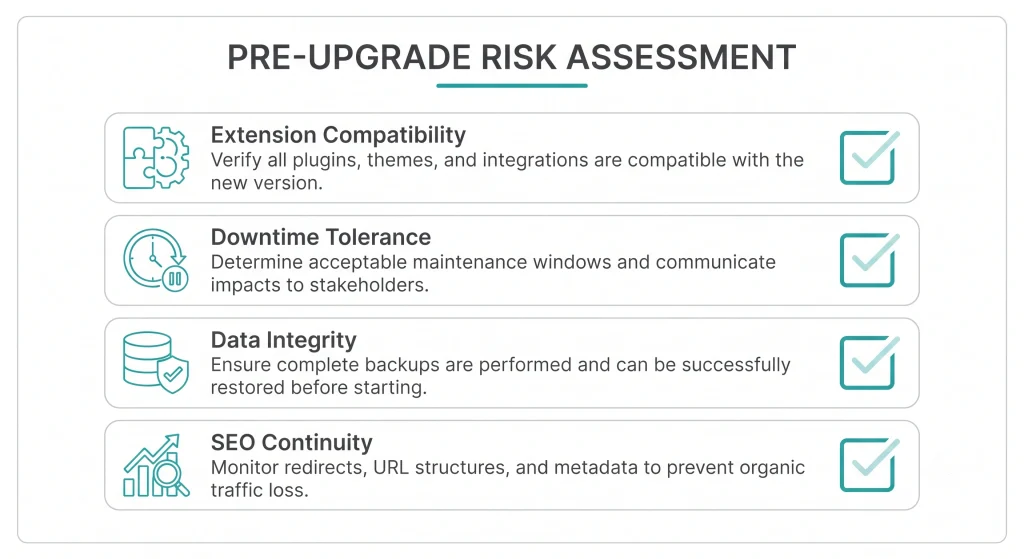
Risk Factors to Evaluate Before Choosing
- Extension compatibility: Older third-party extensions may not have updated versions for the latest Magento release, requiring custom redevelopment.
- Downtime tolerance: Upgrades generally require a staging environment and a planned cutover window; optimization changes can often be rolled out with minimal disruption.
- Data integrity: Migrating large product catalogs and customer records demands careful backup and validation procedures.
- SEO continuity: URL structures, redirects, and structured data need verification after an upgrade to avoid ranking drops; optimization work rarely affects these elements directly.
A Practical Decision Framework
- Check the current Magento version against the official support lifecycle.
- Run a performance audit (page speed, server response time, database health) to separate “slow because of code” from “slow because of version.”
- Review extension and integration compatibility with the next supported release.
- Estimate cost and downtime for both paths, then compare against expected business impact conversion improvement, security risk reduction, or scalability for future growth.
- Consult with a certified Magento development partner or an Adobe Commerce solutions specialist when the store handles sensitive payment data or complex B2B logic, since compliance requirements often tip the decision toward upgrading.
Frequently Asked Questions About Magento 2 Upgrade
Is Magento 2 optimization enough if the store is still on an old, unsupported version?
No. Optimization improves speed and efficiency, but it does not restore security patching or compliance coverage for a version that has reached end-of-life. An upgrade is the only way to regain vendor support.
How often should a Magento 2 upgrade happen?
Most commerce businesses plan for a review every twelve to eighteen months, since Magento (Adobe Commerce) issues quarterly security patches and periodic feature releases that eventually require a version move.
Can optimization and an upgrade happen at the same time?
Yes, though combining both increases project complexity. Many development teams recommend completing the upgrade first, then applying optimization techniques to the newly migrated environment for the best measurable results.
Does switching from Magento to Shopify, WooCommerce, or BigCommerce avoid the upgrade problem entirely?
Every commerce platform requires ongoing maintenance. Shopify and BigCommerce handle core infrastructure updates as part of their hosted model, reducing manual upgrade work, while WooCommerce and self-hosted Magento/Adobe Commerce place that responsibility on the business or its development partner.
What is the biggest mistake businesses make in this decision?
Treating optimization as a permanent substitute for an overdue upgrade. Speed improvements on an outdated, unsupported platform create a false sense of security while the underlying compliance and vulnerability risks remain unresolved.
Conclusion
Choosing between a Magento 2 upgrade and optimization comes down to identifying the root cause of the current problem. Security gaps, compliance requirements, and outdated architecture call for an upgrade. Slow load times and inefficient resource use on an otherwise current platform call for optimization. A clear audit of the existing store version status, performance metrics, and extension compatibility provides the evidence needed to choose the path that delivers the strongest return without unnecessary spend. Businesses that treat this decision as an ongoing review, rather than a one-time fix, tend to maintain stronger security, faster storefronts, and steadier long-term growth across the Magento 2 upgrade vs optimization cycle.