
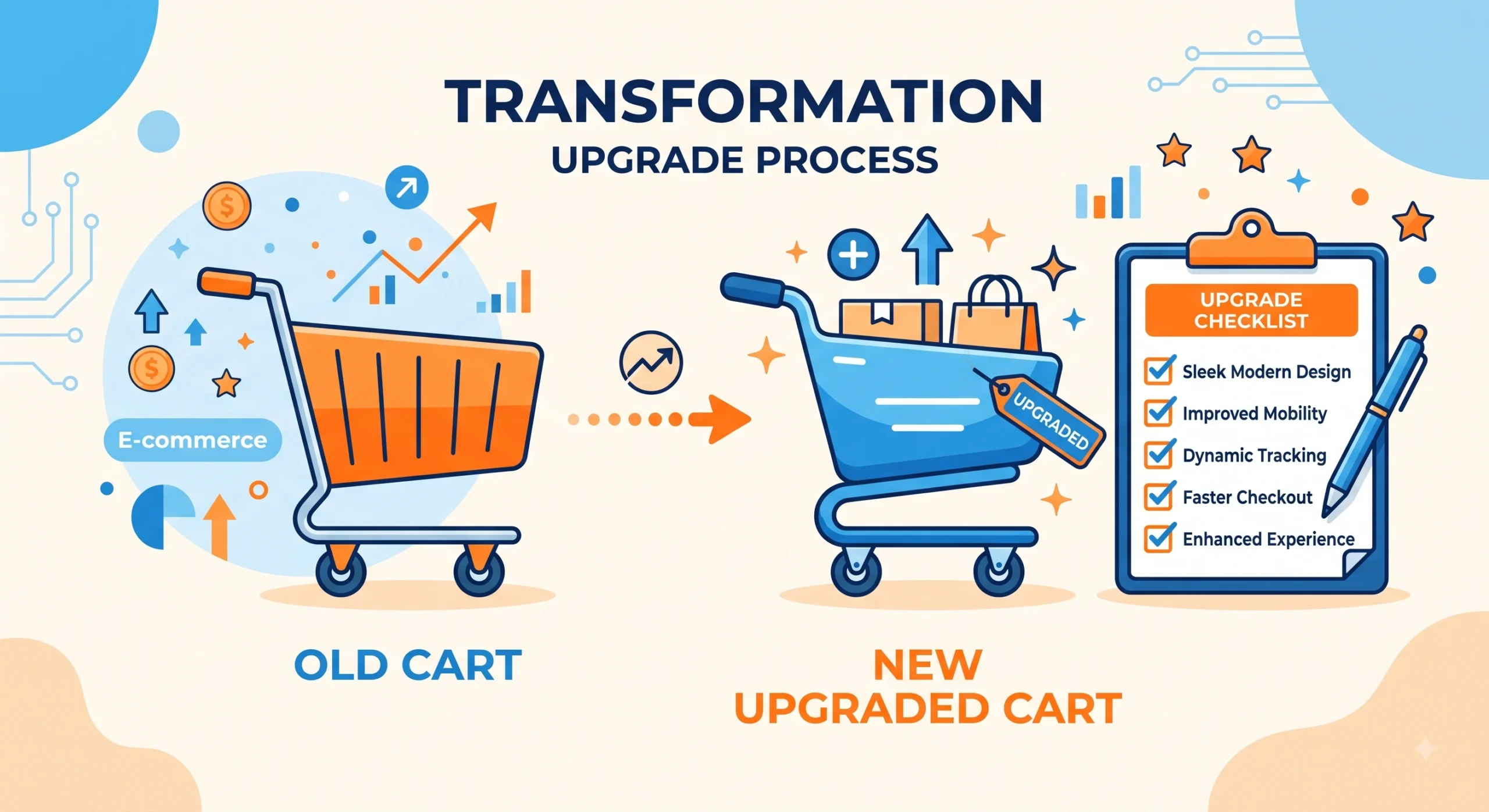
A Magento 1 to 2 migration rarely ends when the new store goes live. Most online guides stop at launch. They focus on data transfer, theme rebuilding, and extension replacement. The real risks and opportunities often appear after launch. Search rankings can drop. Checkout flows can fail silently. Customers may abandon carts for weeks before anyone notices. A structured post-migration checklist helps close this gap. It also protects revenue during the first 90 days after the platform switch.
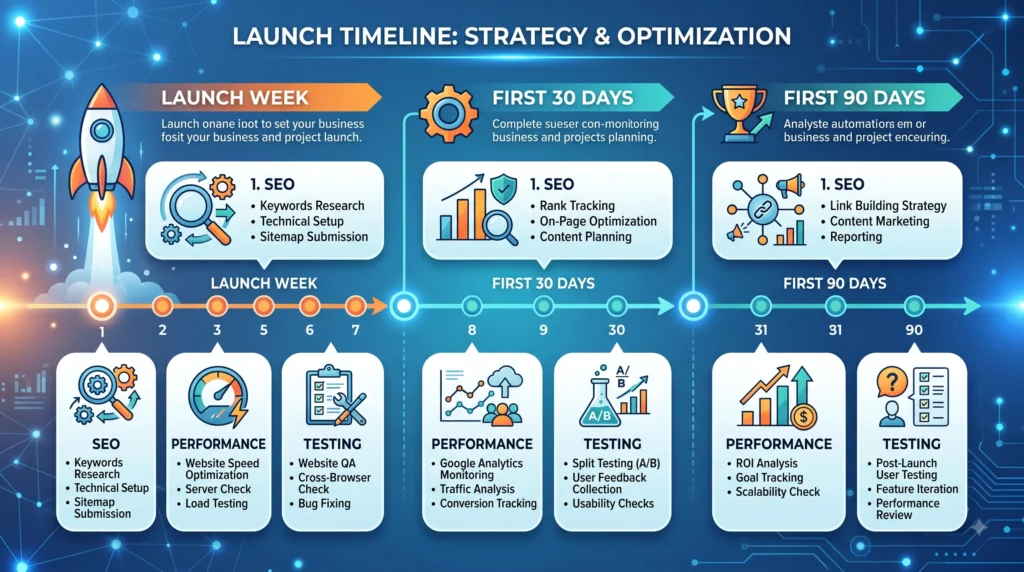
Why Post-Migration Work Gets Ignored
Teams usually plan migration projects around the cutover date. Once the new store goes live, agencies move to their next client. Internal teams return to daily operations. Many teams assume that a successful launch means a successful migration. However, the launch is only the midpoint.
Search engines need time to crawl and index thousands of URLs again. Real transactions can reveal payment gateway failures. Customers also need to use the new checkout to find hidden issues. Regular post-launch monitoring helps prevent revenue loss after a platform switch.
Technical SEO Recovery After Magento 1 to 2 Migration
Crawl and Index Verification
Check Google Search Console daily during the first two weeks after launch. Coverage reports show whether Google indexes new URLs correctly. They also reveal errors on old Magento 1 URLs. A spike in “Not Found” or “Crawled – currently not indexed” statuses can indicate incomplete redirect mapping.
301 Redirect Auditing for Magento 1 to 2 Migration
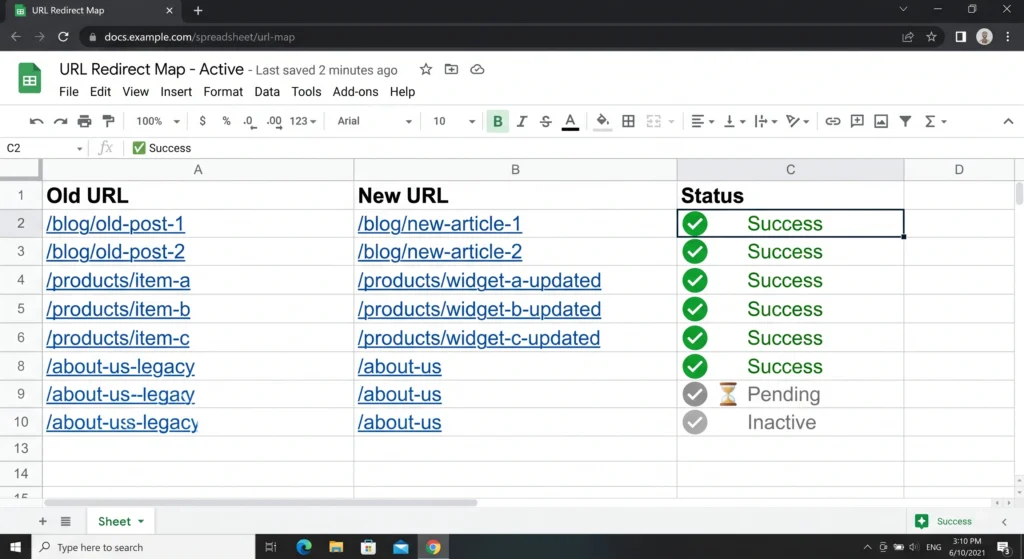
Magento 1 URLs rarely match URLs on Magento 2, Shopify, or WooCommerce. For example, /catalog/category/view/id/25 might become /mens-shoes.html. Redirect every old URL with backlinks, bookmarks, or search rankings to its closest equivalent.
Create a spreadsheet that compares the old and new sitemaps. Then compare those URLs with the top landing pages from the final month before migration. This process helps identify most redirect gaps.
Structured Data and Rich Snippets
Theme rebuilds can remove product, review, and breadcrumb schema. Test sample product, category, and blog pages with the Rich Results Test. This confirms whether the structured markup remains intact.
Missing schema does not usually cause a direct ranking drop. However, it can reduce click-through rates from search results.
XML Sitemap Resubmission After Magento 1 to 2 Migration
Generate a fresh sitemap that reflects the new URL structure. Resubmit it through Search Console immediately after launch. Do not wait for Google to discover it naturally.
Performance and Core Web Vitals
Moving from Magento 1 does not automatically make the store faster. A poorly optimized Magento 2 build can load slower than the old store. The same can happen with an image-heavy Shopify theme or an under-cached WooCommerce site.
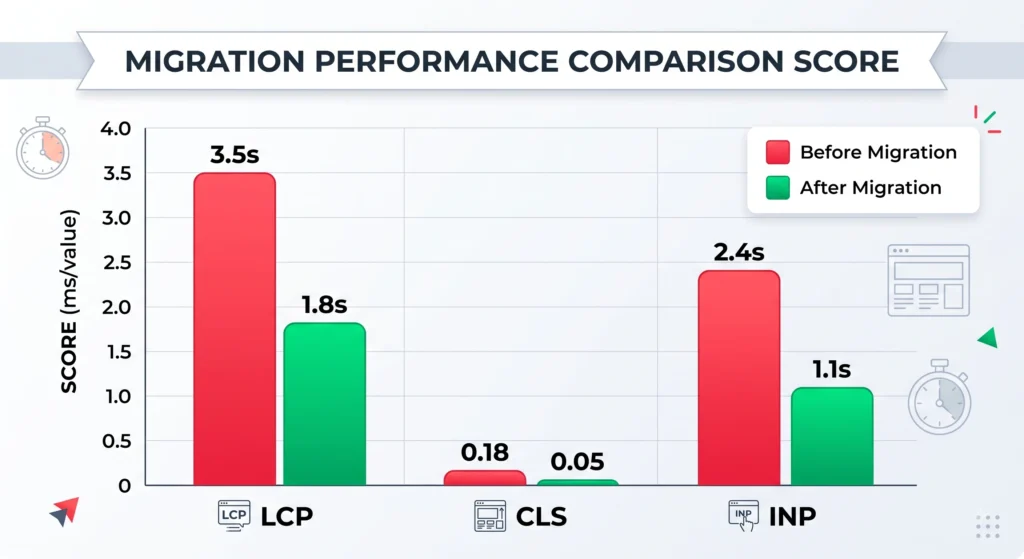
Check Largest Contentful Paint, Cumulative Layout Shift, and Interaction to Next Paint in PageSpeed Insights during the first week. Compare the scores every week for a month.
Common performance problems include unoptimized product images and render-blocking JavaScript. Missing full-page cache configuration can also slow the store.
Functional Testing That Gets Skipped
Checkout and Payment Flows in Magento 1 to 2 Migration
Sandbox testing rarely covers every payment method, shipping rule, and tax scenario that real customers use. Test every payment gateway, shipping zone, and discount code type after launch. Use real test transactions during the first few days.
Customer Account Migration
Magento 1 and Magento 2 use different password systems. Customers may not be able to log in with their old credentials. Provide a clear password reset process.
Check that password reset emails reach customers and do not land in spam. This can reduce support tickets and abandoned logins.
Order History and Invoice Access
Returning customers expect to see past orders, invoices, and saved addresses. A migration that transfers product and customer data but drops historical order records creates a support burden that surfaces slowly, one confused customer at a time.
Third-Party Integrations in Magento 1 to 2 Migration
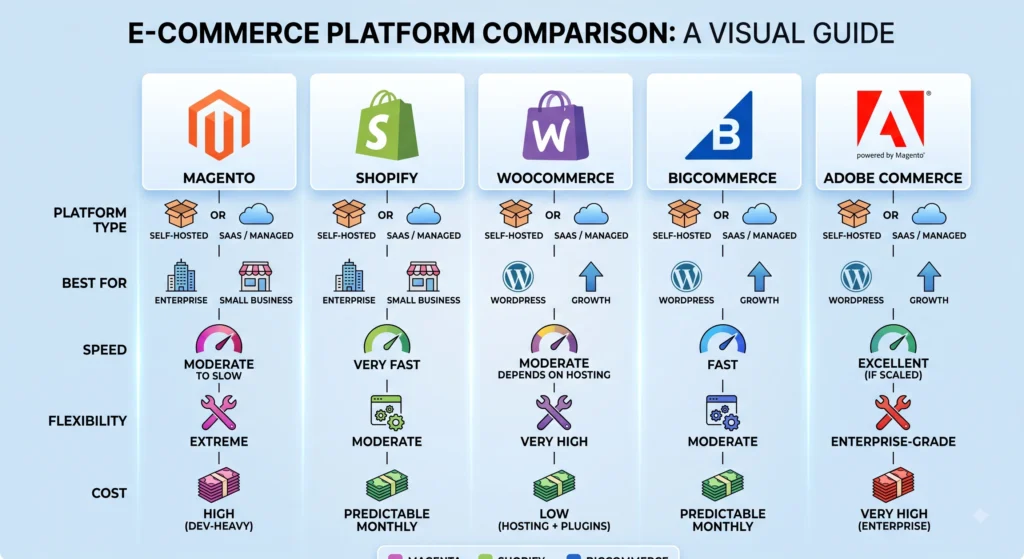
ERP systems, email marketing platforms, loyalty programs, and inventory sync tools all need to be reconnected and tested against the new platform’s API, whether that platform is Magento 2, Adobe Commerce, BigCommerce, or a headless commerce architecture built on a separate frontend framework.
Content and On-Page Elements
Blog posts, landing pages, and category descriptions sometimes get deprioritized during a rebuild because they are considered “just content.” Missing meta titles, missing meta descriptions, and stripped-out internal links across dozens of category pages can quietly erode organic traffic over several months. A content audit comparing the old site’s indexed pages against the new site’s published pages, using a crawl tool such as Screaming Frog, flags anything left behind. Linking newly published posts back to an earlier related article, such as one covering choosing the right ecommerce platform, keeps topical authority connected across the site during the transition.
Platform-Specific Considerations for Magento 1 to 2 Migration
Magento 2 and Adobe Commerce
Reindexing schedules, cache warming, and cron job verification are frequently missed. Magento 2’s indexers need to run on schedule for prices, catalog data, and search results to stay accurate; a broken cron setup can silently show stale pricing to customers for days.
Shopify
Liquid template errors and app conflicts commonly appear only under specific cart configurations, such as combining a subscription app with a discount code. Testing across multiple browsers and devices catches issues that a single desktop preview misses.
WooCommerce
Plugin bloat carried over from a “just in case” migration approach slows sites down considerably. A WooCommerce store rebuilt from Magento 1 data often inherits duplicate product attributes and taxonomy clutter that needs manual cleanup.
BigCommerce
Custom Handlebars themes and API-based integrations require thorough regression testing, particularly around faceted search and filtered navigation, which behaves differently than Magento’s layered navigation.
Headless Commerce
A headless setup separates the frontend from the commerce backend entirely, meaning canonical tags, meta data, and structured data must be handled explicitly in the frontend codebase rather than relying on platform defaults. Rendering method server-side versus client-side has a direct impact on how search engines crawl and index headless storefronts.
Building a Post-Migration Monitoring Routine
A recurring internal review, ideally weekly for the first month and monthly afterward, keeps small issues from becoming lost revenue. A simple routine typically includes reviewing organic traffic and keyword rankings against pre-migration baselines, checking error logs for 404s, 500s, and payment failures, confirming backup and security patch schedules are active on the new platform, auditing page speed scores against Core Web Vitals thresholds, and surveying customer support tickets for recurring platform-related complaints.
Team Roles and Ownership After Magento 1 to 2 Migration
Post-migration tasks tend to fall through gaps because no single person owns them once a project officially closes. Assigning clear ownership prevents small issues from turning into missed revenue. A marketing lead typically owns SEO recovery and content audits. A development lead typically owns performance benchmarking, redirect accuracy, and integration testing. A customer support lead typically owns tracking recurring complaints that point to unresolved technical issues, such as login failures or missing order history. Weekly stand-up check-ins during the first month, shrinking to biweekly through the second month, keep responsibility visible instead of assumed.
Migration Success Metrics to Track Long-Term
Beyond immediate bug fixes, a small set of metrics indicates whether a migration succeeded over the medium term. Organic traffic recovery compared against the same period the previous year shows whether search visibility returned. Conversion rate on the new platform compared against the final quarter on Magento 1 shows whether checkout friction was reduced or introduced. Average page load time compared against pre-migration benchmarks confirms whether performance goals were met. Customer support ticket volume related to login issues, missing orders, or broken pages, tracked monthly, shows whether functional testing gaps were fully resolved. Reviewing these metrics on a recurring dashboard, rather than checking them only when a problem is reported, turns migration from a one-time project into a measurable outcome.
Security Considerations After Magento 1 to 2 Migration
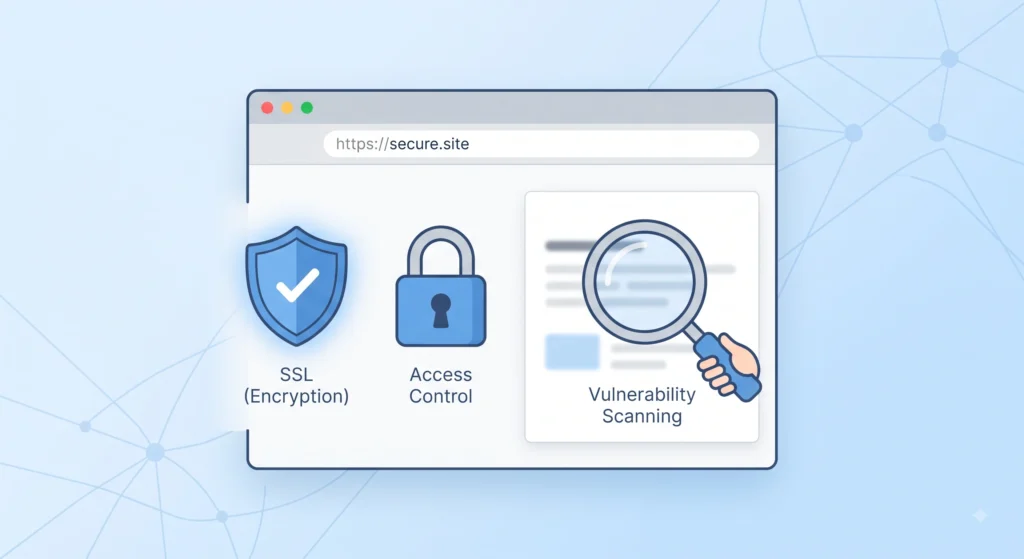
Security posture changes the moment a store moves to a new platform, and old assumptions no longer apply. Magento 1 reached end of life with no further security patches, which was the driving reason many stores migrated in the first place; carrying that same patching discipline forward is essential rather than optional. SSL certificate configuration should be verified on every domain and subdomain, including checkout pages and any staging environments accidentally left indexable. Admin panel access deserves a fresh audit old employee accounts, agency accounts, and default admin URLs from the previous platform should be removed or changed rather than carried over out of convenience. Payment Card Industry (PCI) compliance documentation should be renewed to reflect the new platform’s hosting environment, since compliance scope shifts depending on whether payment processing happens on platform, through a hosted redirect, or via a headless integration. Scheduled malware and vulnerability scanning should be activated immediately after launch rather than added later, since new platforms are frequent early targets for automated bot attacks probing for default configurations.
Training Internal Teams on the New Platform
A platform switch changes daily workflows for customer service, merchandising, and fulfillment staff, not only for developers. Teams accustomed to Magento 1’s admin interface often struggle silently with Magento 2, Shopify, or WooCommerce dashboards for weeks, which slows down order processing and increases the chance of manual errors such as incorrect inventory counts or missed order statuses. Short, role-specific training sessions covering only the screens each team actually touches, rather than a full platform overview tend to be far more effective than a single all-hands walkthrough. Recording a handful of short internal videos for common tasks, such as processing a return or updating a product listing, gives staff a reference to revisit without repeatedly interrupting a manager. A feedback channel dedicated to platform questions during the first month surfaces confusion early, before it turns into customer-facing mistakes.
Budgeting for Post-Migration Support
Migration budgets typically account for development, design, and data transfer, but rarely reserve funds for the weeks immediately following launch. A realistic post-migration budget sets aside capacity for emergency bug fixes, additional developer hours for unexpected integration issues, and a buffer for paid tools such as monitoring dashboards, crawl software, or performance testing services. Agencies and in-house teams that treat the first ninety days as a distinct budget line, separate from the original migration project cost, are far less likely to face resourcing conflicts when a critical issue such as a broken payment gateway or a major ranking drop needs immediate attention rather than being queued behind unrelated work.
Frequently Asked Questions About Magento 1 to 2 Migration
How long does search ranking recovery take after a Magento 1 to 2 migration?
Most stores see ranking fluctuation for four to twelve weeks following launch, depending on redirect accuracy, site speed, and how much content structure changed. Full recovery, or improvement beyond pre-migration rankings, typically takes two to four months when redirects and technical SEO are handled correctly.
What is the most commonly missed step after migrating from Magento 1?
Redirect mapping for deep category and product URLs is the most frequently overlooked step. Homepage and top-level navigation redirects are usually handled, but long-tail URLs with existing backlinks or search traffic often get left out.
Can a store migrate from Magento 1 directly to Shopify or WooCommerce instead of Magento 2?
Yes. Many merchants use the end of Magento 1 support as an opportunity to switch platforms entirely rather than upgrading within the Magento ecosystem. The same post-migration checklist applies regardless of destination platform, with platform-specific adjustments for theming and app ecosystems.
Does headless commerce make post-migration SEO harder?
It adds complexity rather than difficulty. Because a headless frontend is decoupled from the commerce backend, SEO elements need explicit configuration in the frontend layer, which requires closer collaboration between development and marketing teams compared to a traditional monolithic platform.
How often should a migrated store be audited after launch?
Weekly reviews for the first month, followed by monthly reviews for the first two quarters, catch most emerging issues before they affect revenue. Ongoing quarterly audits after that maintain long-term stability.
Conclusion
A Magento 1 to 2 migration is often treated as complete the moment a new store goes live, yet the months following launch determine whether that migration actually protects revenue and search visibility or quietly erodes both. Technical SEO recovery, performance benchmarking, functional testing, security review, team training, and clear budget ownership are not optional extras they form the difference between a migration that merely moved a store to a new platform and one that improved it. Whether the destination platform is Magento 2, Adobe Commerce, Shopify, WooCommerce, BigCommerce, or a headless commerce build, a structured post-migration checklist, followed consistently for the first ninety days and reviewed quarterly afterward, keeps a store stable, fast, and visible in search long after the migration project itself has ended.