

Magento 1 to Magento 2 migration remains one of the most discussed topics among online retailers still running legacy storefronts. Since official support for Magento 1 ended years ago, every store still operating on the old platform carries growing exposure to security gaps, unpatched vulnerabilities, and declining extension support. A structured, risk-based approach turns a stressful technical overhaul into a manageable project with predictable outcomes.
The checklist below breaks the migration process into practical stages, covering technical readiness, SEO preservation, security, performance, and post-launch validation. Alternative platform paths including Adobe Commerce, Shopify, WooCommerce, BigCommerce, and headless commerce setups are also compared, since not every store needs to stay on the same ecosystem.
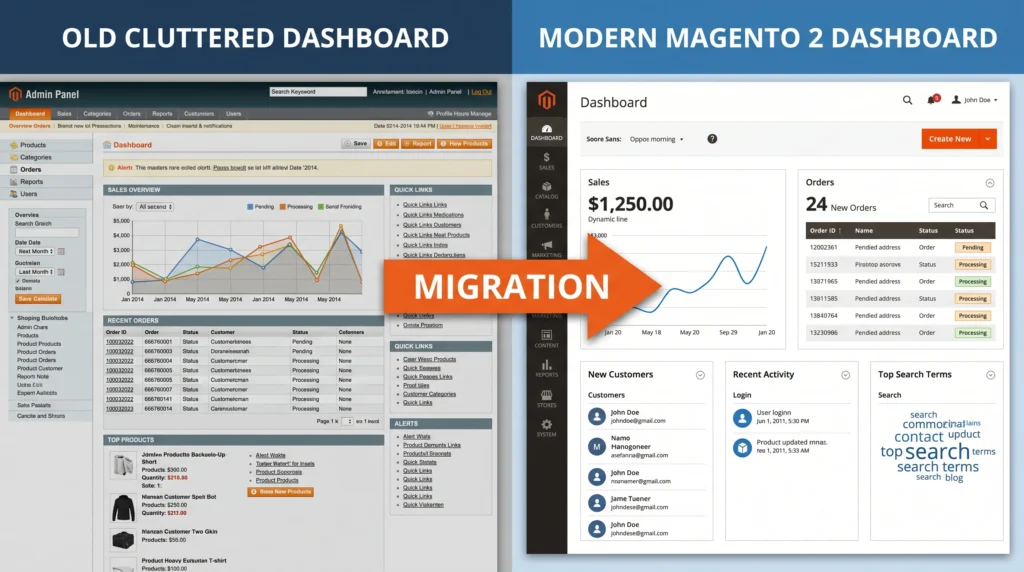
Magento 1 to Magento 2 Migration: A Practical Risk Checklist
Legacy Magento 1 installations no longer receive security patches, which means every unaddressed vulnerability stays open indefinitely. Payment processors increasingly require PCI-compliant platforms, and Magento 1 checkout flows often fail modern compliance standards. Beyond compliance, Magento 2 architecture brings a faster checkout process, native REST and GraphQL APIs, improved indexing, and a more modern admin panel built for scale.
Delaying migration compounds technical debt. Extensions stop receiving updates, developers familiar with outdated codebases become harder to find, and hosting providers gradually phase out support for the required PHP and MySQL versions. A well-planned Magento 1 to Magento 2 migration removes these risks while opening the door to better performance and long-term maintainability.
Pre-Migration Risk Assessment
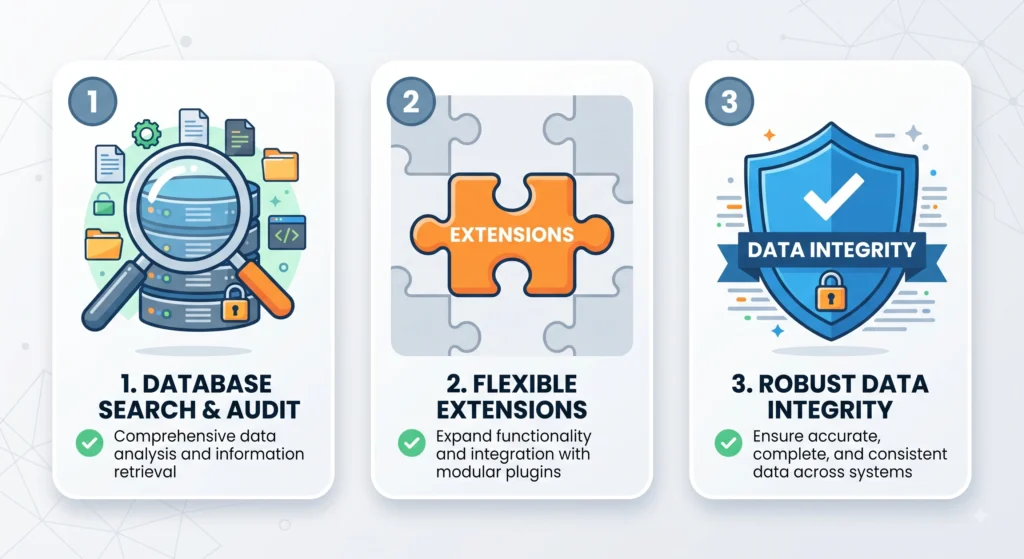
A migration plan without a proper audit phase is where most projects run into trouble. Three areas deserve close attention before any code is touched.
Extension and Theme Compatibility Audit
Every installed extension and custom theme needs a compatibility check against Magento 2. Many Magento 1 modules have no direct Magento 2 equivalent, requiring custom redevelopment. A full inventory should list:
- Active extensions and their current usage across the store
- Custom theme components and design dependencies
- Third-party integrations (ERP, CRM, shipping, tax, loyalty programs)
Data Integrity Checks
Product catalogs, customer records, order histories, and CMS content must be validated before extraction begins. Corrupted or duplicate records in Magento 1 will carry the same problems into Magento 2 if not cleaned first. A pre-migration data audit typically covers product attributes, category structures, customer accounts, and historical order data.
Custom Code Dependencies
Custom modules built for Magento 1 rely on an entirely different framework than Magento 2. Codebases require a rewrite rather than a simple copy-paste, since Magento 2 uses a different module structure, dependency injection system, and front-end technology stack (Knockout.js and Require.js instead of Prototype).
Choosing the Right Platform Path
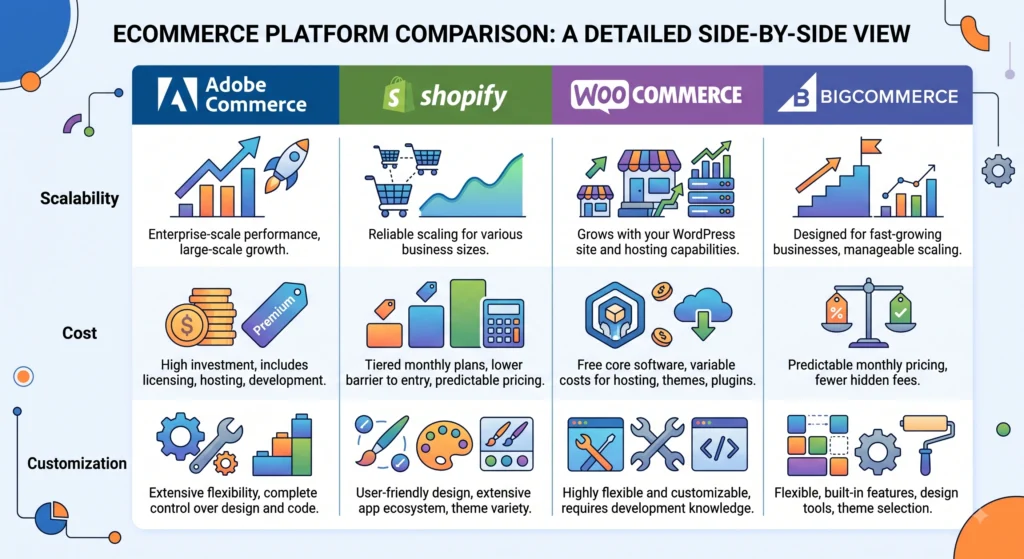
Not every store needs to remain within the same ecosystem. Evaluating alternatives during the planning phase avoids a second migration a few years later.
Staying Within Adobe Commerce (Magento 2)
Adobe Commerce (the enterprise edition of Magento 2) suits large catalogs, complex B2B pricing rules, and businesses requiring deep customization. Migration from Magento 1 to Adobe Commerce preserves familiarity for existing development teams while unlocking modern architecture.
Considering Shopify or Shopify Plus
Shopify Plus appeals to merchants seeking a managed, low-maintenance hosting model with strong uptime guarantees. Migration away from Magento often trades customization flexibility for operational simplicity a reasonable trade for catalogs without highly complex configurations.
Considering WooCommerce
WooCommerce fits smaller catalogs already invested in WordPress content ecosystems. Lower licensing costs make it attractive for growing brands, though scaling to enterprise catalog sizes typically requires additional performance tuning.
Considering BigCommerce
BigCommerce offers a SaaS model with built-in multi-channel selling tools and fewer infrastructure management requirements than self-hosted Magento 2. It suits mid-market retailers wanting API flexibility without maintaining dedicated DevOps resources.
Exploring Headless Commerce Architecture
Headless commerce decouples the front-end presentation layer from the back-end commerce engine, using APIs to connect a chosen framework (such as React or Next.js) to a commerce backend like Magento 2, BigCommerce, or Shopify. Headless setups enable faster page loads, flexible front-end design, and easier omnichannel expansion into mobile apps or IoT storefronts, though the added architectural complexity requires stronger in-house or agency development support.
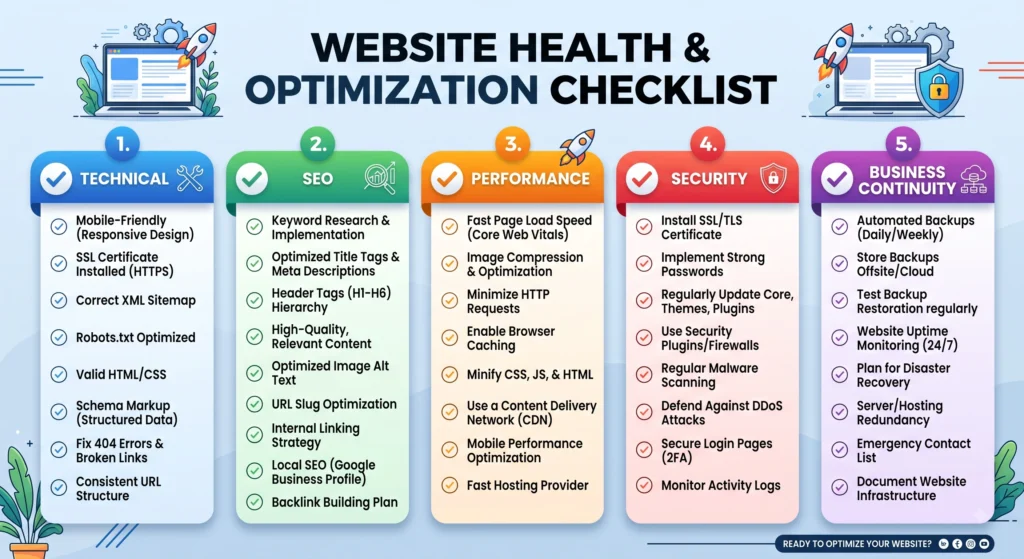
Step-by-Step Risk Checklist for Magento 1 to Magento 2 Migration
Technical Risks in Magento 1 to Magento 2 Migration
- Confirm hosting environment meets Magento 2 PHP, MySQL, Elasticsearch, and Redis requirements
- Map every custom extension to a Magento 2 equivalent or rebuild plan
- Test data migration tool compatibility with current Magento 1 version
- Validate theme rebuild timeline against project deadlines
- Run staging migrations multiple times before the production cutover
SEO and URL Structure Risks
- Preserve existing URL structures wherever possible to avoid ranking loss
- Set up 301 redirects for every changed URL pattern
- Transfer product descriptions, category descriptions, and meta titles without losing any material
- After launch, send a revised sitemap to search engines.
- Monitor crawl errors closely during the first weeks after going live
Performance and Hosting Risks
- Benchmark page load speed before and after migration
- Configure full-page caching (Varnish) correctly on the new environment
- Test server response under expected peak traffic loads
- Validate CDN configuration for static assets and media
Security Risks in Magento 1 to Magento 2 Migration
- Apply the latest Magento 2 security patches immediately after launch
- Enforce two-factor authentication for all admin accounts
- Review file permissions and remove unused admin users from the legacy system
- Schedule a security audit shortly after go-live
Business Continuity Risks
- Maintain a rollback plan in case of critical post-launch failure
- Schedule the cutover during low-traffic periods
- Train support staff on the new admin panel before launch
- Keep the Magento 1 environment accessible (read-only) for a defined grace period
Post-Migration Validation Steps
Launch day is not the finish line. A validation phase should confirm checkout flows across payment gateways, tax calculations, shipping rules, and customer account logins. Order placement testing across desktop and mobile devices catches issues that staging environments sometimes miss. Analytics tracking (conversion pixels, tag manager containers, and reporting dashboards) needs re-verification, since tracking scripts frequently break during platform changes.

Budget and Timeline Planning for Migration
Cost estimates for a Magento 1 to Magento 2 migration vary widely based on catalog size, extension count, and theme complexity. Setting a realistic budget and timeline early prevents mid-project scope creep and rushed, error-prone launches.
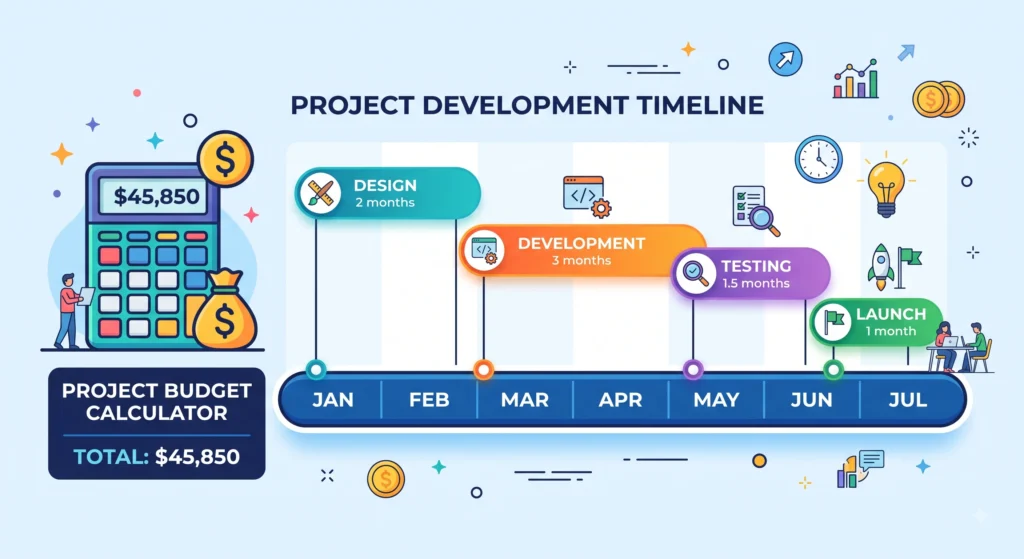
Estimating Development Costs for Magento 1 to Magento 2 Migration
Development cost typically breaks down across four areas: theme rebuilding, extension redevelopment, data migration, and quality assurance testing. Catalogs with heavy customization or B2B pricing logic tend to push costs toward the higher end of any estimate, while simpler catalogs with fewer integrations often move faster and cheaper.
Setting a Realistic Timeline
A phased timeline audit, development, staging, testing, and launch helps avoid the common trap of underestimating the testing phase. Mid-sized stores commonly need three to six months, but adding buffer time around the testing and QA stage reduces the likelihood of a rushed, risky cutover.
Choosing the Appropriate Migration Agency or Partner
Few in-house teams handle every aspect of a Magento 1 to Magento 2 migration without outside support. Choosing an experienced development partner often determines whether the project stays on schedule or drifts into costly delays.

Technical Expertise to Look for in Magento 1 to Magento 2 Migration
A strong migration partner should demonstrate prior experience with Adobe Commerce certifications, a documented data migration process, and familiarity with the specific extensions and integrations already in use. Portfolio examples involving similarly sized catalogs offer a useful benchmark.
Questions Worth Asking Before Signing a Contract
- What does the rollback plan look like if the launch encounters critical issues?
- How is post-launch support and bug-fixing scoped after go-live?
- Which testing environments and QA processes are included before production deployment?
- How is SEO preservation handled during the URL and content transfer?
Common Mistakes During Magento 1 to Magento 2 Migration
- Skipping a full extension audit and discovering missing functionality after launch
- Underestimating custom theme rebuild time
- Transferring unclean or redundant data without cleanup
- Failing to preserve URL structure, causing search ranking drops
- Launching without adequate load testing
- Treating the migration as a one-time IT project rather than a cross-functional business initiative
Magento 1 to Magento 2 Migration FAQs
How long does a Magento 1 to Magento 2 migration typically take?
Timelines vary based on catalog size, number of extensions, and theme complexity, but mid-sized stores commonly require three to six months from audit to launch.
Is Magento 2 more expensive to run than Magento 1?
Hosting requirements are generally higher due to Elasticsearch, Redis, and increased server resource needs, though improved performance and reduced downtime often offset the added cost over time.
Can historical order data be migrated automatically?
Data migration tools can transfer historical orders, though large datasets often require staged migrations and validation passes to avoid timeouts or data mismatches.
Does migration hurt search engine rankings?
Ranking drops are avoidable in most cases when URL structures are preserved and proper 301 redirects are configured before launch.
Is switching to Shopify, WooCommerce, or BigCommerce a simpler alternative to Magento 2?
Catalog complexity and customization requirements determine how simple a catalog should be. While highly customized B2B catalogs are typically better suited to Magento 2 or Adobe Commerce, smaller catalogs frequently transition more easily to SaaS platforms.
Conclusion
A Magento 1 to Magento 2 migration carries real technical and business risk, but nearly every major failure point traces back to a skipped audit step or an unpreserved data structure both preventable with proper planning. Running through the extension, data, SEO, security, and performance checklist before committing to a launch date turns an unpredictable overhaul into a controlled, staged rollout.
Platform choice matters just as much as execution. Some catalogs are better served staying within the Magento/Adobe Commerce ecosystem, while others gain more from a move to Shopify, WooCommerce, BigCommerce, or a headless architecture. Matching platform capability to actual business complexity rather than defaulting to habit tends to produce the most durable long-term result.