
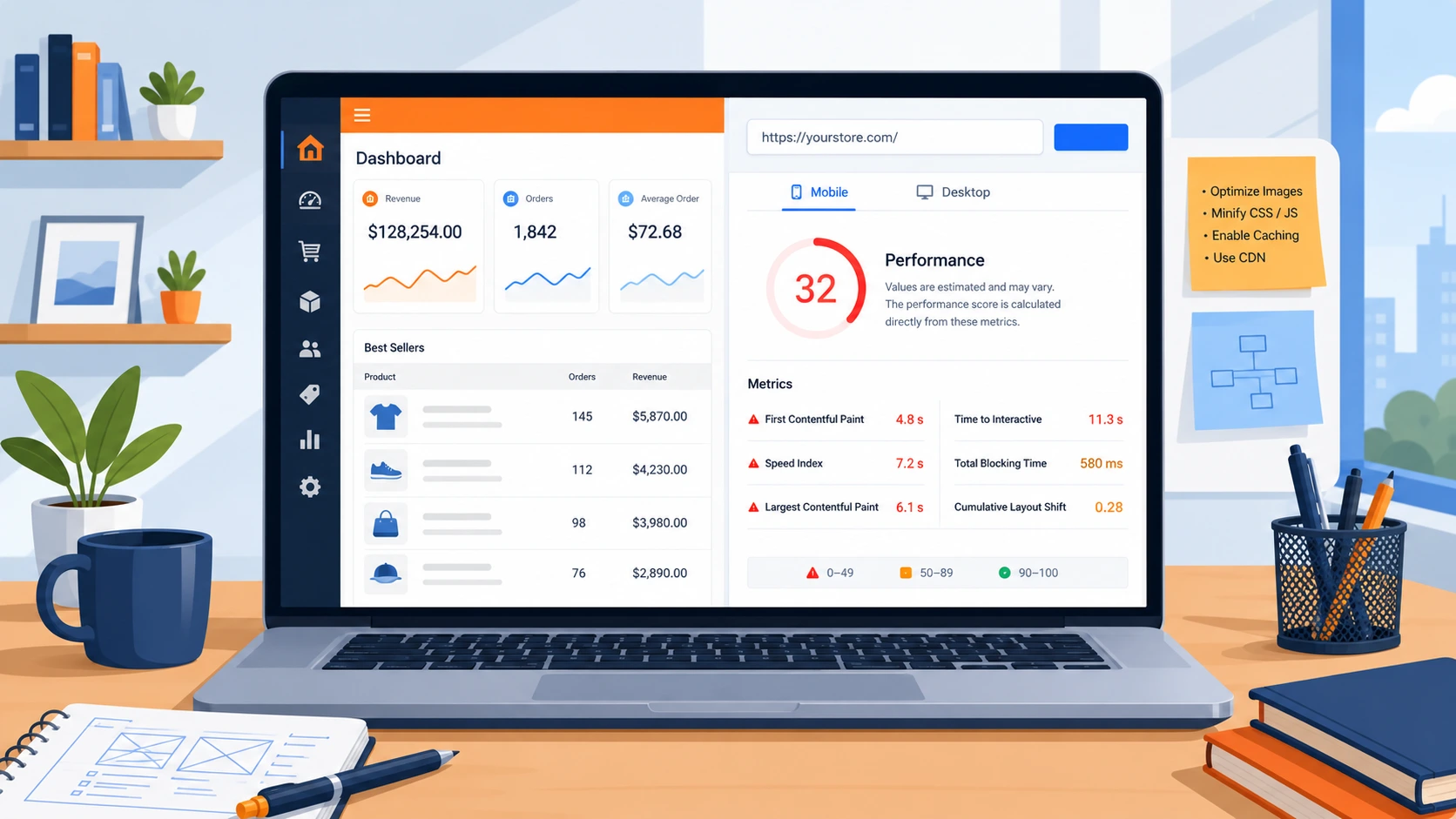
A Magento site slow after upgrade is one of the most common complaints reported by merchants right after moving to a new version. Page load times increase, checkout feels sluggish, and admin panel operations start lagging. The frustrating part is that an upgrade is supposed to improve performance, security, and stability – not create new bottlenecks. Several technical issues often cause these slowdowns, but migration teams may not identify them during the upgrade process. Below is a breakdown of the hidden causes typically responsible, along with practical fixes that restore speed and stability.
Why Speed Matters After a Magento Upgrade
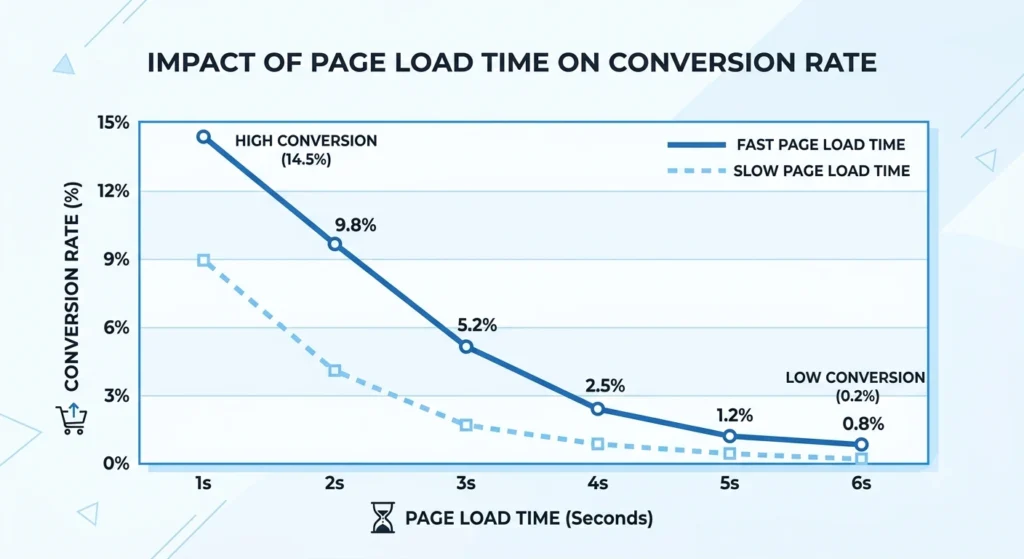
Page speed directly affects conversion rates, bounce rates, and search rankings. Google’s Core Web Vitals now play an important role in organic visibility, and even a one or two-second delay can significantly lower storefront sales. When a Magento site becomes slow after an upgrade, the impact goes beyond user experience. It can also affect crawl efficiency, ad quality scores, and customer trust. Identifying the root cause early helps protect SEO equity and reduce potential revenue loss.
10 Hidden Causes Behind a Slow Magento Site After Upgrade
1. Outdated or Conflicting Extensions
Third-party modules built for an older Magento version often continue running after an upgrade without proper compatibility checks. These extensions can trigger duplicate database queries, unnecessary API calls, or conflicting JavaScript that stalls page rendering. A full extension audit, followed by removal or replacement of unsupported modules, typically resolves a large share of post-upgrade slowdowns.
2. Magento Site Slow After Upgrade Due to Full Page Cache Not Reconfigured
Magento relies heavily on Full Page Cache (FPC) and Varnish to serve pages quickly. During an upgrade, cache configuration files are frequently overwritten or reset to default settings. Without proper reconfiguration, every page request hits the application layer directly instead of being served from cache, causing dramatic slowdowns across category and product pages.
3. Unoptimized Database After Migration Causing Magento Site Slow After Upgrade
Database tables accumulate log entries, quote data, and session records over time. Migration scripts sometimes skip cleanup routines, leaving bloated tables that slow down every query. Running database optimization commands and clearing expired log data restores query performance to expected levels.
4. Missing Content Delivery Network Setup
A CDN reduces latency by serving static assets from servers closer to the visitor. After an upgrade, CDN integration settings are occasionally left unlinked or misconfigured, forcing the origin server to handle all image, CSS, and JavaScript requests directly. Reconnecting and testing CDN delivery is a quick win for global load times.

5. Uncompiled or Unminified Static Content
Magento requires static content deployment and code compilation after any version change. Skipping or partially completing these steps leaves the storefront serving uncompiled files, which increases server processing time on every page load. Running the static content deploy and code compile commands in production mode resolves this bottleneck immediately.
6. PHP and Server Configuration Mismatches
Newer Magento releases often require updated PHP versions, memory limits, and OPcache settings. Hosting environments that were not updated alongside the platform continue running outdated PHP configurations, creating compatibility friction that manifests as slow admin operations and delayed checkout processing. Compatibility requirements are documented in the official Adobe Commerce and Magento Open Source system requirements.
7. Bloated Custom Code From Previous Version
Custom themes and modules built years earlier sometimes carry inefficient loops, redundant collection loads, or blocking synchronous calls. These inefficiencies often go unnoticed on older Magento versions but become far more visible after an upgrade, when other bottlenecks are removed and the underlying code issues stand out clearly.
8. Elasticsearch/OpenSearch Misconfiguration
Search indexing depends on a correctly configured Elasticsearch or OpenSearch instance. A mismatched version, incomplete reindexing, or incorrect connection settings after migration can cause search and category filtering to slow drastically, sometimes timing out entirely under traffic load.
9. Image and Media Files Left Unoptimized
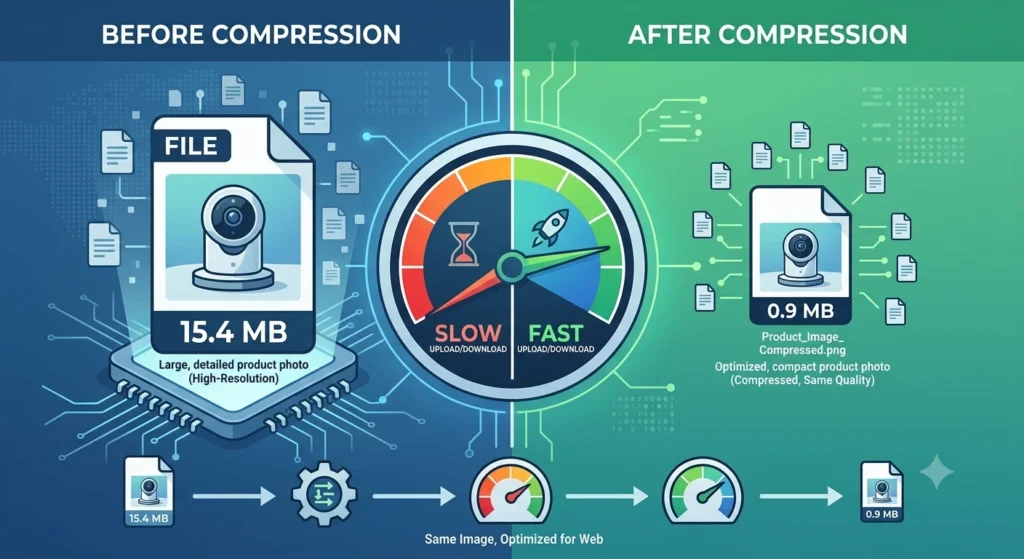
Large, uncompressed product images carried over from the previous store version continue to weigh down page load times. Upgrades rarely include automatic image optimization, so media libraries accumulated over years of catalog updates remain a persistent drag on performance until addressed separately.
10. Third-Party API and Integration Delays
Payment gateways, ERP systems, shipping calculators, and marketing tools connected through APIs can introduce latency if their integration code was not updated for the new Magento version. Synchronous API calls made during checkout or page load are especially damaging, as any delay on the external service directly slows the storefront.
Fixing a Slow Magento Site After Upgrade
Resolving a slow Magento site following an upgrade typically involves a methodical process rather than a single solution. Recommended steps include:
- Auditing all installed extensions and removing unsupported or duplicate modules
- Reconfiguring Full Page Cache and Varnish settings to match the new environment
- Running database cleanup and optimization routines post-migration
- Verifying CDN connection and cache-control headers
- Completing static content deployment and production-mode compilation
- Aligning PHP version, memory limits, and OPcache with Magento’s current requirements
- Reviewing custom code for inefficient database calls or blocking operations
- Rebuilding search indexes and confirming Elasticsearch/OpenSearch compatibility
- Compressing and lazy-loading media assets across the catalog
- Auditing third-party integrations for synchronous, blocking API calls
Each of these steps addresses a distinct bottleneck, and most stores experience a noticeable performance recovery once the full checklist has been completed rather than applying isolated fixes. A detailed walkthrough of these steps is available in the Magento performance optimization services offered by Create and Commerce.
Magento vs Other Platforms: Performance Considerations
Performance challenges after an upgrade are not unique to Magento, though the platform’s flexibility makes misconfiguration more likely. WooCommerce stores depend heavily on hosting quality and plugin management, often facing similar slowdowns after WordPress core or plugin updates. As SaaS systems, BigCommerce and Shopify manage infrastructure and caching automatically, which lowers this particular category of upgrade-related problems but restricts the degree of customisation. Adobe Commerce (the enterprise version of Magento) includes built-in Fastly CDN integration and advanced caching tools, which can prevent several of the causes listed above if configured correctly from the start. Headless Commerce architectures decouple the frontend from the backend entirely, often improving speed by serving a lightweight storefront while the commerce engine operates independently – though this approach introduces its own configuration complexity during migration. A comparison of platform options is available through Create and Commerce’s ecommerce platform services.
How to Test Magento Site Speed After Upgrade
Confirming whether a fix actually worked requires consistent measurement rather than a quick visual check. Tools such as Google PageSpeed Insights, GTmetrix , and Lighthouse provide standardized scores for load time, Time to First Byte, and Largest Contentful Paint. Testing should happen on both the homepage and a product/category page, since caching and indexing issues often affect these page types differently. Running tests from multiple geographic locations also helps verify whether CDN configuration is distributing assets correctly. A Magento site slow after upgrade in one region but fast in another usually points directly to a CDN or server-location issue rather than a code problem. Testing before and after each fix from the checklist above makes it possible to isolate which change delivered the most improvement, instead of applying every fix at once and losing track of what actually helped.
Preventing Future Slowdowns During Magento Upgrades
Avoiding a repeat performance drop on the next upgrade starts with treating speed as part of the release checklist rather than an afterthought. A staging environment that mirrors production traffic and data volume allows performance testing before changes reach the live store. Documenting cache configuration, CDN settings, and PHP requirements before an upgrade begins makes it easier to confirm nothing was reset or overlooked once the new version is live. Extensions should be reviewed for active maintenance and version compatibility ahead of time, rather than discovered as a problem after launch. Scheduling a dedicated performance audit immediately after each upgrade, using the same testing tools mentioned above, catches regressions early and keeps a Magento site slow after upgrade from becoming a recurring pattern with every future release.
Frequently Asked Questions About Magento Site Slow After Upgrade
Why does a Magento site slow after upgrade even when the migration was completed successfully?
A successful migration confirms that data and files moved correctly, but it does not guarantee optimal configuration. Caching, indexing, and server settings often need manual reconfiguration after the process completes.
How long does it typically take to fix a slow Magento site after an upgrade?
The majority of performance audits and adjustments are finished in one to two weeks for a mid-sized catalog; however, timelines vary based on shop size and the quantity of custom extensions involved.
Does upgrading to Adobe Commerce automatically solve speed issues?
Adobe Commerce includes built-in performance tools such as Fastly CDN, but these tools still require proper configuration. Speed issues can persist if cache rules, indexing, and server resources are not aligned with the new environment.
Can a slow Magento site after upgrade affect search engine rankings?
Yes. Page speed is a recognized ranking factor, and slow load times can also reduce crawl efficiency, which may delay how quickly updated pages get indexed.
Is switching to headless commerce a solution for persistent speed problems?
Headless architecture can improve frontend speed significantly, though it involves a more complex setup and is generally recommended after ruling out simpler caching, database, and code-level fixes first.
Should database optimization be done before or after resolving cache issues?
Database optimization is typically addressed first, since a bloated database can slow down cache generation itself. Fixing cache configuration afterward yields more accurate performance results.
Conclusion
A slow storefront after a platform upgrade is rarely caused by a single issue it is usually the combined effect of caching misconfiguration, unoptimized code, database bloat, and overlooked media files. A systematic technical audit, rather than guesswork, is what separates a quick recovery from months of lingering performance complaints. Store owners evaluating platform options or planning a Magento upgrade often benefit from working with specialized commerce development teams. Create and Commerce is one such team focused on Magento, Adobe Commerce, WooCommerce, BigCommerce, Shopify, and headless commerce builds, offering the kind of structured performance audits described above for stores facing post-upgrade slowdowns.